About this app
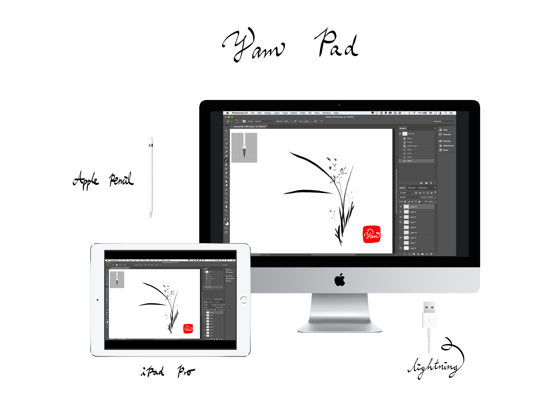
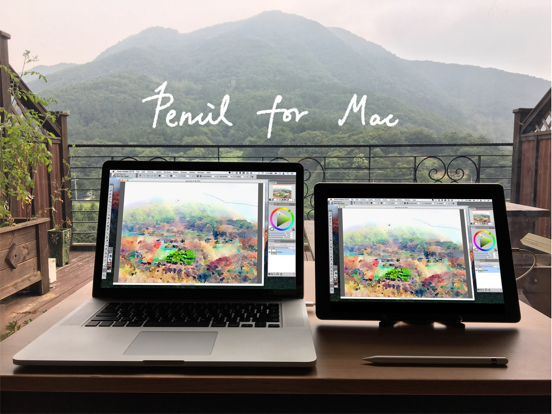
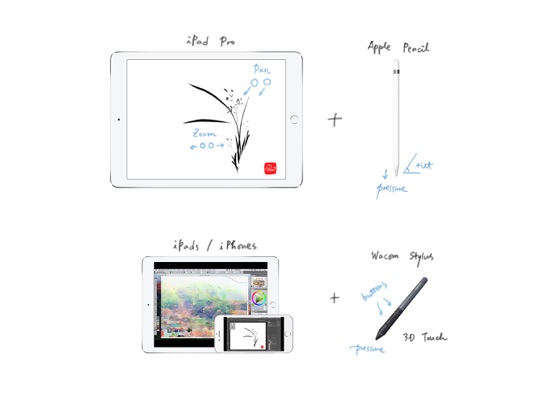
Yam Pad turns your iPad into a Drawing Table for Mac via USB. Supports Apple Pencil pressure & tilt and hover for various Mac apps for drawing. Control the canvas with multi-touch gestures, including pan and zoom, undo & redo. Fast and simple USB connection will let you focus on your creative work. Key Features: - Apple Pencil Pressure & Tilt and Hover - Touch Gestures: Zoom/Pan/Undo/Redo - Fast and secure USB connectivity - Cristal clear resolution - Keyboard support - Touch Bar simulation Mac Apps compatible: - Photoshop - Affinity Photo - Illustrator - SketchBook - Corel Painter - Lightroom - Toon Boom Harmony - MediBang Paint - Clip Studio Paint - ZBrush - MarginNote 3 - and more... (let us know your favorites) Stylus supported: - Apple Pencil (for iPads that support Apple Pencil) - Wacom Stylus (for iPads that do not support Apple Pencil) System Requirements: - iPads with iPadOS 9.1 or later: * iPad (5th generation or later) * iPad Air (all generations) * iPad Pro (all generations) * iPad mini (2nd generation or later) - Macs with macOS 10.9 or later Download the free host app for Mac: yamdisplay.com/yampad Support: help@yamdisplay.com
Latest release
What’s New
Support Apple Pencil hover. Fixes for the latest iPadOS. * On your Mac, please update Yam Pad for Mac to the latest version.
Audience growth
Ratings growth
Baseline captured. Growth appears after the crawler observes a changed rating count.
Momentum comes from crawler snapshots for the tracked storefront. “Viral growth signal” means unusually fast recent rating gains; it is an indicator, not download data.
Price tracking
Price intelligence
- First observed Aug 18, 2026 · 3:24 PM $4.99
Screenshots