About this app
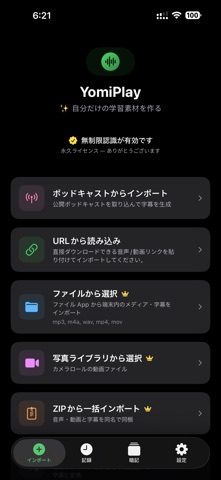
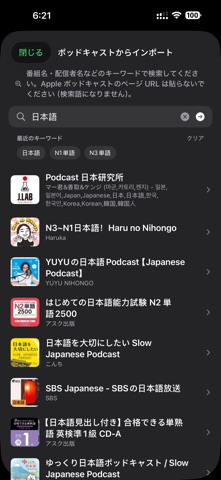
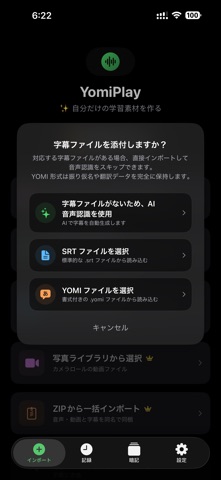
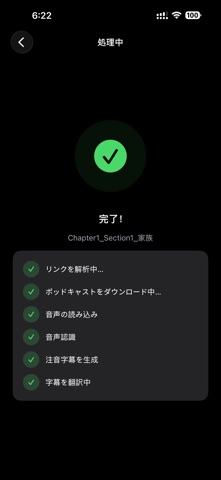
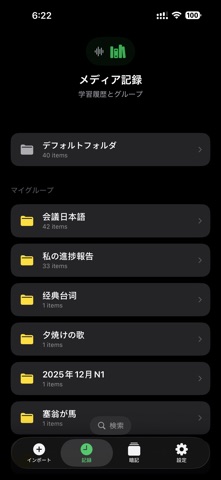
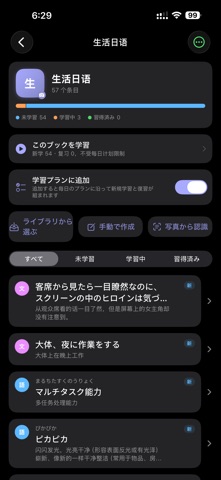
YomiPlay — AI-Powered Japanese Learning & Subtitle Tool YomiPlay is a multimedia learning app designed for Japanese learners. With AI speech recognition and subtitle generation, it helps you improve listening and speaking skills using real-world audio and video. Key Features AI Subtitle Generation I• mport audio, video, or podcast URLs and automatically generate Japanese subtitles with timestamps. Multi-layer Subtitle Support • Furigana, romaji, and English hints for loanwords to support comprehension and pronunciation. Translation & Bilingual View • Full or line-by-line translation to enhance understanding. Flexible Import Options • Import from URLs, podcasts, local files, or photo library. Learning Library • Automatically save and organize your learning materials with grouping and search. Highlights • Learn from real-world content • Improve listening and speaking with shadowing • All-in-one workflow from import to study • Customizable subtitle display Who It's For • Japanese learners (beginner to JLPT levels) • Anyone improving listening and speaking skills Terms of Use (EULA): https://www.apple.com/legal/internet-services/itunes/dev/stdeula/ Privacy Policy: https://www.toshiki.tech/en/yomiplay/privacy
Latest release
What’s New
What's New • Memorization is now free: use one deck with up to 50 items — daily learning, review, read-aloud and export all included, no subscription needed • New Notes: write up one point at a time — how a few words differ, or how a grammar pattern works. Link a note to your items and it resurfaces while you review them • Notes support AI drafting (bring your own API key in Settings), writing templates, text capture from photos, and live preview. Pasted from the web? One tap cleans up the formatting • New Cloze review: content words in sentences and passages are blanked out so you recall them from context and the translation. Each review blanks a different spot, covering the whole sentence over time • Study reminders now have separate morning and evening slots, each with its own time • Examples, explanations and notes can all be captured from photos — and one photo can add several examples at once • All 10 read-aloud voices now have names and guidance on what they suit, so you don't have to audition them one by one Stability & polish • Fixed the freeze and crash when importing large files or files stored in iCloud • Imports now check available storage first and tell you exactly how much is needed • Devices with less memory automatically use a lighter recognition model, preventing crashes during transcription • Punctuation no longer repeats itself in the romaji layer, for a cleaner three-layer view • Review cards now state whether to recall the original or the translation, and explain when you answered the wrong side instead of just showing 0% • A "+" next to "My Groups" in the library lets you create a group right there
Audience growth
Ratings growth
Baseline captured. Growth appears after the crawler observes a changed rating count.
Momentum comes from crawler snapshots for the tracked storefront. “Viral growth signal” means unusually fast recent rating gains; it is an indicator, not download data.
Price tracking
Price intelligence
First snapshot captured. The trend line starts after the next crawler price observation.
- First observed Aug 21, 2026 · 8:17 AM Free
Screenshots