About this app
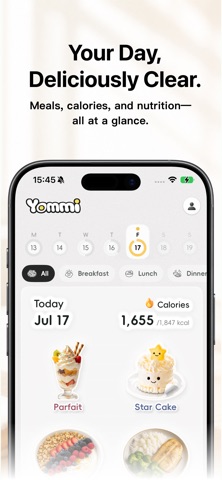
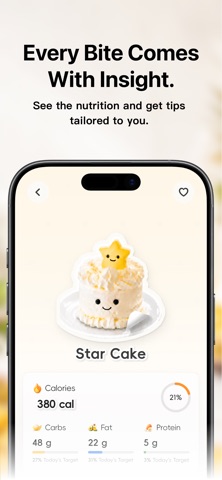
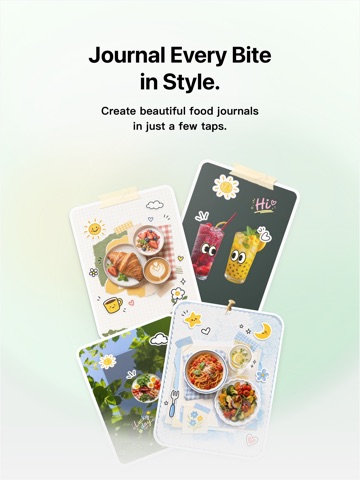
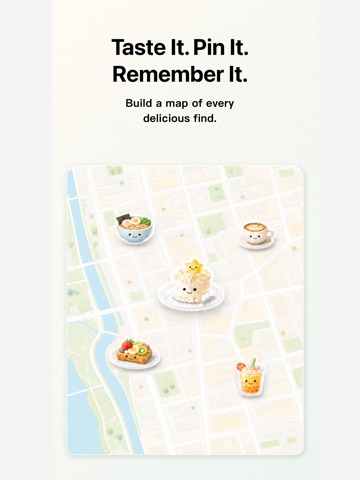
Eat well. Log it. Share what you love. Turn every meal into a Yommi food journal made for you. Yommi brings food logging, AI-powered nutrition insights, and food memories into one place. Capture a meal, make sense of its nutrition, build your own Food Library, and turn the moments and places you love into a journal and map. ONE PHOTO, ONE EASY MEAL LOG Save what you ate with a photo, so food logging feels light, natural, and easier to keep up. SEE NUTRITION WITHOUT LOSING THE JOY Yommi turns calories, protein, carbs, and fat into clear everyday context, with gentle guidance shaped by your goals, preferences, and dietary needs. BUILD A FOOD LIBRARY OF YOUR FAVORITES Keep the foods you love and the meals you return to in one place. Quickly find familiar favorites and make everyday logging feel effortless. TURN EVERY BITE INTO A FOOD JOURNAL Bring photos, stickers, words, and feelings together. Each meal becomes a memory worth revisiting—and a small moment worth sharing. MAP THE PLACES BEHIND EACH BITE Save meals together with the places you found them, and watch your own food story take shape across the map. LOOK BACK ON YOUR DAILY RHYTHM Notice patterns in how you eat and nourish yourself over time. No perfection—just a clearer understanding of your everyday habits. Getting started takes three steps: 1. Snap or choose a food photo 2. Review the food and nutrition details 3. Save it, then add it to your journal, Food Library, or map Yommi provides general lifestyle and wellness information only. Food recognition, portions, calories, and nutrition values are estimates and may vary. Yommi does not provide medical diagnoses and is not a substitute for advice from a physician, registered dietitian, or other qualified professional. Start with today’s meal. Make every bite worth remembering. Terms of Use (EULA): https://www.apple.com/legal/internet-services/itunes/dev/stdeula/ Privacy Policy: https://app.notion.com/p/Yommi-Privacy-Policy-39c78324ff7e80398610f5fc3b9afa30
Latest release
What’s New
Manual food logging is now smoother. You can add a meal directly, set calories and portion, choose the meal time, and save it into your daily record. This update also polishes the capture-to-record flow, so quick edits feel clearer before you save.
Audience growth
Ratings growth
Baseline captured. Growth appears after the crawler observes a changed rating count.
Momentum comes from crawler snapshots for the tracked storefront. “Viral growth signal” means unusually fast recent rating gains; it is an indicator, not download data.
Price tracking
Price intelligence
First snapshot captured. The trend line starts after the next crawler price observation.
- First observed Sep 30, 2026 · 1:24 PM Free
Screenshots