About this app
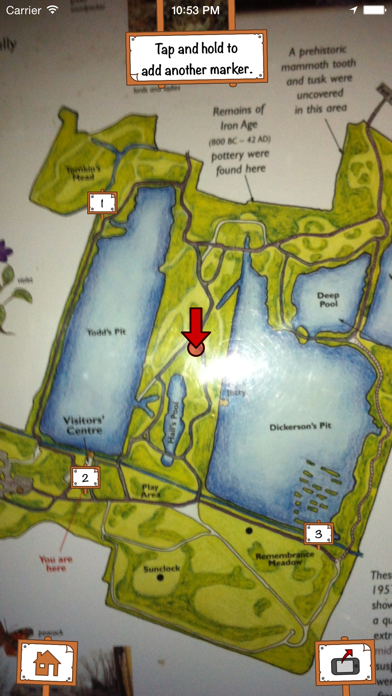
You Are Here uses your phone's GPS to show where you are on any map - Park or campus information boards, leaflets or even sketches. Just take a picture of a map while you're out and about, or copy and paste one from the internet, then go to the place that the map shows. When you know where you are on the map, tap and hold to add a marker. Move around until you find another place on the map, and tap and hold to add a second marker. Your position will show on the map, updated as you move around. You Are Here only needs two markers to find your position anywhere on the map, but it works best with three or more, and you can keep adding more markers to make it more accurate. For best accuracy, try to add markers at each side of the map. You Are Here uses your phone's GPS and other location services, which can drain battery life if used constantly. We recommend that you plug your device into a power source, or lock the screen when you aren't using it.
Latest release
What’s New
This update from Apple will improve the functionality of this app. No new features are included.
Audience growth
Ratings growth
Baseline captured. Growth appears after the crawler observes a changed rating count.
Momentum comes from crawler snapshots for the tracked storefront. “Viral growth signal” means unusually fast recent rating gains; it is an indicator, not download data.
Price tracking
Price intelligence
First snapshot captured. The trend line starts after the next crawler price observation.
- First observed Aug 19, 2026 · 10:00 AM Free
Screenshots