About this app
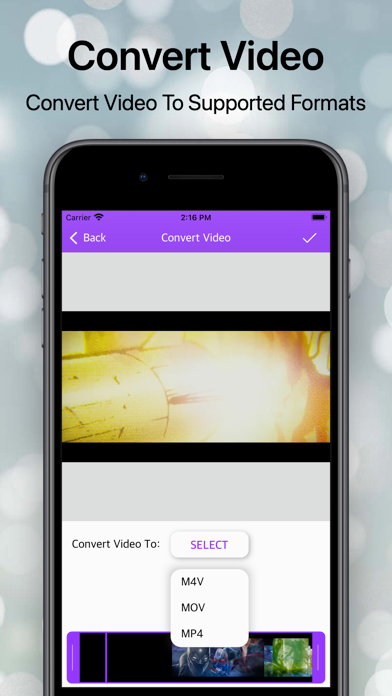
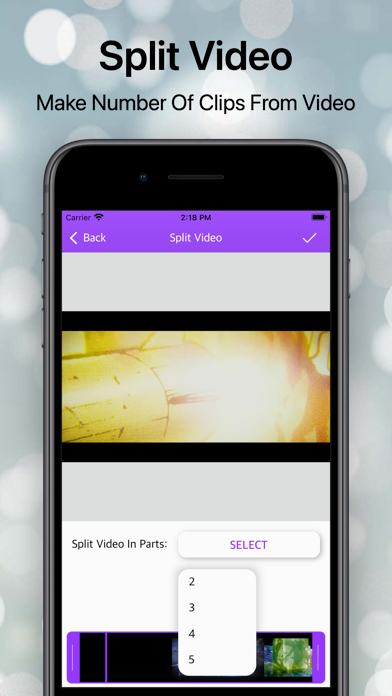
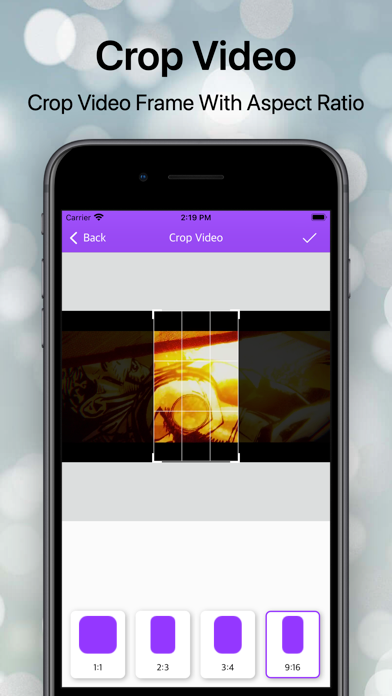
- YouEdit - Video Editor is a powerful video editor with all you need to edit your video. - YouEdit - Video Editor is one of the finest applications for video editors and video makers. moreover, it is a full entertainment video editor and video maker application without any limitations. Just Try & have fun with the YouEdit - Video Editor App. ## Features: ## # Merge Video # - Video Merge function provides consistently join N-number of video files together in JUST ONE CLICK. # Video Compress # - Video Compress function helps to compress video size and resolution at your choice. # Video Trim # - Video Trim is a startling function of Video All in one editor. With the help of a Video cutter, the user can cut or trim the stablest part from a video file without losing original quality.in addition that it support many different file formats like .mp4, .mkv, .mov and many other. # Video Converter # - Would you like to convert the Video files configuration to another formation? Convert Video Function has brazenly transform your Video file to a various format like as .mp4, .mkv, .mov etc. Just explore it. # Motion Video # - Motion Video is a startling function, users can make slow or fast video streaming in just a step. And it applies also to audio. # Reverse VIdeo # - Make a slow-motion video! You can also make magic fast-motion videos. You can edit your video and change the speed of it. # Split Video # - Split Video is a startling function for split a video into small parts. Using this Split Video you can Split and trim a video. # Crop Video # - Use the video crop feature to resize the video to the size that meets your needs. There are various options available, where you can choose from predefined sizes to any custom size! # B&W Video # - Use Black & white video to convert your video into grayscale video filter. # Extract Audio # - Extract Audio has to be a function of Video all in one where The user can Extract from a Video file to an audio file and save an audio file to supportive formats. # Mute Video # - Sometimes we come to a situation where we have to show the only visualization not audio here you can remove audio with the help of the mute function. # Extract Frame # - With the help of this function, you can make an album of the image from a video file every second. # Video Boomerang # - Boomerang Video function helps to create boomerang videos that loop back and run continuously.
Latest release
What’s New
- minor bug fixes. - performance improvement. - remove some ads.
Audience growth
Ratings growth
Baseline captured. Growth appears after the crawler observes a changed rating count.
Momentum comes from crawler snapshots for the tracked storefront. “Viral growth signal” means unusually fast recent rating gains; it is an indicator, not download data.
Price tracking
Price intelligence
First snapshot captured. The trend line starts after the next crawler price observation.
- First observed Sep 1, 2026 · 3:51 AM Free
Screenshots