About this app
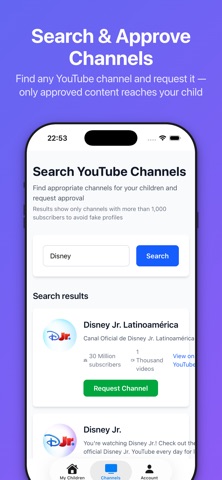
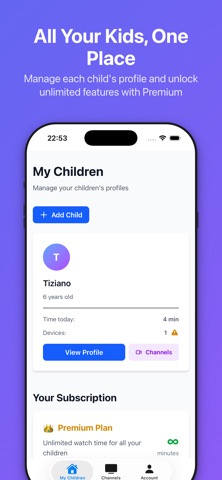
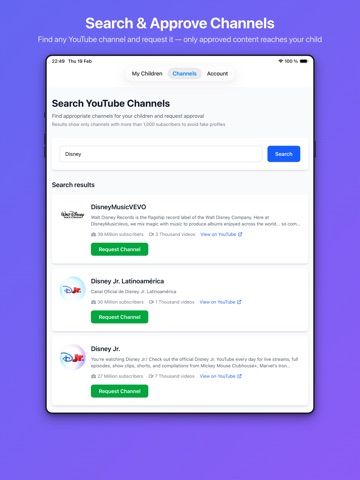
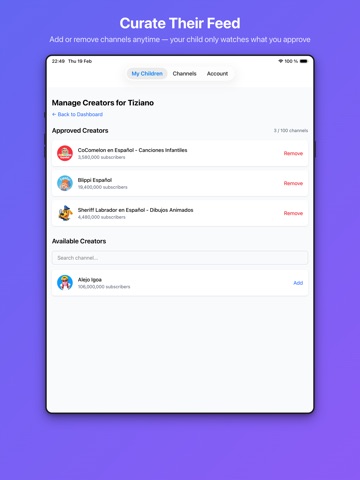
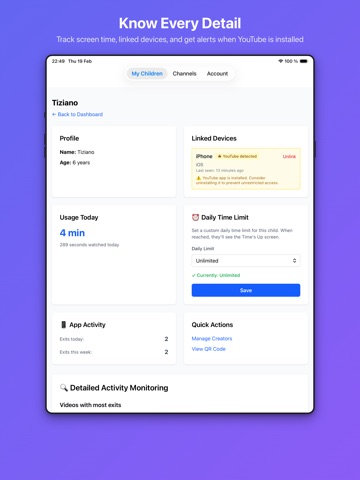
YOUKO Parents — Safe YouTube for Your Children YOUKO gives you complete control over what your kids watch on YouTube. You choose every channel, set daily viewing limits, and monitor their activity — all from one simple app. HOW IT WORKS 1. Create a profile for each child 2. Search and request YouTube channels you trust 3. Our team reviews and approves each channel for kids under 13 4. Link their device with a QR code or 6-digit code 5. They watch only what you approved — nothing else, ever YOU CHOOSE THE CONTENT Every channel on YOUKO is manually reviewed before kids can access it. No algorithm surprises, no recommended rabbit holes, no inappropriate content slipping through. Just the channels you picked. KNOW EXACTLY WHAT THEY'RE WATCHING • Daily screen time tracking per child • App exit monitoring — know when they try to leave the app • Linked device management • Real-time usage data at a glance FLEXIBLE PLANS FOR EVERY FAMILY Free — Get started at no cost: • 1 child profile • 5 approved channels • 30-minute daily viewing limit Premium — For growing families ($3.99/mo or $38.30/yr): • Up to 3 children • 100 channels per child • Custom daily limits: 30 min, 1hr, 2hr, 3hr, or unlimited • Detailed activity monitoring with exit timeline Lifetime Access — One payment, forever ($249): • Up to 5 children • All premium features included • No recurring payments, ever BUILT FOR KIDS UNDER 13 YOUKO is fully COPPA-compliant. Children never create accounts or share personal information. All decisions are made by parents through secure, authenticated accounts. EFFORTLESS DEVICE SETUP Link your child's iPhone or iPad in seconds using a QR code or a 6-digit code — no email or password needed on the child's device. Privacy Policy: https://youko.app/privacy Terms of Service: https://youko.app/terms EULA https://www.apple.com/legal/internet-services/itunes/dev/stdeula/
Latest release
What’s New
- Restore purchases from the plans screen - Flexible monthly pricing by number of children (1 to 5) - Native confirmation dialogs (delete profile, etc.) - Friendly error page when there's no internet connection - Stability improvements and bug fixes
Audience growth
Ratings growth
Baseline captured. Growth appears after the crawler observes a changed rating count.
Momentum comes from crawler snapshots for the tracked storefront. “Viral growth signal” means unusually fast recent rating gains; it is an indicator, not download data.
Price tracking
Price intelligence
First snapshot captured. The trend line starts after the next crawler price observation.
- First observed Sep 5, 2026 · 1:08 PM Free
Screenshots