About this app
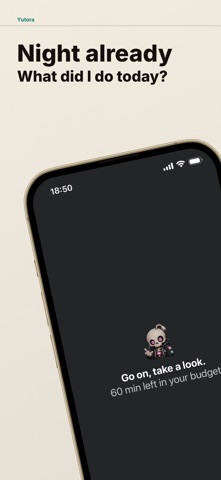
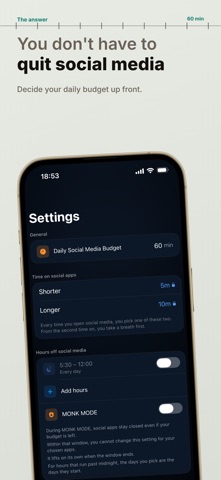
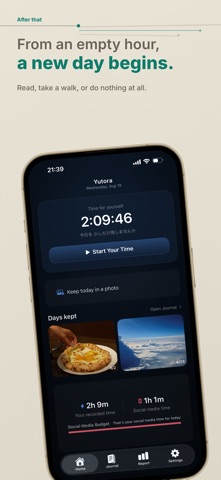
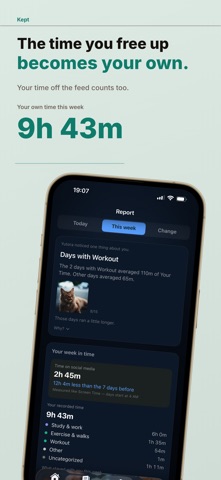
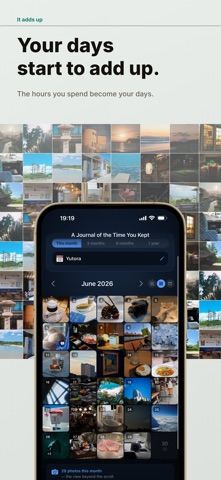
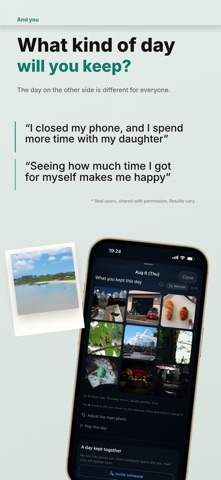
Keep what lies past the moment you close. There are plenty of ways to cut down. Yutora cares about what's left afterwards. You read a book. Took a walk. Talked with someone. Finished a film. Rested. Time like that is kept as Your Time, with a photo or a few words. Time that used to slip past, turned into time that stays. Not how many minutes you cut, but what they left. ◆ One pause before you open Social media you opened without noticing. Scrolling you don't remember. Yutora doesn't ban it. Posting, keeping in touch, looking things up can all stay. It only puts one fork in the road before a glance turns into an hour: watch, or close. From opening without thinking, to opening because you chose to. ◆ You decide how much time it gets Yutora treats your daily social media time less as a limit than a budget. Rather than pushing away apps you need, you decide, and stop once it's spent. Not a system for quitting social media, but one for not spending your day on it. ◆ Closing the app isn't the end This is where Yutora differs. It doesn't block social media and then tell you to read or exercise instead. That time is kept inside Yutora — choose not to watch, and start Your Time there. - Reading - Walking - Studying - Making things - Films - Time with family - Rest Five minutes is fine, and so is doing nothing. With the timer, "thirty minutes I didn't watch" becomes "thirty minutes I chose." ◆ Yutora doesn't decide what good time is Study more. Exercise. Read a book. Yutora sets no such answers. Some days you push hard, some days you play, some days you do nothing. What matters is stepping back and being able to choose. Whatever "good" lies past is yours to find. ◆ Keep the day with a photo or a few words If something in that time is worth keeping, keep it. - Days you leave a photo - Days you leave only a line - Days you leave nothing Any of them is fine. Not to collect likes, but so that later you can think: "this is how I was spending my time." ◆ It builds up, starting today Today — what your time went to. This Week — what rhythm the last seven days had. Change — what has built up as you kept going. Not reports for competing on numbers. A quiet record of where your time went. ◆ You don't have to quit social media There are good things there, and connections that matter. Yutora doesn't treat social media as bad. The only time worth cutting is this: "I actually wanted to do something else, and then the time was gone." To widen your life with social media, without spending your life on it. ◆ Free to start Premium widens how many apps you watch and the hours they stay closed, plus longer spans, more photos and keepsakes. Yearly ¥5,980 / Monthly ¥880, with a 14-day free trial on the yearly plan. If you stop Premium, what you've kept is not deleted. Today stays. Even ten minutes that would usually slip past may become time that stays, if you choose it. FEATURES - A daily budget for social media - Screen Time based tracking - Blocking your apps once the budget is up - A fork in the road before you open - A Your Time timer - Hours when social media stays closed - Names for the time you spend - A photo or a few words per day - A month-by-month calendar - Today / This Week / long-range reports - Keepsakes from a span you choose - Keeping a day as a film - Lock Screen and Home Screen widgets - A lock on setting changes - iCloud backup PRIVACY Measuring and blocking social media time requires permission for Screen Time. Yutora never collects what you viewed, typed, or posted. What you keep stays on your device and in your own iCloud, not on the developer's servers. SUBSCRIPTION - Charged to your Apple ID at purchase - 14-day free trial on the yearly plan - Renews automatically unless cancelled 24 hours before it ends - Cancel any time in your App Store subscription settings Terms: https://monyakaanyanya-stack.github.io/time-wallet/terms.html Privacy: https://monyakaanyanya-stack.github.io/time-wallet/privacy.html
Latest release
What’s New
Thank you for using Yutora. We redesigned how the app looks, throughout. - Reports are now split into Today, This Week and Change - Settings follow the order you actually think in, starting with what protects your time - The paywall shows the difference between plans in one table - Larger text holds together better, and more things are easier to tap - VoiceOver now reads the name of each app you are watching
Audience growth
Ratings growth
Baseline captured. Growth appears after the crawler observes a changed rating count.
Momentum comes from crawler snapshots for the tracked storefront. “Viral growth signal” means unusually fast recent rating gains; it is an indicator, not download data.
Price tracking
Price intelligence
First snapshot captured. The trend line starts after the next crawler price observation.
- First observed Sep 4, 2026 · 7:36 AM Free
Screenshots