About this app
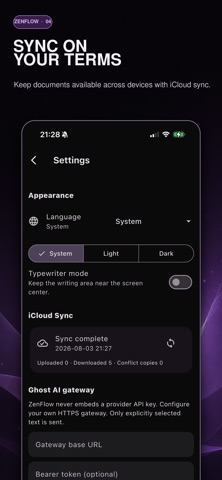
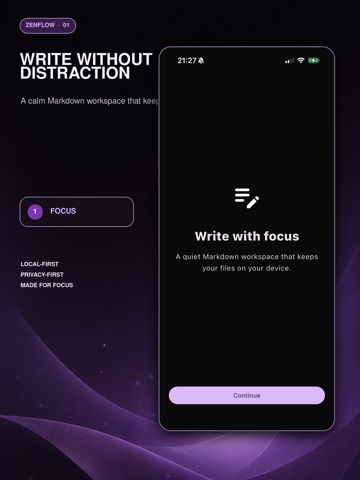
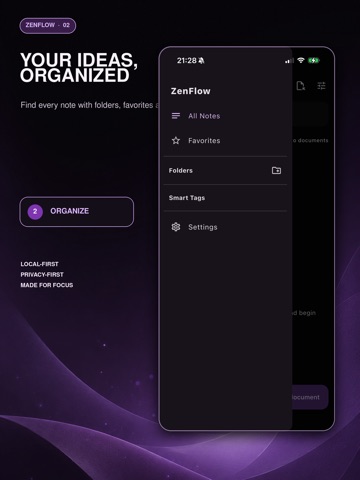
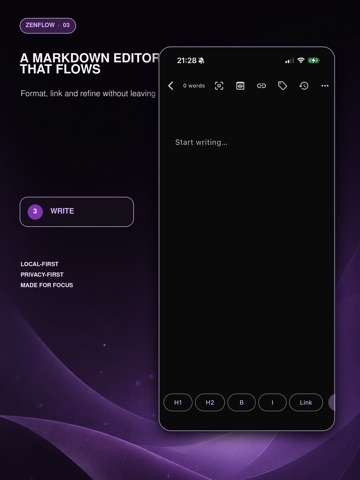
ZenFlow AI is a minimalist Markdown editor with an invisible AI editor built in. Write without distraction, keep your files local, and call Ghost AI only when you want a careful second look at your sentences. WRITE WITHOUT DISTRACTION A quiet, borderless editor built around plain text and Markdown. Focus mode fades everything except the sentence you are writing, and typewriter scrolling keeps your eyes where your words are. No ribbons, no formatting panic. GHOST AI, ONLY WHEN YOU ASK Select a sentence and ask Ghost AI to polish, rewrite, expand, check grammar, or adjust tone. Suggestions appear as a clear before-and-after diff, so you compare, accept, or reject. Your voice stays yours. NEW: THREE WAYS TO START A blank page now offers Journal, Inspiration, and Daily Plan starters, so you can begin writing with a single tap. You can also create a document from scratch or import an existing Markdown file. FIND THINGS FASTER Recently edited documents are one tap away on the home screen, and when a search returns nothing, one tap clears every filter. YOUR FILES STAY YOURS Documents are stored locally as Markdown, so you can write offline and keep full ownership of your work. iCloud sync keeps your library consistent across your Apple devices, with recent changes making syncing faster and more reliable. ORGANIZE WITHOUT THE OVERHEAD Folders, smart tags, and lightweight links keep long drafts, quick notes, research, and daily journal entries together, without turning writing into database maintenance. BRING YOUR OWN AI KEY Use your own token with Ghost AI. Add your key in Settings and your writing assistant runs on your own account, your own limits, and your own data terms. EXPORT ANYWHERE Export plain Markdown and text for free, or unlock polished PDF and DOCX export with typographic themes through ZenPro. ZENPRO ZenPro is a one-time purchase, not a subscription. A single payment unlocks Ghost AI and advanced export. PERFECT FOR Writers, bloggers, students, researchers, journalists, novelists, and anyone who journals daily and wants fewer distractions and better editing. Contact: support@100ideas.net Apple Standard End User License Agreement (EULA): https://www.apple.com/legal/internet-services/itunes/dev/stdeula/
Latest release
What’s New
This update further improves the stability and compatibility of AI features: • Optimized OpenAI API connectivity and fixed the 421 error that could occur in some cases • Improved compatibility with different OpenAI models • Optimized API endpoint configuration and request handling • Improved error messages for failed AI requests to make troubleshooting easier • Fixed known issues and improved overall stability Thank you for using ZenFlow! If you encounter any issues or have suggestions, please contact us through the in-app feedback feature.
Audience growth
Ratings growth
Baseline captured. Growth appears after the crawler observes a changed rating count.
Momentum comes from crawler snapshots for the tracked storefront. “Viral growth signal” means unusually fast recent rating gains; it is an indicator, not download data.
Price tracking
Price intelligence
- First observed Aug 8, 2026 · 5:23 PM Free
Screenshots