About this app
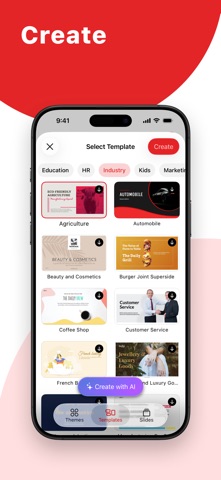
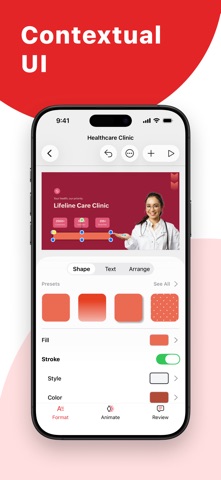
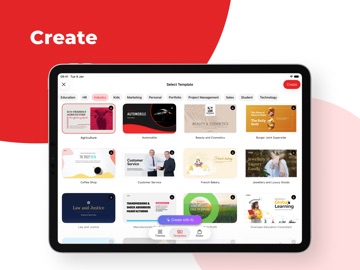
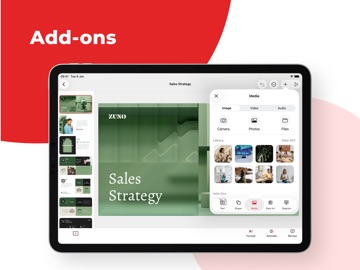
Create, share, and edit beautiful presentations on your iOS or iPadOS device while you're on the go. Import PowerPoint presentations (.PPTX files) and pick up where you left off. Work on your slides offline and download them as an image or a PDF. CAPTURE YOUR AUDIENCE'S ATTENTION WITH STUNNING TEMPLATES Use Show's large array of presentation templates and themes to simplify your slide creation process. Pick from marketing, sales, and many more template options for your next deck. Get access to hundreds of individual slide templates like a cover slide, image slide, and more. GIVE YOUR IDEAS THE PERFECT PLATFORM Choose from a wide range of customizations available in Zoho Show to create your slides. Add and customize text, images, shapes, and more. ADD SMART ELEMENTS, SILHOUETTES, AND MORE Pick from 100+ available shapes ranging from Basic Shapes to Equation Shapes to add to your slides. Use stylish silhouettes to illustrate your slides. Use smart elements like the Fill Indicator and Shape Indicator to visually represent numbers. GRAPHICALLY REPRESENT DATA WITH CHARTS Pick from 15+ chart options to engage your audience. Choose from line charts, area charts, pie charts, and other chart types to visualize your data and make it easier to understand. You can also add animation effects to charts to enhance their visual appeal. ORGANIZE DATA BETTER WITH TABLES Arrange and categorize your data by adding tables to your slides. Pick from preset table styles and customize your tables with multiple formatting options. Add animation effects to the tables to make your data more visually interesting. ENRICH YOUR SLIDES WITH IMAGES Add images to slides right from your phone. You can also add images shot using the device's camera or by inserting the image URL. Get access to the Unsplash library and choose from millions of royalty-free images from within the app. ADD AUDIO AND VIDEO TO YOUR SLIDES Add audio and video to your slides to retain your audience's attention. You can add background music to slides and use videos to supplement your presentation content. ADD STUNNING ANIMATIONS AND SMOOTH TRANSITIONS Keep engagement levels high with eye-catching animation effects and transition effects. Make slide elements Appear, Float In, Swivel, and more with more than 20 animation effects. Choose from 25+ slide transition effects like Blinds, Spiral, and Zoom. SHARE AND COLLABORATE WITH TEAM MEMBERS Invite collaborators by simply adding their email address in the share option to get started working together. To help avoid data loss or conflicting edits, Show allows you to choose the level of access for each collaborator. WORK TOGETHER WITH YOUR TEAM Discuss slide elements with your team members by adding comments to them. Reply to comments for more contextual team conversations. NEVER LOSE YOUR PROGRESS WITH AUTO-SYNC No need to constantly hit 'save': Show saves all your progress automatically. All you have to do is create your free Zoho account and sign in for your changes to be synced directly to the cloud. USE YOUR PHONE AS A REMOTE Show's compatibility helps you use your iPhone or Apple Watch as a remote to deliver presentations on an Apple TV. PRESENT WITH YOUR APPLE TV Present your ideas on a bigger screen by connecting to your Apple TV. Navigate and control your slides using the Apple TV remote.
Latest release
What’s New
Bug fixes and performance improvement.
Audience growth
Ratings growth
Momentum comes from crawler snapshots for the tracked storefront. “Viral growth signal” means unusually fast recent rating gains; it is an indicator, not download data.
Price tracking
Price intelligence
- First observed Aug 7, 2026 · 10:37 PM Free
Screenshots