About this app
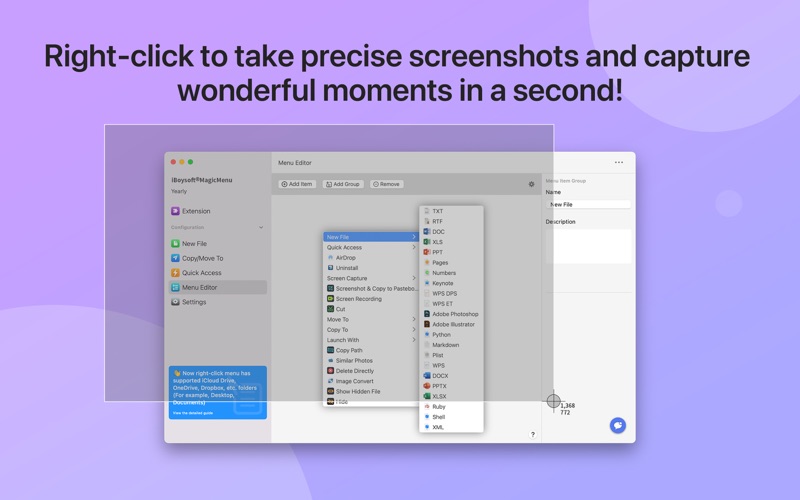
iBoysoft MagicMenu - Supercharge the macOS right-click menu with add-ons, functions and features, such as "New File, Cut File, Move File to, Copy File to, Quick Access, Uninstall Applications, Duplicate File Finder, Disk Space Analyzer". Now the right click menu of iBoysoft MagicMenu has worked in iCloud Drive, OneDrive, Dropbox, etc. directories (For example, Desktop, Documents). Features at a glance: •New file •Move files to •Copy files to •Quick access •Enter the current path and open the current file with the specified App •AirDrop •Cut/paste files •Screen Capture •Copy path •Hide/Unhide files •Directly delete files •Convert images to JPG, PNG, WEBP •Find and clean similar photos •Find duplicate files •Compress files •Completely uninstall applications •Disk space analysis Features: •Right click to create a new file 1.New file types supported by default: rtf, doc, docx, xls, xlsx, txt, pdf, ppt, pptx, plist, psd, ai, WPS DPS, WPS ET, Keynote, Pages, Markdown, Numbers, Python, Ruby, Shell, XML. 2.Add template file Support creating new files with custom file types and contents through template files 3.Support right click to create new files in cloud synced directories. •Move files to Move files to the specified location •Copy files to Copy files to the specified location •Quick access Add applications, folders, disks, browsers, and webpage links to the control panel of your right click. •AirDrop Select the file, right-click, and start airdropping directly. •Create a new folder. Quickly create a new folder,especially for cloud synced directories. •Screen capture Right-click to quickly take screenshots and record screens, solving the inconvenience of pressing multiple shortcut keys. •Cut/paste files Right-click menu to cut/paste files, quick and convenient •Copy path Select the file or in the current window, right-click to copy the path •Directly delete files Select the file and delete it directly without keeping it in the Trash •Enter the current path and open the current file with the specified App Enter path and open file with Terminal / iTerm2 / VSCode / Hexedit / A Better Finder Rename 11 / Text Edit / Sublime Text / JetBrains / BBEdit / Atom / Warp / Cursor / Coder Runner / •Hide/unhide files Hide the selected files or folders to prevent unauthorized access or editing •Convert images to JPG, PNG, WEBP Convert JPG,PNG,WEBP,GIF,BMP,TIFF,ICO,HEIC to JPG, PNG, WEBP •Find and clean similar photos Find and remove similar or duplicate photos on your Mac, including edited screenshots, flipped pictures, resized photos, etc. •Find duplicate files Quickly find and delete duplicate files to free up disk space. You can filter and search for files based on "size". •Compress files Right click to compress files, select files to compress in batches, select the compression quality, encryption, etc. •Completely uninstall applications Completely uninstall the applications with one click, leaving no residual files •Disk space analysis Analyze disk usage and delete obsolete and useless files to free up disk space •Terms of use: https://iboysoft.com/company/terms-of-use.pdf •Privacy policy: https://iboysoft.com/privacy-policy.html
Latest release
What’s New
- Compatible with macOS 26.4.1
Audience growth
Ratings growth
Baseline captured. Growth appears after the crawler observes a changed rating count.
Momentum comes from crawler snapshots for the tracked storefront. “Viral growth signal” means unusually fast recent rating gains; it is an indicator, not download data.
Price tracking
Price intelligence
First snapshot captured. The trend line starts after the next crawler price observation.
- First observed Aug 10, 2026 · 3:21 AM Free
Screenshots