About this app
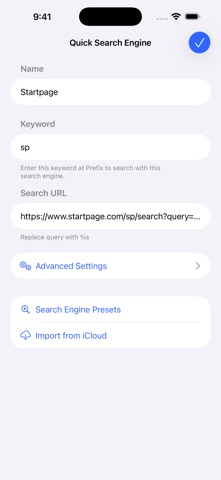
Safari Extension to customize your search engine. This extension allows you to use your preferred search engines, such as non-default search engines or AI assistants. You can also use it to change search engine settings, for example, by hiding AI Overviews or changing language settings. ### Features ### --- Customize your Search Engine Change Safari's default search engine. --- CSE for Private Browse Switch search engines in Private Browse. --- Quick Search Enter the keyword to switch search engines. Example: - Search "br something" to search in Brave Search - Search "wiki Safari" to find Safari on Wikipedia - Search "yt Me at the zoo" to find the oldest videos on YouTube - Search "wbm example.com" to see past versions of the website --- Emoji Search If you enter only one emoji, you can search it on Emojipedia.org. --- Switch Search Engines by Shortcuts and Focus You can use a different custom search engine or disable CSE while at work, school, etc.
Latest release
What’s New
- Fixed an issue where the tutorial buttons would display incorrectly in some environments - Made some other adjustments
Audience growth
Ratings growth
Baseline captured. Growth appears after the crawler observes a changed rating count.
Momentum comes from crawler snapshots for the tracked storefront. “Viral growth signal” means unusually fast recent rating gains; it is an indicator, not download data.
Price tracking
Price intelligence
First snapshot captured. The trend line starts after the next crawler price observation.
- First observed Aug 10, 2026 · 3:19 AM Free
Screenshots