About this app
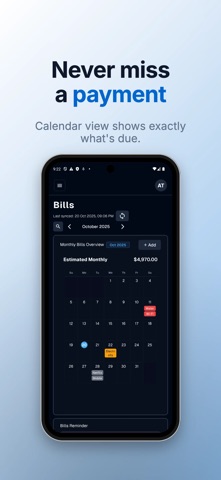
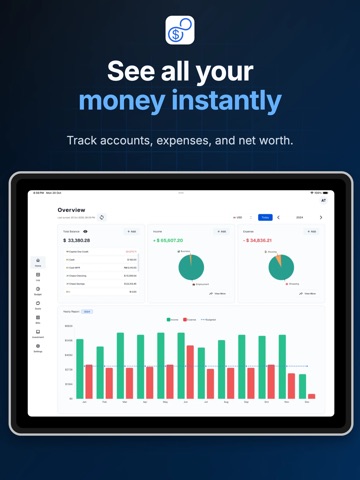
Take control of your money with 8udget — the smart budget tracker that works 100% offline. SMART EXPENSE TRACKING • Log expenses in seconds with categories, notes, and tags • AI-powered receipt scanner — snap a photo, done • Import bank statements (CSV) with 80-90% accuracy • Multi-currency support with automatic conversion BUDGET PLANNING • Set weekly, monthly, or yearly budgets • Get alerts before you overspend • Track multiple wallets — cash, cards, and accounts • Category-wise breakdown of where your money goes INVESTMENT & NET WORTH • Track stocks and crypto with real-time data • Monitor your complete net worth — assets and liabilities • Multi-currency portfolio support FINANCIAL GOALS & BILLS • Set savings goals and track progress visually • Bill reminders so you never miss a payment • Recurring expense management PRIVACY FIRST • Works 100% offline — no internet required • Bank-level AES encryption on your device • Your data stays on your device. Cloud sync is optional. • No ads. No data selling. Ever. ANALYTICS & INSIGHTS • Interactive spending charts and graphs • Monthly reports and trend analysis • Export to CSV/Excel anytime Available on iPhone, iPad, Mac. Free forever with 100 transactions/month. Upgrade to Premium for unlimited transactions, cloud sync, AI features, and investment tracking. Terms of Use: https://www.apple.com/legal/internet-services/itunes/dev/stdeula/
Latest release
What’s New
A lighter app • The app is now a smaller download and takes up less space on your device • The web app gets a fresh loading screen that matches your theme
Audience growth
Ratings growth
Baseline captured. Growth appears after the crawler observes a changed rating count.
Momentum comes from crawler snapshots for the tracked storefront. “Viral growth signal” means unusually fast recent rating gains; it is an indicator, not download data.
Price tracking
Price intelligence
First snapshot captured. The trend line starts after the next crawler price observation.
- First observed Aug 1, 2026 · 1:28 PM Free
Screenshots