About this app
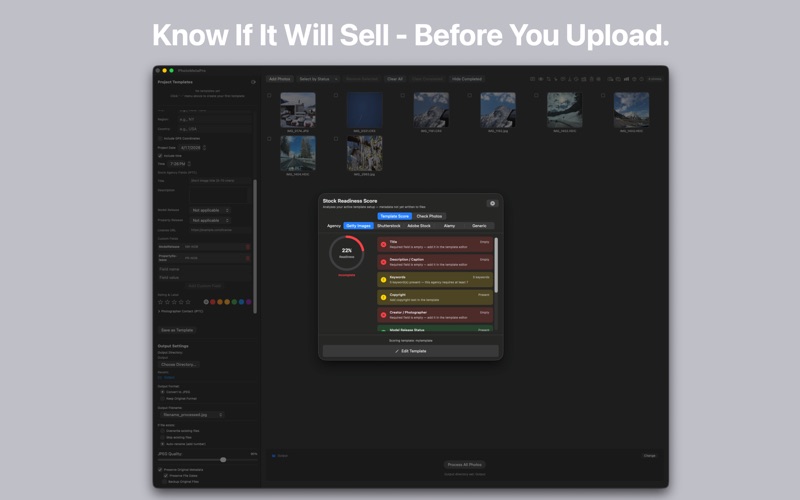
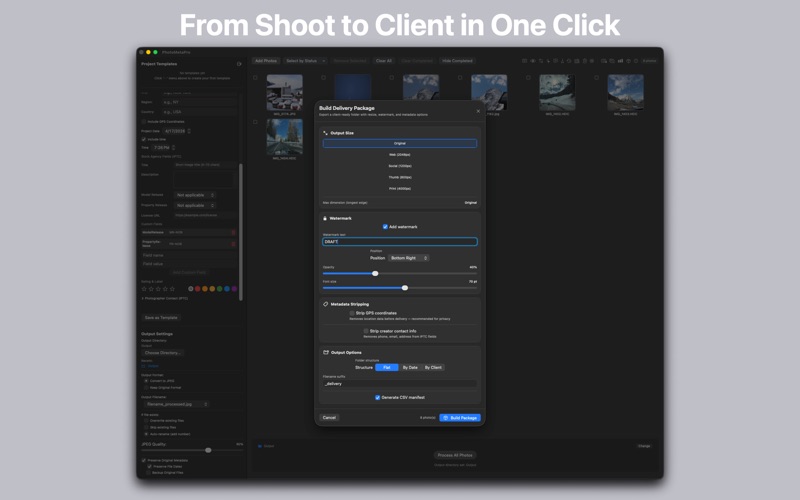
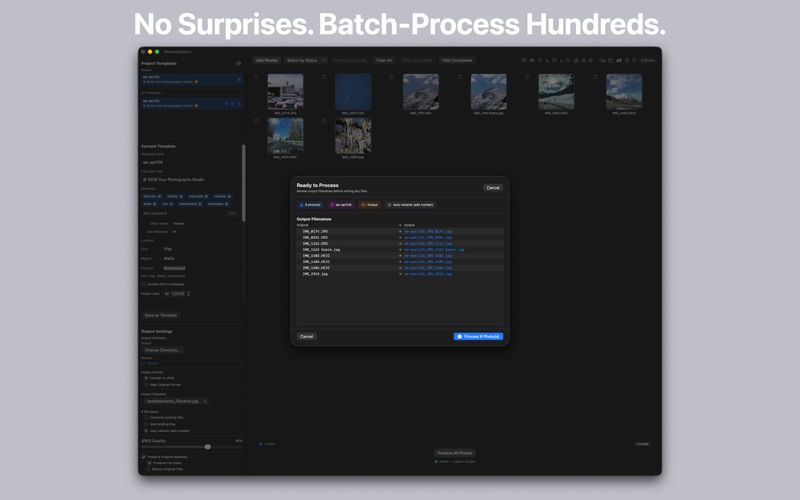
PhotoMetaPro — Professional Batch Metadata Editor for macOS Stop wasting hours on copyright, keywords, and client details. PhotoMetaPro applies professional metadata to hundreds of photos in seconds — then checks whether your files meet stock agency standards before you deliver. All processing runs locally on your Mac. No cloud, no subscription, no telemetry. ON-DEVICE AI — NO INTERNET REQUIRED AI Keyword Suggestions — Up to 15 keywords per photo via Apple Vision, in your system language. Smart Caption Generator — AI drafts a natural-language caption for each photo. Edit, accept, and save directly to IPTC Description — losslessly, no re-compression. Duplicate Detector — Perceptual fingerprinting finds near-identical photos. Three sensitivity levels. Nothing uploaded. CORE FEATURES Process unlimited photos with drag-and-drop. JPEG, PNG, TIFF, and HEIC plus full RAW support (CR2, CR3, NEF, NRW, ARW, ORF, RW2, RAF, PEF, DNG and more) — RAW files are never re-encoded. Pause, resume, or cancel at any time. Template System — Reusable templates per client or project. Import/export for backup or team sharing. Templates remember all output settings. Complete Metadata Control — Copyright, keywords, client name, custom IPTC/XMP fields, Quick Edit individual photos. Original EXIF always preserved. Stock Readiness Score — Check your metadata against Getty Images, Shutterstock, and Adobe Stock requirements. See pass, warn, or fail for every field. Also verify what's actually embedded in your files — photo by photo. Two-Camera Time Sync — Fix timestamp drift between cameras shot simultaneously. Align both streams perfectly. Delivery Package — Client-ready exports with watermarking, GPS stripping, folder structure options, and an auto-generated file manifest. RAW originals are copied byte-for-byte; enable resize or watermark to output a JPEG alongside. Keyword Library — Reusable keyword sets applied across projects instantly. GPX Track Import — Import GPS routes from .gpx files and tag an entire shoot automatically. Watch Folder — Photos dropped into a monitored folder are loaded and optionally processed automatically as they arrive. Date & Time Shift — Correct timestamp drift across entire shoots in seconds. Batch Rename — Hundreds of files, flexible patterns, one pass. GPS & Geocoding — Manual entry or GPX import. Reverse geocoding converts coordinates to place names. Non-destructive RAW via XMP Sidecar — Metadata for RAW files (CR2, CR3, NEF, ARW, ORF, RW2, RAF and more) is written to an industry-standard .xmp sidecar next to the original, so your RAW stays byte-identical. Recognised automatically by Lightroom, Capture One, Photoshop and Finder. DNG is written in place. Logs & Stats — Filterable logs, export summaries, real-time progress with pause and cancel. BUILT FOR MACOS Built with SwiftUI. Optimized for Apple Silicon, with Intel fallback. Requires macOS 14.6 or later. 20-level undo. Auto-save every 10 photos. Full keyboard coverage with a dedicated Tools menu. PERFECT FOR Stock photographers — Getty, Shutterstock, Adobe Stock Event and wedding photographers processing large batches Travel photographers tagging shoots from GPX tracks Studios managing and delivering client work Pay once, use forever. No subscription. PRIVACY & DATA Your originals are never modified. RAW files stay byte-identical — metadata is written to a standard XMP sidecar next to the original, which Lightroom, Capture One, Photoshop and Finder read automatically. Edited JPEG, PNG, TIFF and HEIC files go to a separate output directory you choose. Reverse geocoding is the only feature that uses the internet; everything else runs fully offline.
Latest release
What’s New
This update focuses on reliability and data safety, with a big batch of under-the-hood fixes: • Fixed a rare issue where batch-processing RAW files with duplicate filenames could mismatch a photo's XMP sidecar with the wrong image. • Fixed crashes that could occur when removing photos while a batch was processing, paused, or being resumed. • Star ratings and color labels are now correctly written into exported photos — previously they were silently dropped. • "Backup Originals" no longer skips files that happen to share a filename with another photo in the batch. • Crash recovery now properly restores file access after an unexpected quit, so in-progress work isn't lost. • Undo/Redo now works reliably across multiple steps, including after "Clear All." • Delivery Package folder and filename fields are now sanitized to prevent writing files outside your chosen output folder. • Batch Rename keeps the app in sync with renamed files on disk, and Smart Caption no longer risks touching RAW originals directly. • Fixed an issue where Quick Edit could fail to load or save metadata for photos re-added from your output folder. • Improved the accuracy of the Stock Photo Readiness checker (updated Adobe Stock's keyword limit). • Numerous other stability, crash-prevention, and sandbox-permission fixes throughout the app. Thanks for using PhotoMetaPro — as always, feedback is welcome!
Audience growth
Ratings growth
Baseline captured. Growth appears after the crawler observes a changed rating count.
Momentum comes from crawler snapshots for the tracked storefront. “Viral growth signal” means unusually fast recent rating gains; it is an indicator, not download data.
Price tracking
Price intelligence
First snapshot captured. The trend line starts after the next crawler price observation.
- First observed Aug 1, 2026 · 1:30 PM $29.99
Screenshots