About this app
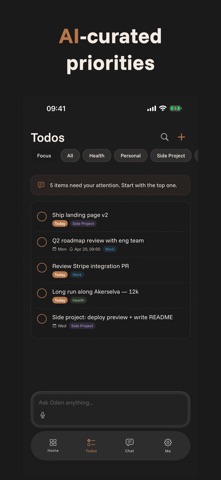
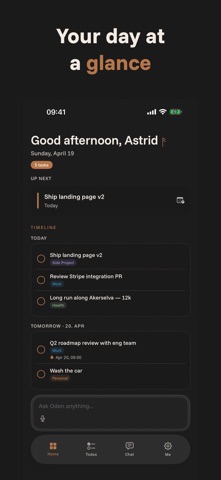
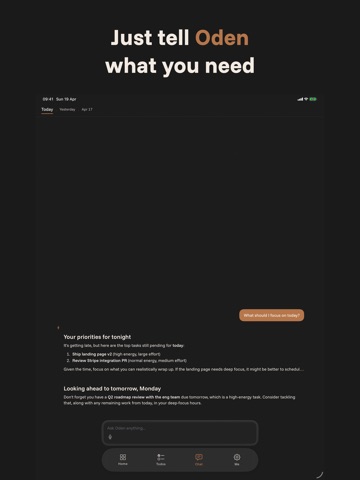
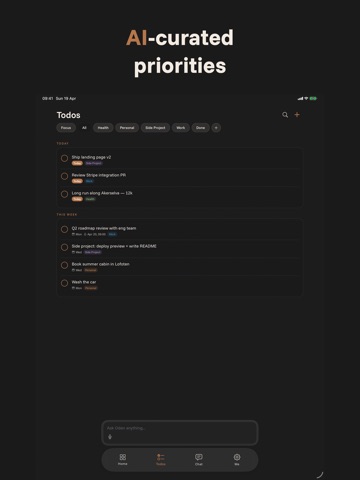
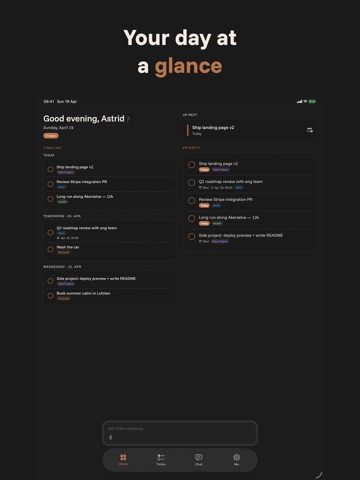
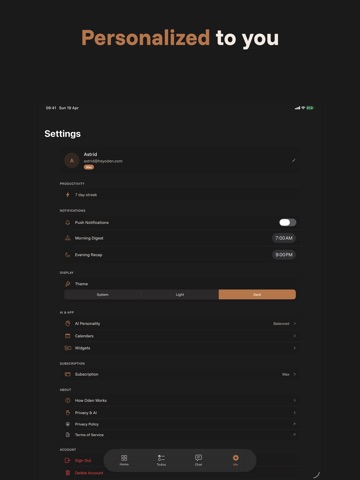
Oden is an AI-powered productivity assistant that actually understands what you need to get done. Instead of manually organizing tasks, just talk to Oden. Say "I need to prepare for Monday's meeting, buy groceries, and call the dentist" — and Oden creates the right todos, sets priorities, and suggests when to tackle each one. YOUR AI PRODUCTIVITY PARTNER Talk naturally. Oden understands context, urgency, and your work style. It learns your patterns over time and gives smarter suggestions the more you use it. • Ask "What should I focus on today?" and get AI-curated priorities based on deadlines, importance, and your energy level • Create todos, reminders, and calendar events with natural language • Break down big tasks into subtasks — expand and collapse them inline • Get a weekly review with insights on your productivity patterns DESIGNED TO FEEL PREMIUM Every interaction is crafted with care — spring animations, haptic feedback, and a warm Nordic-inspired design language. Dark mode throughout. • Swipeable context tabs: Focus, All, Work, Personal, or create your own spaces • Smart grouping: Overdue, Today, This Week, Later • Due date chips with color coding • Completion animations with undo support • Desktop and iPad adaptive layout WORKS WITH YOUR CALENDAR Oden connects to your calendars and reminders. It knows about your meetings before suggesting tasks, and can create events and set reminders through conversation. • See your next 7 days on the Home dashboard • Calendar events, reminders, and priority todos — all in one view • Upcoming reminders with snooze and complete actions SPEAKS YOUR LANGUAGE Available in English, Norwegian, Swedish, Danish, German, French, Spanish, and Japanese. Oden responds in your preferred language automatically. PRIVACY FIRST Your data is yours. Calendar and reminder data stays on-device unless you explicitly share an item with Oden. AI features are powered by Anthropic's Claude and Google's Gemini (Vertex AI, EU region) — both contractually prohibited from training on your data. You can review and revoke AI data-sharing consent anytime in Settings → Privacy & AI. No ads, no tracking, no selling your data. FLEXIBLE PLANS • Free 10-day trial — full access, no card required • Pro ($9.99/month) — 25 AI interactions per day • Max ($17.99/month) — 75 AI interactions per day with priority processing • Annual plans available with savings Oden is built by an independent developer in Norway with a simple mission: help you get things done without the overhead. Terms of Use (EULA): https://www.apple.com/legal/internet-services/itunes/dev/stdeula/
Latest release
What’s New
Oden now has a Developer section in Settings. Generate an API key there, paste it into your Claude Code or Cursor config, and your AI coding assistant can read and update your todos, tags, and reminders the same way you do in the app. The package is open and on npm at @heyoden/mcp. Free for anyone with an active plan; nothing changes for users who don't touch it. Plus the usual round of small fixes and polish under the hood.
Audience growth
Ratings growth
Baseline captured. Growth appears after the crawler observes a changed rating count.
Momentum comes from crawler snapshots for the tracked storefront. “Viral growth signal” means unusually fast recent rating gains; it is an indicator, not download data.
Price tracking
Price intelligence
First snapshot captured. The trend line starts after the next crawler price observation.
- First observed Aug 1, 2026 · 1:26 PM Free
Screenshots