About this app
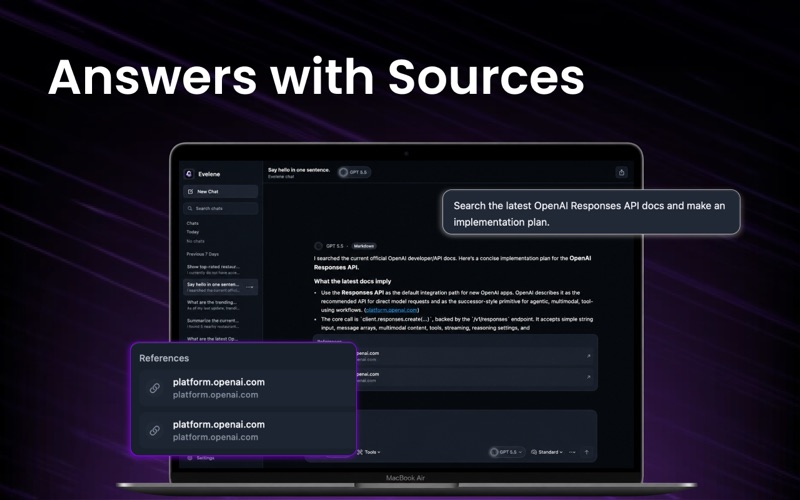
Evelene is an AI chat workspace designed for writing, research, learning, coding, file analysis, image generation, and everyday productivity. Instead of switching between multiple AI tools, Evelene brings chat, models, files, images, voice input, and productivity features into one clean macOS app. Use Evelene to ask questions, draft content, summarize documents, compare answers, create image prompts, generate images, analyze files, and get help with complex tasks. KEY FEATURES Multi-model AI chat Access supported AI models from leading providers in one workspace. Choose the model that fits your task and continue working in a clean, focused chat experience. Writing assistant Draft emails, essays, reports, social posts, notes, product copy, business documents, and creative content with AI support. Research and web answers Use web-enabled tools where available to help research topics, summarize information, and generate clearer answers. File analysis Upload supported documents and files to summarize, explain, extract key points, and ask questions about their contents. Image understanding Attach images and ask questions about visual content, text, objects, or context. AI image generation Create images from text prompts and image references using Evelene Images. Compare models Run the same prompt across multiple supported AI models and compare the results side by side. Voice input Use microphone input to speak your prompt, transcribe it into the composer, edit it, and send it normally. Response language control Choose the language you want AI responses to use, separate from the app interface language. App language control Choose the interface language for Evelene, with support for multiple languages. Bookmarks Save important messages and return to them later from the Bookmarks section. Credits and usage tracking View your available chat and image credits, along with usage breakdowns by provider, model, and feature. PERFECT FOR Evelene is useful for students, writers, developers, researchers, creators, founders, professionals, and anyone who wants a powerful AI workspace on Mac. Use it for: Writing and editing Research and brainstorming Learning and explanations Coding help Document summaries Image generation Translation assistance Meeting notes and planning Comparing AI model responses Everyday productivity WHY EVELENE Evelene is designed to feel simple, fast, and organized. Start a chat quickly. Choose a model when needed. Use tools without complicated setup. Keep your work in one workspace. Save important answers with bookmarks. Control your app language and AI response language separately. PRIVACY Evelene is designed with privacy in mind. Voice recordings are not stored by the app. Voice input is transcribed into text, and only the final text prompt is sent when you choose to send it. Some AI features may process your prompts, files, images, or generated content through supported AI providers in order to deliver responses. Please review the app’s privacy policy for more details. SUBSCRIPTION INFORMATION Evelene Pro unlocks premium AI models, advanced tools, file analysis, image features, compare models, web-enabled tools where available, and monthly or weekly credits depending on your selected plan. Image credit packs are handled separately. Purchased image credits do not expire and are used after subscription image credits. Terms of Use and Privacy Policy are available inside the app. EULA: https://www.apple.com/legal/internet-services/itunes/dev/stdeula/
Latest release
What’s New
Evelene brings Claude, GPT, Gemini, Grok, and DeepSeek into one workspace — switch models mid-conversation without juggling five separate apps. Ask Claude for nuanced writing, GPT for quick answers, Gemini for research, Grok for real-time takes, all in the same thread.
Audience growth
Ratings growth
Baseline captured. Growth appears after the crawler observes a changed rating count.
Momentum comes from crawler snapshots for the tracked storefront. “Viral growth signal” means unusually fast recent rating gains; it is an indicator, not download data.
Price tracking
Price intelligence
First snapshot captured. The trend line starts after the next crawler price observation.
- First observed Aug 1, 2026 · 1:28 PM Free
Screenshots