About this app
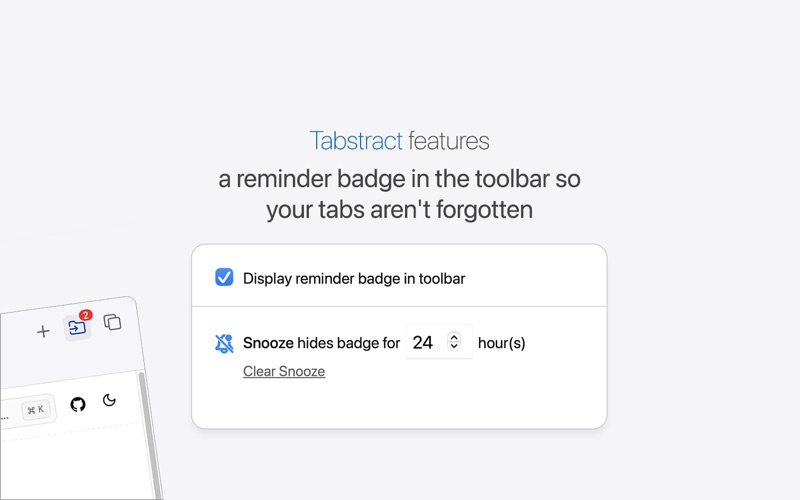
Tabstract saves your open tabs in just a click, to clear the clutter, and help you focus. And now, with Apple Intelligence, Tabstract's AI features can even categorize and label your tabs automatically for you. Restore all of your tabs with a single-click, or open them one-by-one as needed. Keep important sessions organized by labeling them, and reordering with drag-and-drop. Undo, 30-day trash, locked sessions, and export/import make sure you'll never accidentally delete your tabs and can always have a back-up. An optional (and snooze-able) notification badge in the toolbar helps remind you of your tabs, so out-of-sight, isn't out-of-mind. Dozens of links in a spreadsheet? Copy paste them all directly into Safari via Tabstract instead of opening them all one-by-one. Tabstract can be customized to meet your needs, with lots of options and thoughtful features for advanced users, like keyboard shortcuts. Designed for focus, built with privacy in mind, and made just for Safari.
Latest release
What’s New
Automatic Backups Tabstract now backs up your data automatically in the background. Create manual backups anytime, and restore with options to replace, merge, or do a full system reset. Find it on the Help + Tips page. Group-Level Exports Export individual tab groups directly from the context menu — no need to export your entire library. You can also export arbitrary tab selections via Advanced Mode. Improved German Translations Thanks to Dave N. for helping us improve our German localization. Want to help with translations? Get in touch at help@tabstract.app.
Audience growth
Ratings growth
Baseline captured. Growth appears after the crawler observes a changed rating count.
Momentum comes from crawler snapshots for the tracked storefront. “Viral growth signal” means unusually fast recent rating gains; it is an indicator, not download data.
Price tracking
Price intelligence
First snapshot captured. The trend line starts after the next crawler price observation.
- First observed Aug 10, 2026 · 3:20 AM Free
Screenshots