About this app
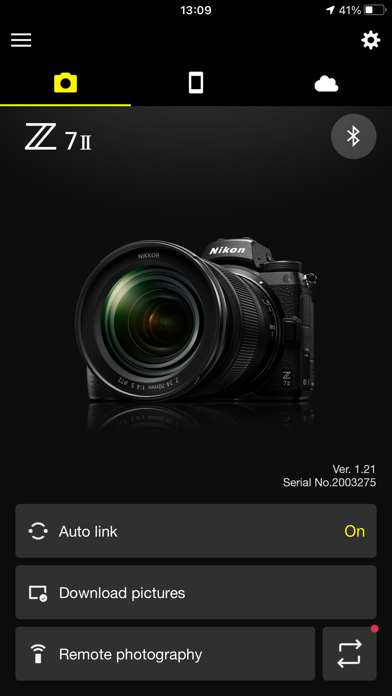
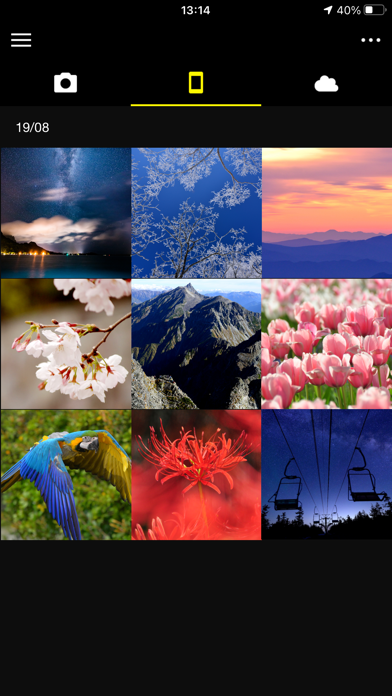
Supported Digital Cameras as of October 2025 ZR, Z9, Z8, Z7II, Z7, Z6III, Z6II, Z6, Z5II, Z5, Zf, Zfc, Z50II, Z50, Z30, D6, D850, D780, D500, D7500, D5600, D3500, D3400, COOLPIX P1100, P1000, P950, A1000, A900, A300, B700, B500, B600, W300, W150, W100, KeyMission 80 The foregoing may include models not available in some regions. Be sure to update the camera firmware to the latest version. Use a computer to download the latest camera firmware from the Nikon Download Center. * According to your camera's model, you can download your camera's firmware via the SnapBridge app. http://downloadcenter.nikonimglib.com/ Principal Features - Once the camera is paired with your smart device, new photos can be downloaded automatically. - Adjust camera settings and take photos. - View the pictures on and download photos from the camera. - Use the app to pair the device with up to five cameras. - Automatically upload pictures taken with the camera to NIKON IMAGE SPACE (Note 1). - View downloaded photos or share them via e-mail or social media. - Add photo info or text to uploaded photos. - Download location data to the camera (Note 2) or set the camera clock to the time reported by the smart device. - Receive notifications of firmware updates for paired cameras. System Requirements iOS17.7, iOS18.7, iOS26.1 iPadOS17.7, iPadOS18.7, iPadOS26.1 iPhone 7 or later, iPad 5th or later, iPad mini 5th or later Bluetooth 4.0 or later There is no guarantee that this app will run on all devices. Notes - Note 1: Upload to NIKON IMAGE SPACE requires a Nikon ID. - Note 2: The GPS function runs continuously in the background, increasing the drain on the battery. The drain on the battery can be reduced by choosing power-saving mode. This feature is not recommended for use with devices not equipped with GPS. - If you are unable to download images or connect via Bluetooth or Wi-Fi after pairing, try one or more of the following solutions: - Turn the paired camera off and then on again. - Switch tabs in SnapBridge. - Exit and relaunch SnapBridge. - Users can register for a Nikon ID using this app. - Enable Bluetooth and Wi-Fi when using this app. - Remote movie recording is not supported on some cameras. - Movies can be downloaded by switching to Wi-Fi and selecting the files manually. - Upload/download of AVI and interlaced movies is not supported. - 4K UHD movies transfer and playback are not supported on some devices. - Remote photography and movie download are available only if the camera has Wi-Fi (some cameras only). - Keep the app displayed in the foreground when downloading images from the camera via Wi-Fi. Download is not available when the app is running in the background. - The app may not perform as expected depending on your environment and network conditions. Using the App For more information, use the app "Help" option.
Latest release
What’s New
Made some minor bug fixes. Thank you for your support! We look forward to making still more improvements based on your feedback.
Audience growth
Ratings growth
Baseline captured. Growth appears after the crawler observes a changed rating count.
Momentum comes from crawler snapshots for the tracked storefront. “Viral growth signal” means unusually fast recent rating gains; it is an indicator, not download data.
Price tracking
Price intelligence
First snapshot captured. The trend line starts after the next crawler price observation.
- First observed Aug 13, 2026 · 11:57 PM Free
Screenshots