About this app
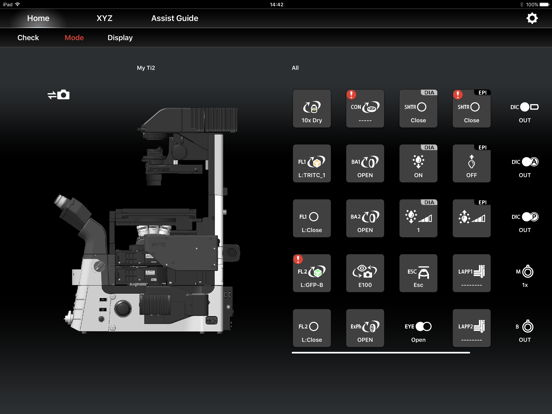
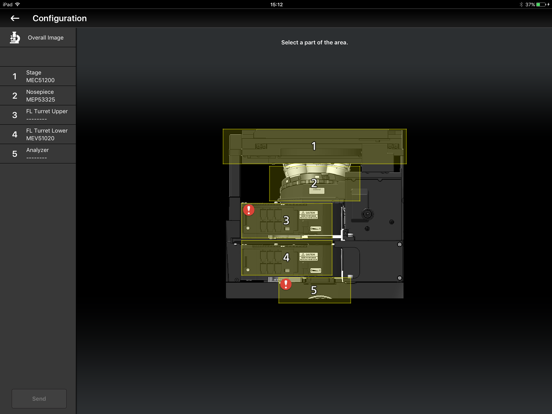
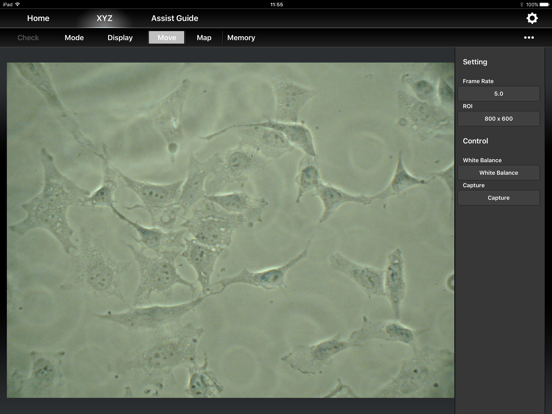
This application is used to make settings for the Inverted Research Microscope ECLIPSE Ti2-E/Ti2-A, control the Ti2-E, display the Ti2-A status, and display the Assist Guide. [Supported Microscopes] - Nikon ECLIPSE Ti2-E (FW 2.00 or later) - Nikon ECLIPSE Ti2-A (FW 1.21 or later) [System Requirements] - iOS 13.3.1 or later. - iPhone 7 or later, iPad (sixth generation) or later. - There is no guarantee that this application will run on all devices. [Main Features] - Enable to setup the microscope. - Enable to detect the position of accessory (e.g. motorized or intelligent nosepiece). - Enable to control the motorized accessory (e.g. motorized stage). - Enable to view or capture live image of the embedded Assist Camera. - Enable to confirm that all the correct microscope components are in place for chosen observation method. - Provides interactive step-by-step guidance for microscope operation and troubleshooting. [Notes] - Turn off the mobile data communication of the iPhone/iPad before using the TI2 Control. - To use this application, the Wi-Fi router and iPhone/iPad which satisfy the required specifications are necessary. - When Ti2 Control searches the microscope, network traffic will be increased, as it sends packets to all devices which are connected in same network segment. So, please use dedicated router for Ti2 Control. [Instruction Manual] For more information, see the instruction manual, which can be downloaded from the following URL: https://www.manual-dl.microscope.healthcare.nikon.com/en/Ti2-Control/ [Trademark Information] - iPhone, iPad, and iPod touch are trademarks or registered trademarks of Apple Inc in the United States and other countries. - App Store is a service mark of Apple Inc. - All other tradenames mentioned in this document are the trademarks or registered trademarks of their respective holders.
Latest release
What’s New
- Improved GUI. - Fixed some minor bugs.
Audience growth
Ratings growth
Baseline captured. Growth appears after the crawler observes a changed rating count.
Momentum comes from crawler snapshots for the tracked storefront. “Viral growth signal” means unusually fast recent rating gains; it is an indicator, not download data.
Price tracking
Price intelligence
First snapshot captured. The trend line starts after the next crawler price observation.
- First observed Aug 13, 2026 · 11:57 PM Free
Screenshots