About this app
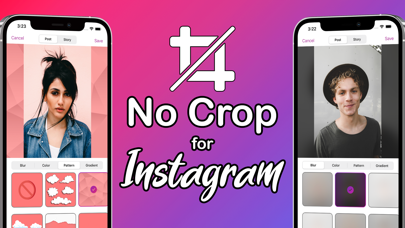
Post, Story, or Avatar — no cropping, no compromises. No Crop lets you share photos exactly the way you want, without cutting edges, losing details, or breaking composition. The app is perfect for Instagram posts, Stories and profile pictures. HOW IT WORKS 1. Take a new photo or choose one from your library 2. Select Post, Story, or Avatar 3. Customize the background. 4. Save and share your photo NO CROP, FULL CONTROL: - Fit any photo into Post, Story, or Avatar formats. - Keep the entire image visible with no trimming. - Choose Fit or Fill modes for perfect framing. BEAUTIFUL BACKGROUNDS - Blur background for a clean and modern look. - Solid colors, gradients, and patterns. - Create and save custom color and gradient presets. ADVANCED PHOTO EDITING - Adjust brightness, contrast, saturation, vibrance, clarity, grain, vignette, and more. - Professional filter presets for portraits, lifestyle, travel, food, and cinematic looks. - Real-time preview before saving. APPLE INTELLIGENCE* - Generate stunning pictures automatically, inspired by your photo, using Apple Intelligence. - Create studio backdrops, minimal gradients, abstract designs, cinematic moods, neon glow, and soft blur - Avatar-ready styles and creative scenes. * Available on supported devices only (iOS 18.4 or later, iPhone 15 Pro or later, iPad or Mac with M1 or later) PRO VERSION - Unlock all blur effects, colors, gradients, and patterns - Get full access to filters and effects - Use AI background generation - Create custom presets - Remove ads One-time payment. No subscriptions. - No Crop is ideal for social media posts, stories, avatars, and profile pictures. Designed for creators, bloggers, designers, and anyone who wants their photos to look perfect without cropping. Download No Crop and share your photos exactly as they were meant to be seen.
Latest release
What’s New
Meet the brand new No Crop 2.0! The biggest update ever: - Brand new design and modern Glass look! - New export mode: Avatar. - Refined Image Editor. - Multiple aspect ratios. - New Filters and Effects for faster, better-looking results. - Manual Adjustments: brightness, contrast, saturation, vibrance, exposure, highlights, shadows, clarity, sharpness, vignette, grain, and more. - Custom collections: save your own Gradients, Colors, and Patterns. - AI image/background generation powered by Apple Intelligence (supported devices only). - Full Preview before saving and exporting. - Improved performance and overall usability. Enjoy!
Audience growth
Ratings growth
Baseline captured. Growth appears after the crawler observes a changed rating count.
Momentum comes from crawler snapshots for the tracked storefront. “Viral growth signal” means unusually fast recent rating gains; it is an indicator, not download data.
Price tracking
Price intelligence
First snapshot captured. The trend line starts after the next crawler price observation.
- First observed Aug 14, 2026 · 1:06 AM Free
Screenshots