About this app
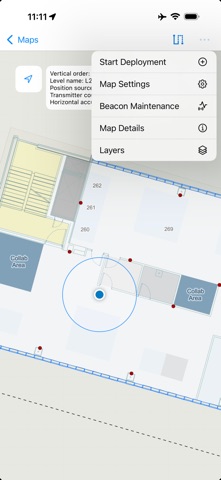
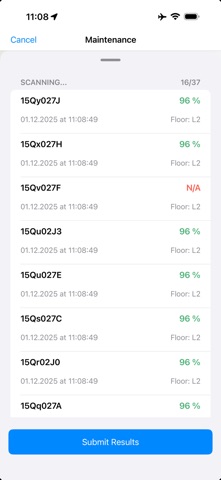
ArcGIS IPS Setup for iOS provides you with the necessary tools to take recordings of radio signals inside the facility you would like to equip with an indoor positioning system powered by ArcGIS IPS. Once you have your Bluetooth Low Energy Beacon infrastructure in place, use ArcGIS IPS Setup to survey your indoor spaces to enable the blue dot indoors. IPS Setup includes the following components: · Map list: View map details, set favorites, open maps, and access the recordings menu · Map mode: Visualize floor plans, test and experience indoor positioning in a facility and access Survey to collect indoor positioning reference data · Survey mode: Plan and execute a radio signal survey. Sketching and executing the radio survey recordings allow data collection and maintenance workflows.
Latest release
What’s New
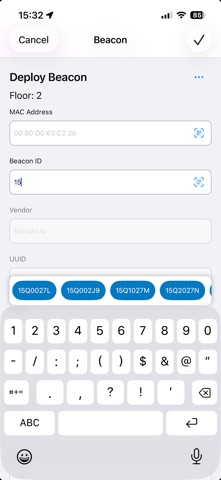
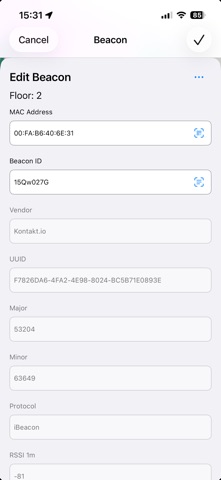
- Enhanced Beacon Deployment: Assign beacon identifiers by scanning text or QR codes for faster, more accurate setup - Beacon Inventory: Feature attributes are now automatically populated in the form when using Beacon Inventory - Bug fixes
Audience growth
Ratings growth
Baseline captured. Growth appears after the crawler observes a changed rating count.
Momentum comes from crawler snapshots for the tracked storefront. “Viral growth signal” means unusually fast recent rating gains; it is an indicator, not download data.
Price tracking
Price intelligence
First snapshot captured. The trend line starts after the next crawler price observation.
- First observed Aug 10, 2026 · 5:19 PM Free
Screenshots