About this app
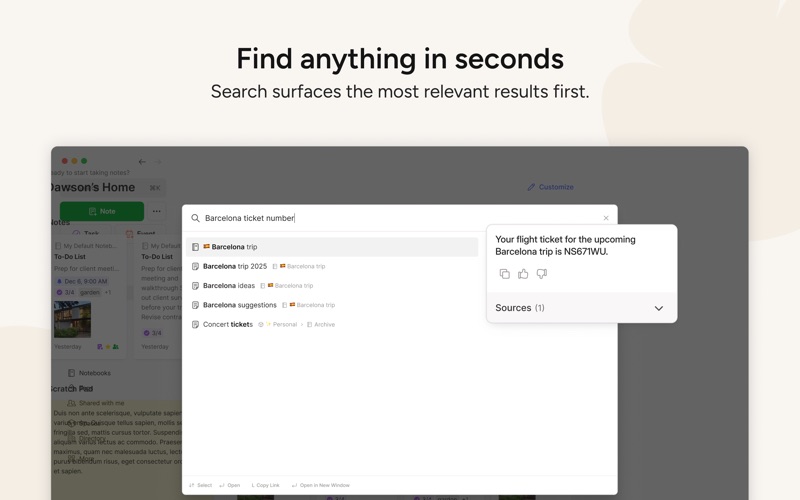
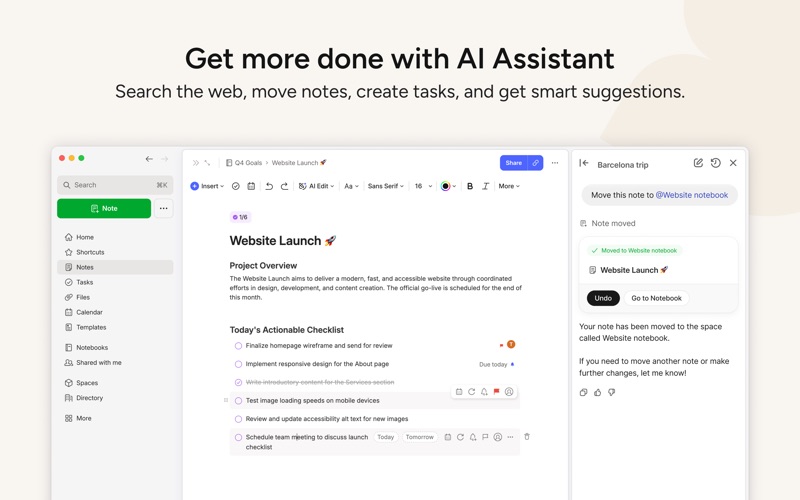
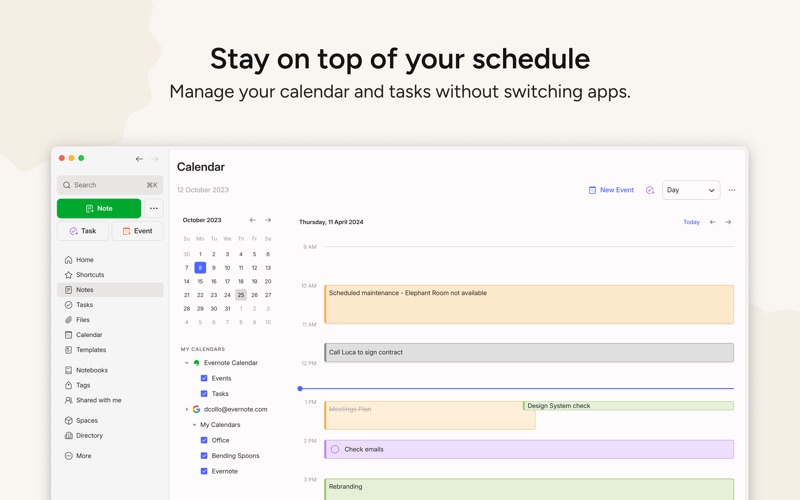
Capture ideas when inspiration strikes. Bring your notes, to-dos, and schedule together to tame life’s distractions and accomplish more—at work, at home, and everywhere in between. Evernote syncs to all your devices, so you can stay productive on the go. Tackle your to-do list with Tasks, connect your Google Calendar to stay on top of your schedule, and see your most relevant information quickly with a customizable Home dashboard. --- “Use Evernote as the place you put everything… Don’t ask yourself which device it’s on—it’s in Evernote” – The New York Times “When it comes to taking all manner of notes and getting work done, Evernote is an indispensable tool.” – PC Mag --- CAPTURE IDEAS • Write, collect, and capture ideas as searchable notes, notebooks, and to-do lists. • Clip interesting articles and web pages to read or use later. • Add different types of content to your notes: text, docs, PDFs, sketches, photos, audio, web clippings, and more. • Use your camera to scan and organize paper documents, business cards, whiteboards, and handwritten notes. GET ORGANIZED • Manage your to-do list with Tasks—set due dates and reminders, so you never miss a deadline. • Connect Evernote and Google Calendar to bring your schedule and your notes together. • See your most relevant information instantly on the Home dashboard. • Create separate notebooks to organize receipts, bills, and invoices. • Find anything fast—Evernote's powerful search can even find text in images and handwritten notes. ACCESS ANYWHERE • Sync your notes and notebooks automatically across any computer, phone, or tablet. • Start work on one device and continue on another without missing a beat. EVERNOTE IN EVERYDAY LIFE • Keep a journal to keep your thoughts organized. • Go paperless by scanning receipts and important documents. EVERNOTE IN BUSINESS • Keep everyone up to date by capturing meeting notes and sharing notebooks with your team. • Bring people, projects, and ideas together with shared Spaces. EVERNOTE IN EDUCATION • Keep track of lecture notes, exams, and assignments so you don’t miss important details. • Create notebooks for each class and keep everything organized. --- Privacy Policy: https://evernote.com/legal/privacy.php Terms of Service: https://evernote.com/legal/tos.php Commercial terms: https://evernote.com/legal/commercial-terms
Latest release
What’s New
New features: - Tables are now more user friendly: resize and move images easily, spread out columns just the way you like, and experience a smoother copy and paste again with Excel and Google Sheets. - Image search just got smarter: uploaded images now get automatic captions, helping Semantic Search understand and find what's inside them. Select "Show caption" inside an image to see it. - You can now bulk select, rename and remove speaker blocks in audio transcriptions. Fixes: - When you link a note, the menu now highlights the first matching note instead of "Create new note". Press Tab if you did mean to create a new one. - Fixed an issue where live transcription could lose content during network interruptions. - Fixed an issue where note link previews could fail to show content. - Fixed an issue where tag suggestions in the note footer didn't match prefixes correctly. - Improved tag suggestion performance on large accounts. - Fixed an issue affecting callout formatting when deleting blank lines. - Fixed an issue where the AI Assistant button could overlap the editor status indicator. - Fixed Spaces directory table columns crashing and overlapping at narrow views, with space descriptions getting cut in the middle of a line.
Audience growth
Ratings growth
Baseline captured. Growth appears after the crawler observes a changed rating count.
Momentum comes from crawler snapshots for the tracked storefront. “Viral growth signal” means unusually fast recent rating gains; it is an indicator, not download data.
Price tracking
Price intelligence
First snapshot captured. The trend line starts after the next crawler price observation.
- First observed Aug 7, 2026 · 8:58 AM Free
Screenshots