About this app
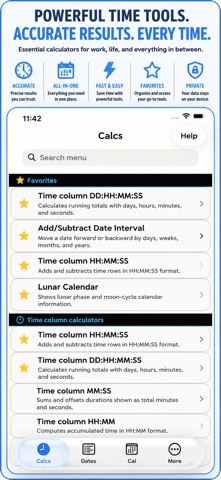
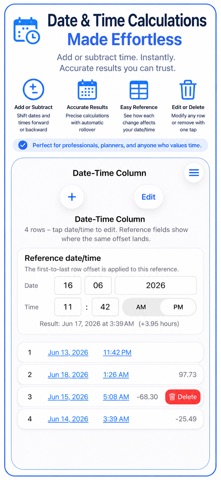
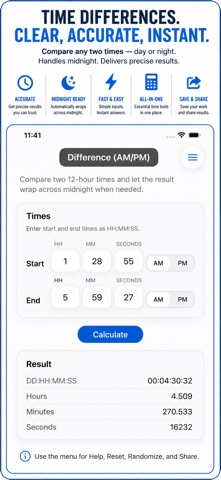
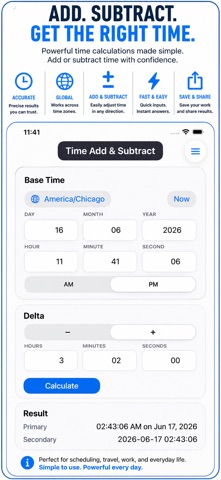
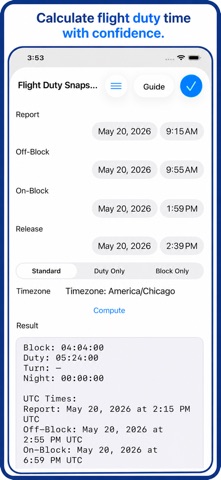
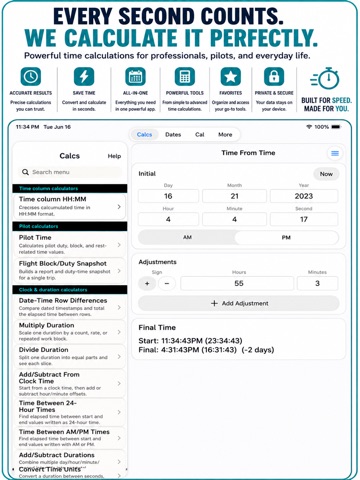
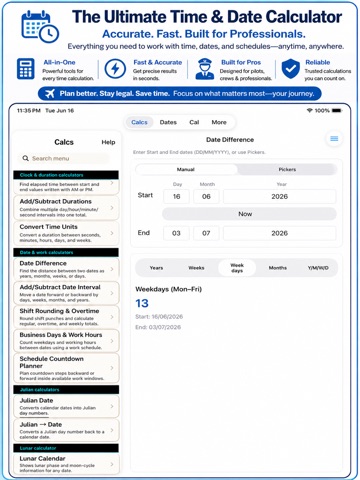
Thank you for using Time & Date. Your care with hours, dates, and schedules helps prevent small mistakes from becoming frustrating or costly, and we appreciate you choosing this app when the details matter. Time & Date gives you focused calculators for work, travel, planning, and everyday life, so you can check the result without wrestling with a spreadsheet or crowded general calculator. TIME AND DURATION TOOLS - Add and subtract hours, minutes, seconds, and mixed durations. - Compare two times in 12-hour AM/PM or 24-hour format. - Calculate elapsed time across midnight when an end time falls on the next day. - Total entries in HH:MM, HH:MM:SS, MM:SS, and DD:HH:MM:SS columns. - Multiply or divide a duration for rates, batches, lessons, routes, workouts, and estimates. - Convert durations among hours, minutes, seconds, decimal hours, and clock formats. - Compare date-and-time rows, apply adjustments, and check local and UTC time-zone results. DATE, DEADLINE, AND SCHEDULE TOOLS - Find the difference between two dates in years, months, weeks, weekdays, or days. - Add or subtract a date interval to see when a deadline, appointment, or project milestone lands. - Count business days and working hours inside the workdays and work windows you choose. - Build a countdown plan backward from a deadline with steps, buffers, and optional workday limits. - Save important dates with titles and tags. - Search, sort, edit, share, and delete tracked dates. - View saved dates in a year calendar and see what is coming up. - Use Julian date, Julian-to-date, lunar, astrology, Christian, and Hebrew calendar references when useful. WORK, PAYROLL, AND FLIGHT CHECKS - Calculate shift length from clock-in and clock-out times. - Account for unpaid breaks and common shift-rounding choices. - Review raw time, rounded paid time, daily overtime, weekly overtime, and rounding differences. - Keep weekly shift rows together and export a CSV summary when you need a record outside the app. - Review pilot time, groundspeed, ETE, ETA, fuel, endurance, holding time, duty, and rest information. - Create a Flight Block/Duty Snapshot with report, off-block, on-block, release, night-time, block-time, duty-time, local, and UTC details. BUILT FOR REPEAT WORK - Save named calculator records in History, including a visual capture and text transcript. - Search History, browse records by calculator, and swipe to delete entries you no longer need. - Keep frequently used tools at the top of the calculator list with Favorites. - Use clear result labels that distinguish clock time, elapsed time, totals, and converted units. BACKUP AND DATA TRANSFER - Export calculator snapshots and tracked dates as a Project JSON file. - Import a project by replacing data, adding new copies, or updating matching records. - Export named History records as a separate History JSON file. - Import History JSON files as new saved records. Existing History is never merged, updated, or replaced, so duplicate records are allowed. - Export and import tracked dates with their own JSON file. - Pro access is available for advanced calculators, Favorites, and data-transfer workflows; free use has daily calculation limits. Time & Date is useful for employees checking timesheets, managers reviewing schedules, freelancers billing by time, students planning study blocks, technicians totaling service time, pilots reviewing duty windows, and anyone who wants reliable date and duration answers without a complex formula. For monthly subscriptions: Monthly Pro is a 1-month auto-renewable subscription. Terms of Use (EULA): https://www.apple.com/legal/internet-services/itunes/dev/stdeula/ Time & Date Calculator Pro is built for people who care enough to double-check the details. When the hours matter, the dates matter, and the schedule matters, it helps you get the answer and move on.
Latest release
What’s New
If you are the kind of person who checks the details before they become a problem, and this update is for you. Thank you for using Time & Date and for trusting it with your shifts, dates, flight times, deadlines, and saved calculations. This release makes History more useful after the result is on screen and makes moving your records between devices much clearer. A better way to review saved calculations: - History now groups saved records into sections based on the calculator that created them. A time difference, payroll check, flight calculation, and date interval no longer have to sit in one mixed list. - Saved records show the calculator view they came from, so the source of a result is easier to recognize at a glance. - Each saved record keeps its name, date, text transcript, and visual capture for a practical reference later. - Search helps narrow the list when you remember a saved name or the kind of calculation you ran. - Swipe a History entry to reveal Delete, then remove only the record you no longer need. History backup and transfer: - Backup & Data Transfer now includes a dedicated Calculator History section. - Export History JSON creates a separate file for your named saved calculations, including their text transcripts and visual captures. - Import History JSON lets you bring those records onto another device or restore a copy when you need it. - Before a History import is added, the app clearly explains what will happen and how many saved calculations are in the selected file. - Every imported History record is added as a new record. The app does not merge, update, or replace existing History entries. - Duplicate records are allowed by design. This keeps imports predictable when you want to preserve a complete copy of a prior History list. - Imported records receive new entries in History, even when their content matches an existing record. - Project backups, History backups, and tracked-date backups remain separate file types, so importing one kind of data does not silently change another. What the separate files mean: - A Project JSON file holds supported calculator snapshots and tracked dates. - A History JSON file is for the named records you chose to keep after a calculation. - A tracked-date JSON file is for saved calendar dates. - The transfer screen and Help now explain these choices before you import, so you know what will stay untouched. Useful for the work you already do: - Save a shift or overtime result before you submit a timesheet. - Keep a date difference or deadline calculation where you can find it later. - Archive a flight block or duty result with its source screen. - Move saved calculations to another device without mixing them into Project snapshots. - Keep copies of similar calculations when comparison matters, even if they have the same name or result. - Remove one old record without clearing an entire History section. The app does not try to guess which History records belong together. It keeps every imported item as its own saved calculation. That simple rule means there is no surprise merging and no hidden replacement of the records already on your device. The rest of Time & Date remains ready for the jobs you use it for: adding and subtracting durations, comparing clock times, converting hours and minutes, checking shift rounding and overtime, planning business days and work hours, calculating date intervals, tracking dates, reviewing calendars, and handling pilot or flight timing. Thank you again for using the app thoughtfully. Your attention to the small details is what makes a dependable record worth keeping, and this release gives those saved calculations a cleaner place to live, move, and manage.
Audience growth
Ratings growth
Baseline captured. Growth appears after the crawler observes a changed rating count.
Momentum comes from crawler snapshots for the tracked storefront. “Viral growth signal” means unusually fast recent rating gains; it is an indicator, not download data.
Price tracking
Price intelligence
First snapshot captured. The trend line starts after the next crawler price observation.
- First observed Aug 19, 2026 · 10:03 AM Free
Screenshots