About this app
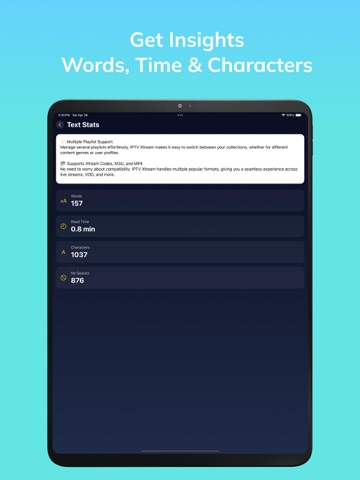
Welcome to OCR Master, the ultimate OCR (Optical Character Recognition) app for your iOS device. With OCR Master, you can easily scan images, recognize text, convert it to speech, and extract text from PDF documents. Unlock a world of possibilities with these features: Text Recognition: Quickly capture and recognize text from images, making it accessible and editable. Image to Text Converter: Convert images into editable text for efficient use. Speech from Image: Listen to text content extracted from images, providing a hands-free experience. PDF Text Extraction: Extract text from PDF documents with ease, simplifying content extraction. Image Text Reader: Enjoy a convenient way to read text content from images and PDFs. Image Scanner App: Leverage your device's camera for image capture, enhancing text recognition. Document Scanner: Seamlessly scan and organize documents for further processing. PDF to Text Converter: Effortlessly transform PDF files into editable text. Image to Speech: Have text content read aloud, making it accessible to visually impaired users. PDF Text Extraction Tool: Extract text from PDFs for further editing and analysis. Document to Speech: Convert scanned documents to speech for an immersive reading experience. Image OCR: Accurate Optical Character Recognition for image-based text. PDF Scanner: Scan, edit, and manage PDF files directly from your device. Text to Voice: Convert text to speech for convenient listening on the go. Image to Audio: Transform image text into audio files for various applications. Voice from Image: Convert image text into clear voice output. Image Text Recognition: Precise recognition of text from images and PDFs. PDF Reader: Read and navigate PDF documents with ease. Text to Speech Converter: Transform text into natural-sounding speech. OCR Master is the all-in-one solution for text extraction and conversion. Whether you're a student, professional, or someone who values convenience, this app simplifies your interaction with text and documents. OCR Master is a versatile tool that makes text content more accessible and manageable. Unlock the power of OCR Master today and experience the future of text conversion on your iOS device. For more information on managing subscriptions, visit: Apple Support - Manage Subscriptions Support & Contact Need help or have feedback? Reach out to us at: a1appgenius@gmail.com For more details on managing subscriptions, visit: https://support.apple.com/en-us/HT202039 TermsOfUse: - https://privacypolicytest12.blogspot.com/2024/09/ai-smart-boost-pro-clean-up-term-of-use.html
Latest release
What’s New
- designs improvements
Audience growth
Ratings growth
Baseline captured. Growth appears after the crawler observes a changed rating count.
Momentum comes from crawler snapshots for the tracked storefront. “Viral growth signal” means unusually fast recent rating gains; it is an indicator, not download data.
Price tracking
Price intelligence
First snapshot captured. The trend line starts after the next crawler price observation.
- First observed Aug 11, 2026 · 6:41 AM Free
Screenshots