About this app
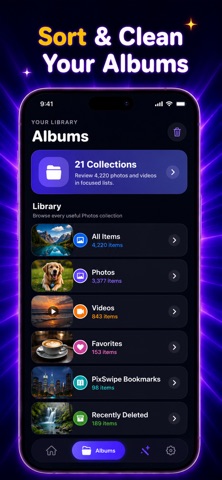
PixSwipe: Swipe to Delete Photos & Videos – Clean Your Gallery for Free Tired of a messy photo gallery full of screenshots, blurry shots, duplicates, and unwanted videos? Swipe to Delete Photos & Videos makes cleaning your phone fast, fun, and effortless — completely free. With a simple swipe gesture, you can review your photos and videos one by one. Swipe left to delete what you don’t need, swipe right to keep what matters. No complicated menus, no bulk confusion — just smooth, intuitive cleaning that saves time and storage. Whether your phone is running out of space or your gallery feels overwhelming, this app helps you take control in minutes. Relive your best memories without the clutter and keep your device running smoothly. Key Features Swipe to Delete Instantly Remove photos and videos with an easy swipe. Fast, simple, and satisfying. Clean Photos & Videos Together Delete old photos, large videos, screenshots, and unwanted media from one place. Free Up Storage Space Recover valuable space on your phone by removing media you no longer need. Smart Photo Review Quickly browse your gallery and decide what stays and what goes. Find Duplicates & Similar Photos Spot repeated or similar images and keep only the best one. Keep What You Love Swipe right to save memories that matter and enjoy a cleaner gallery. Simple & Lightweight No login required. No complicated settings. Just open and start swiping. Privacy First Your photos and videos stay on your device. We never upload, store, or access your personal media. Stop wasting time deleting photos one by one. Clean smarter, save space, and enjoy a clutter-free gallery. Download Swipe to Delete Photos & Videos today and refresh your phone — for free. In-App Purchase: PixSwipe is a free download, completely risk-free, before purchasing the service. If you purchase the service, you will be charged a weekly, or yearly price according to your country and which item you purchase. Access to cleaning photos is restricted to unsubscribed users. The price will always be shown in the app before you complete a purchase. Payment will be charged to your iTunes Account at confirmation of purchase. Your PixSwipe subscription automatically renews at the end of every billing period (as determined by your purchase of weekly or yearly service) and your iTunes account will automatically be charged within 24 hours prior to the end of the current period. You can turn off auto-renew at any time from your iTunes Account Settings after purchase. Any unused portion of a free trial period, if offered, will be forfeited when the user purchases a subscription to that publication, where applicable. Terms of Service: https://apptivityglobal.com/terms-of-conditions/ Privacy Policy: https://apptivityglobal.com/privacy-policy/ Apple Refund Policy: https://apptivityglobal.com/refund-policy/
Latest release
What’s New
We have added New tools Now our users can manage Albums also
Audience growth
Ratings growth
Baseline captured. Growth appears after the crawler observes a changed rating count.
Momentum comes from crawler snapshots for the tracked storefront. “Viral growth signal” means unusually fast recent rating gains; it is an indicator, not download data.
Price tracking
Price intelligence
First snapshot captured. The trend line starts after the next crawler price observation.
- First observed Aug 11, 2026 · 6:41 AM Free
Screenshots