About this app
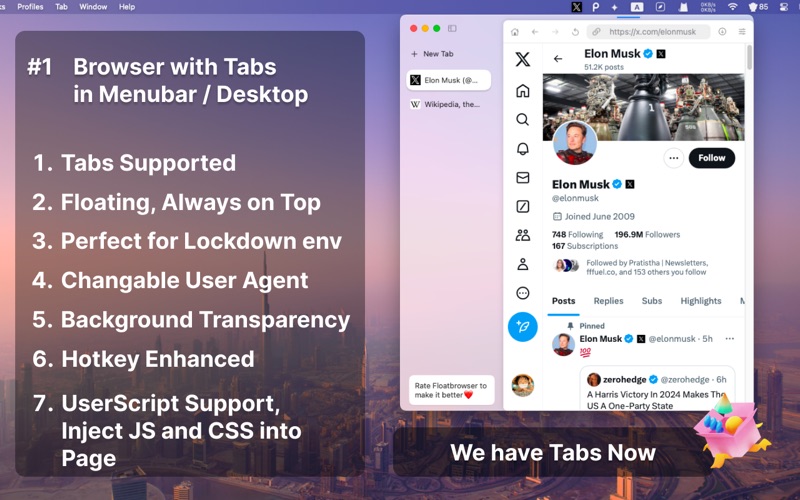
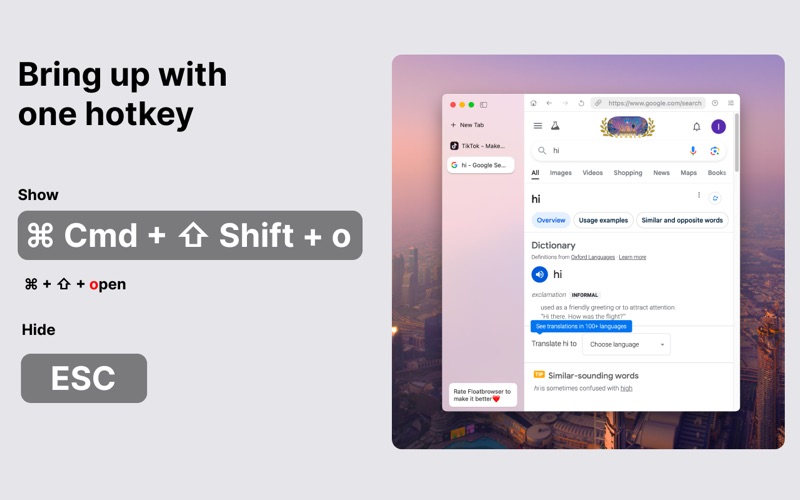
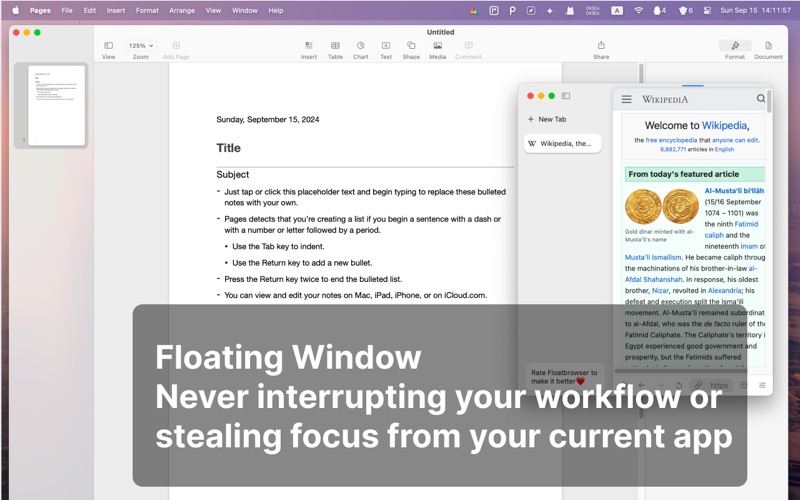
Menubar Browser - FloatBrowser – A float menu bar web browser that works well with your work flow With FloatBrowser you could bring up a float window with hotkey, pin any web page in the menu bar, It will never de-focus your current app. Whether you're working, studying or watching youtube, FloatBrowser ensures you stay on top and focus your main task with a floating window. ## With Menubar Browser - FloatBrowser 1. Browse Without Losing Focus Stay focused on your tasks while keeping FloatBrowser floating for quick reference—perfect for viewing research, documents, or websites without breaking your workflow. 2. Stay Connected Chat with friends on WhatsApp, TikTok Twitter and Instagram, or catch up on YouTube and Hulu, you just need one click in the menu bar—all without leaving your workspace. 3. Monitor Real-Time Data at a Glance Track stock prices, follow cryptocurrency movements, watch live camera feeds, or check your sales metrics—all within a floating browser window that’s easily accessible from your menu bar. 4. Stream Music in the Background Enjoy background music from Spotify or YouTube Music while staying productive, without needing to switch browser windows. 5. Maintain Privacy Anytime with Private Browser Browse the web with privacy is our priority. With a single hotkey of the ESC, you can hide the browser window. You can also adjust the window's transparency to keep your browsing discreet and private 6. Chat with AI with Ease Access the popular Genius AI chatbot. Use floating window to chat with the AI, get instant responses, and return to your work seamlessly. You could set a shortcut for the AI Chatbot and open the floating window directly with one hotkey. ## Menubar Browser - FloatBrowser Key Features: 1. Never Defocus from Current App for better UX. 2. Floating Browser Window Pin FloatBrowser floating on top of other windows. 3. Pin Websites to Menu bar Pin frequently used website to the menu bar for quick, fast and easy access. 4. Powerful Hotkeys Bring up or hide the floating browser with hotkey. Create, close, resize, switch between windows, New Tab, Zoon in/out and reload the web page, just as your daily duckduckgo or safari web browser. Resize or center floating browser window, Change floating window position, all worked with hotkey. You can set hotkey for specific website to browse the web page directly and more fast. 5. Auto-Refresh, Auto reload your pages 6. Change User-Agent Change to open the mobile page or the pc page, no need to use your phone to open a mobile web page. 7. Transparent & Borderless Mode Blend FloatBrowser into your workspace by adjusting transparency and removing borders, giving you a distraction-free experience and a total private browser. 8. Support for User Scripts 9. Built for Fast Speed With the native Safari browser engine, FloatBrowser delivers fast, smooth, and reliable browsing. Enjoy a seamless experience as you browse the web from your menu bar We appreciate your feedback, Drop us a line whenever you have any questions, problems or suggestions. Will be replied in 12 hours. Do let me know if you have any questions about the web browser features of Menu bar, Floating, Pin Webpage and so on. Please reach out to us via "Send Feedback" button from the menu list, or your mail would be ignored. Thank you.
Latest release
What’s New
Updates: 1. Remove Lockdown Browser related trademark and feature 2. Support hotkey ⌘+[ and ⌘+] to back or forward the page 3. Support default User-Agent. You could change the default user-agent in settings Nex Version: Vertical Tabs are coming backs
Audience growth
Ratings growth
Baseline captured. Growth appears after the crawler observes a changed rating count.
Momentum comes from crawler snapshots for the tracked storefront. “Viral growth signal” means unusually fast recent rating gains; it is an indicator, not download data.
Price tracking
Price intelligence
First snapshot captured. The trend line starts after the next crawler price observation.
- First observed Aug 8, 2026 · 8:44 AM Free
Screenshots