About this app
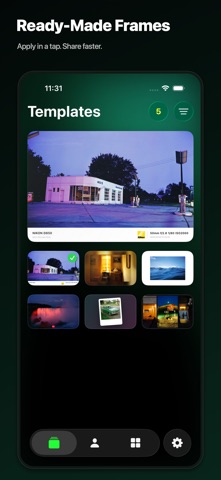
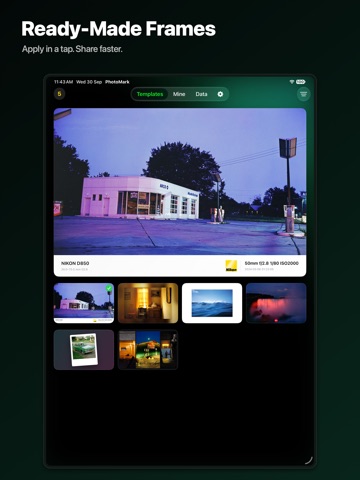
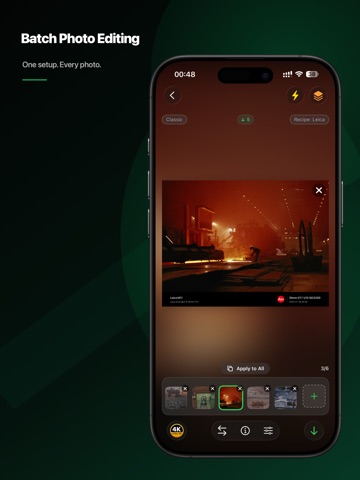
PhotoMark is a photo-frame and EXIF watermark app built for photographers. Import a photo to read camera, lens, aperture, shutter speed, ISO, focal length, and capture time, then match its camera-brand logo automatically. Flexible controls provide over one million possible frame combinations. Six creative modes - Classic Frame: Arrange EXIF data, brand logos, and custom text in a professional frame. - Blur Frame: Build a soft backdrop from the photo itself and keep the subject in focus. - Art Frame: Adjust aspect ratio, margins, and background colors freely. - Inline Frame: Choose from nine positions and combine icons, custom text, and EXIF data. - Cinema Frame: Arrange 2–5 photos horizontally or vertically, then adjust order, crop, spacing, outer margins, and background color. - Instant Frame: Recreate 28 Bowie, Basquiat, and MoMA artist papers with classic, round-window, and wide formats, film effects with adjustable strength, and direct drag-and-pinch framing. Built for photography workflows - Match camera-brand logos automatically, with 20+ built-in brand groups plus custom icons and matching rules. - Choose from multiple information layouts and configure camera, lens, and shooting data. - Import up to 18 photos for individual editing, or apply the current settings to all. - Pro Lightning mode exports up to 36 photos in a batch. - Save reusable setups to My Frames and sync them across devices with iCloud. - Export in 1080p, 2K, 4K, 5K, or 8K. - Optionally preserve the original photo metadata. Whether you want to document shooting settings, keep a consistent visual style, create camera watermarks, or arrange a travel and everyday photo series, PhotoMark turns repeated adjustments into a reusable workflow. Some exports and advanced batch features require PhotoMark Pro. Need help? Contact us through App Support on the App Store. Terms of Use: https://www.apple.com/legal/internet-services/itunes/dev/stdeula/
Latest release
What’s New
3.3.1 makes photo selection in Cinema Frame more reliable and editing smoother. - Fixed: Replacing photos in Cinema Frame no longer loses or repeats your picker selections, unchanged photos skip reloading, and the current photo appears right away. - Improved: Gestures like drag-and-swap now apply only to the photo layer to avoid mis-touches; previews decode once, and images are composited only when exporting or saving templates, so editing large photos feels smoother. - Improved: A clearer, larger loading indicator appears while photos are processed. - Tip: Thank you for using PhotoMark; send questions or suggestions to leavestyle101@gmail.com, and we’ll keep refining your photo-creation experience.
Audience growth
Ratings growth
Baseline captured. Growth appears after the crawler observes a changed rating count.
Momentum comes from crawler snapshots for the tracked storefront. “Viral growth signal” means unusually fast recent rating gains; it is an indicator, not download data.
Price tracking
Price intelligence
First snapshot captured. The trend line starts after the next crawler price observation.
- First observed Oct 8, 2026 · 8:45 AM Free
Screenshots