About this app
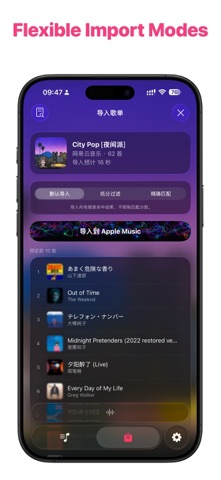
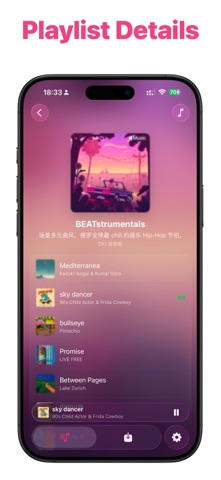
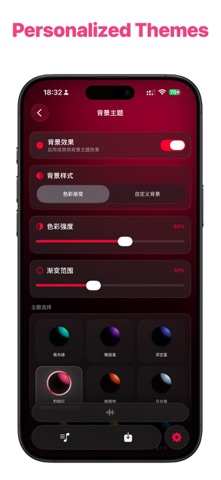
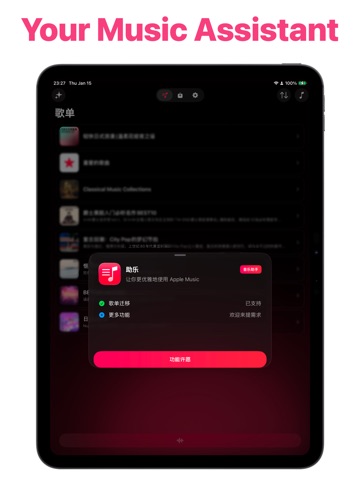
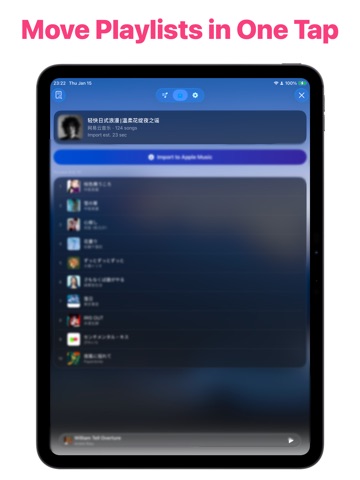
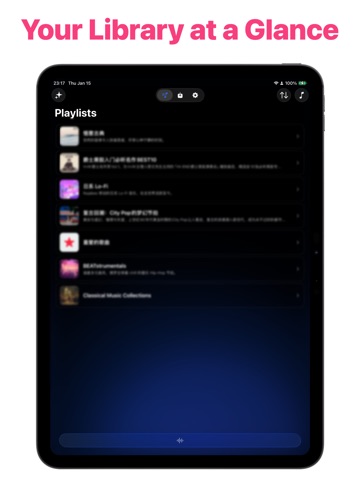
MusicPal is an Apple Music companion for transferring playlists, managing your library, and enjoying immersive playback. Move your favorites from other music platforms, organize your library, discover personalized recommendations, and follow word-by-word synced lyrics—all in one clean, fluid interface. An active Apple Music subscription is required for core features. PLAYLIST TRANSFER - Import playlists from Spotify, 网易云音乐, QQ音乐, 酷狗音乐, 酷我音乐, 波点音乐, and 汽水音乐. - Smart track matching with match scores makes it easy to review and adjust results before importing. - Import history is saved automatically, so you can view details and retry unsuccessful tracks. LIBRARY & RECOMMENDATIONS - Browse playlists, albums, and personalized recommendations from Apple Music. - Customize list or grid layouts, artwork shapes, sorting, and displayed information independently. - Use common batch actions such as favoriting or unfavoriting tracks and adding them to playlists. Available actions automatically adapt to the content type and your permissions. PLAYBACK & LYRICS - Play Apple Music content in the app, quickly change the playback order, and manage your current queue. - Enjoy word-by-word synced lyrics, lyric translations, an immersive lyrics view, and dynamic artwork backgrounds. - Start listening directly from search, recommendations, or library details. PERSONALIZATION & SHARING - Customize background themes, fonts, app icons, and library layouts. - Preview and save high-resolution artwork. Some animated artwork can also be saved as Live Photos. - Create shareable posters for songs, playlists, and albums. Due to Apple Music and MusicKit limitations, some editing actions may need to be completed in the Apple Music app. Questions or suggestions? Contact: leavestyle101@gmail.com Terms of Use: https://www.apple.com/legal/internet-services/itunes/dev/stdeula/
Latest release
What’s New
4.6.0 pushes big screens and Discover forward: landscape detail pages and an adaptive tab bar across iPad, a v4 recommendation engine that knows your taste, optional high-quality artwork export, sharper 2K song posters, and faster batch actions. - New: The iPad experience gets a full upgrade—playlist and album detail pages gain a dedicated landscape layout, the tab bar adapts in compact windows and Split View, library list and grid modes merge into one menu, and onboarding is reworked for the big screen. - New: Discover moves to a v4 engine—blending Apple Music listening evidence with playlist content, recent and long-term interests, decaying feedback, and multi-interest interleaved ranking. Playlists that miss the mark can be removed from recommendations on the spot. - New: Discover playlist titles and every filter tag now appear in your language, and search covers original titles, translations, aliases, and localized tags—multi-keyword combos find the playlist you're after. - New: Saving artwork and share posters adds a quality picker—standard or high resolution, your call. Song share cards are produced in 2K, and animated artwork exports keep the higher quality too. - Improved: Batch favoriting and batch add-to-playlist are faster—changes go out in batches and are confirmed item by item, so completed work survives an interruption. - Improved: Lyrics default size and weight are better balanced for long reading sessions; detail pages and the tab bar now tint together with your theme, and the liquid glass artwork preview is back. - Fixed: The library switcher no longer overlaps when returning, and sheets present one at a time instead of colliding. - Fixed: Discover card layering and occlusion, plus stray spacing in captions—layouts stay stable even when titles wrap. - Fixed: Clearer guidance when matched import tracks can't be confirmed as added—check the playlist in the Music app first, then top it up from the import log to the same playlist. - Tip: Thanks for using MusicPal. Questions or ideas? Write to leavestyle101@gmail.com—we'll keep polishing the listening experience.
Audience growth
Ratings growth
Baseline captured. Growth appears after the crawler observes a changed rating count.
Momentum comes from crawler snapshots for the tracked storefront. “Viral growth signal” means unusually fast recent rating gains; it is an indicator, not download data.
Price tracking
Price intelligence
First snapshot captured. The trend line starts after the next crawler price observation.
- First observed Oct 8, 2026 · 8:45 AM Free
Screenshots