About this app
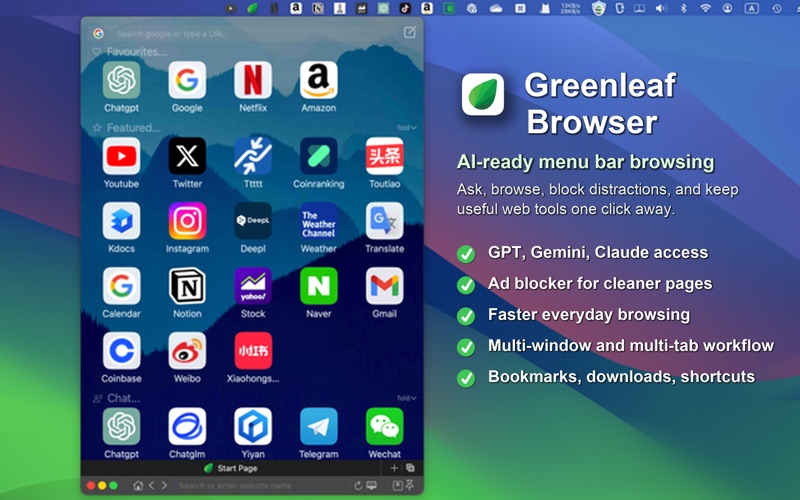
Greenleaf Browser is an AI-friendly Mac browser designed for fast access, flexible windows, focused multitasking, and cleaner everyday browsing. It helps you browse without breaking your workflow: open quick browser windows from the menu bar, keep useful pages pinned, work with multiple tabs or side-by-side views, ask questions directly, and move quickly between GPT, Gemini, Claude, search, and regular web pages. Key Features: AI-Friendly Browsing Type questions directly into your browsing workflow and interact with AI services such as GPT, Gemini, and Claude in a fast, window-based workspace. Ad Blocking Reduce distracting ads and browse with a cleaner page experience. Menu Bar Access Open and control your browser quickly from the macOS menu bar. Multi-Window Browsing Create multiple browser windows, pin important windows, dock them, and use slide-trigger behavior for windows that hide when out of focus. Multi-Tab and Side-by-Side Browsing Open multiple tabs and use side-by-side tab workflows for research, comparison, reading, AI conversations, and productivity. Bookmarks and Bookmark Groups Add, edit, organize, and manage bookmarks with favicon support. Custom Wallpapers Personalize your browser with editable wallpaper settings. Search Engine Support Browse with your preferred search engine. Dark Reader Mode Switch pages into a darker reading experience when you want a more comfortable view. Browsing Controls Navigate back and forward, refresh pages, mute tabs, and download files directly. Keyboard Shortcuts Use customizable shortcuts and a global hotkey to bring Greenleaf Browser into your workflow quickly. Greenleaf Browser is built for users who want a Mac browser that is quick to access, easy to control, AI-friendly, and flexible enough for real multitasking.
Latest release
What’s New
- Added AI-friendly workflows for asking questions and working with GPT, Gemini, and Claude. - Added ad blocker support for cleaner browsing. - Improved responsiveness across common browsing workflows.
Audience growth
Ratings growth
Baseline captured. Growth appears after the crawler observes a changed rating count.
Momentum comes from crawler snapshots for the tracked storefront. “Viral growth signal” means unusually fast recent rating gains; it is an indicator, not download data.
Price tracking
Price intelligence
First snapshot captured. The trend line starts after the next crawler price observation.
- First observed Aug 8, 2026 · 3:50 PM Free
Screenshots