About this app
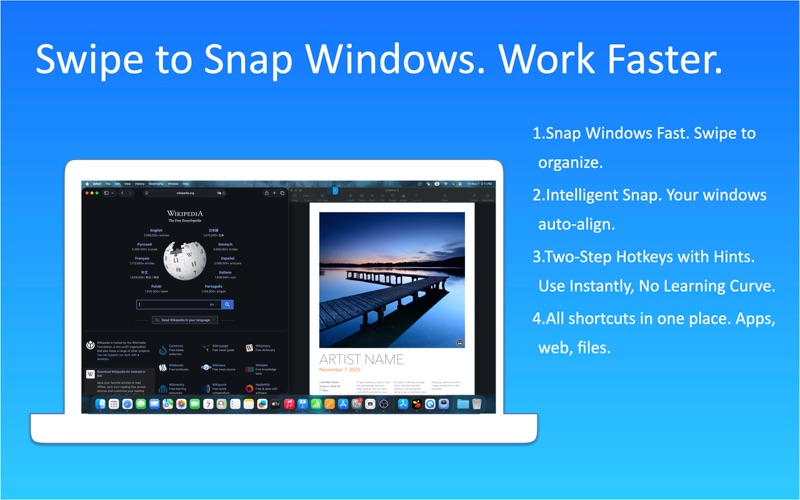
WindowX makes everyday window control on macOS fast and intuitive. Use trackpad or mouse gestures, keyboard shortcuts, and saved layouts to snap windows into place, arrange your workspace, switch to a window behind, and work comfortably across multiple displays. Window control made easy • Natural Window Snap — Swipe a window’s title bar left, right, up, down, or toward a corner to place it in a useful layout. • Smart Fill — Hold Option while swiping to fit the current window into the available space around another window. • Smart Arrange — Hold Command while swiping to place the current window and automatically arrange companion windows in the remaining space. • Show Window Behind — Use a clockwise circular gesture to bring the next window behind the current one into view. • Quick Maximize — Use a counterclockwise circular gesture to maximize the current window. • Keyboard Window Snap — Use global keyboard shortcuts for fast left, right, top, and bottom placement. • Multi-Screen Workflow — Move windows between displays without dragging them across the entire desktop. • Window Layouts — Save useful window arrangements and restore them when you need them again. More than window snapping WindowX also includes a Quick Access hub for your favorite apps, websites, files, and folders. Choose a group, then choose an item—simple to use and easy to remember. Designed for everyday Mac work WindowX helps reduce repetitive resizing, dragging, and searching through overlapping windows. It is useful for research, coding, design, writing, multitasking, and working on a MacBook with limited screen space. WindowX is designed as a local-first Mac utility, keeping your window-control workflow on your device. Terms of Use: https://www.apple.com/legal/internet-services/itunes/dev/stdeula/
Latest release
What’s New
SwipeX is now WindowX. This update refreshes the app name and branding; functionality remains unchanged.
Audience growth
Ratings growth
Baseline captured. Growth appears after the crawler observes a changed rating count.
Momentum comes from crawler snapshots for the tracked storefront. “Viral growth signal” means unusually fast recent rating gains; it is an indicator, not download data.
Price tracking
Price intelligence
First snapshot captured. The trend line starts after the next crawler price observation.
- First observed Aug 8, 2026 · 3:50 PM Free
Screenshots