About this app
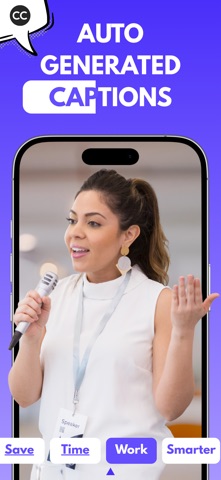
Make your videos speak louder—with captions that pop. Add, edit, style, and translate captions for any video in just a few taps. Whether you're creating content for YouTube, Instagram, TikTok, or just sharing a moment with friends—our app makes it easy to add professional-quality subtitles to your videos. No account needed. No data collected. Just fast, smart, on-device editing. Why Add Subtitles to Your Videos? Captions do more than just display words—they dramatically boost engagement, accessibility, and reach. Here's why they matter: 1. Boost Performance Videos with subtitles see up to 16% more reach and 26% more clicks on calls to action. 2. Silent Scrolling Is Real Around 85% of Facebook videos are watched without sound. Captions keep your content understood—even on mute. 3. Keep Viewers Watching 80% of viewers are more likely to watch a video to the end when it includes subtitles. 4. Watch Anywhere, Anytime 69% of people mute videos in public. Subtitles ensure your message is never lost. 5. Make It Accessible Captions open your content to those who are deaf or hard of hearing, expanding your audience with inclusivity. Key Features: 1. Auto-Captions in Seconds Let the app automatically transcribe your video and generate accurate captions using smart voice recognition. 2. Edit & Style Subtitles Fine-tune your captions and make them match your brand with custom fonts, colors, and animations. 3. Translate Captions in 50+ Languages Go global. Instantly convert your video’s captions into multiple languages to reach a wider audience. 4. Convert Any Video Add captions to any existing video from your gallery or record a new one right in the app. 5. Export in 4K or HD Get your videos looking sharp. Export in high resolution, perfect for YouTube, Reels, or TikTok. 6. Share Anywhere Send your captioned videos directly to social media or save them for later—ready to upload wherever you want. Privacy-First, Always!! We respect your privacy. All video processing happens locally on your device. Your files never leave your phone. There’s no sign-up, no cloud storage, and no personal data collected. Need Help? Got a question or feedback? We offer email support contact.videocaptions@gmail.com—fast and friendly, no bots involved. Create videos that connect—through captions that speak your audience’s language. Try it now, and make every word count. Subscription Information: • Monthly • Yearly • Payment will be charged to your iTunes Account at confirmation of purchase. • Subscription automatically renews unless auto-renew is turned off for at least 24-hours before the end of the current period. • Account will be charged for renewal within 24-hours prior to the end of the current period at the cost of the chosen package. • Subscriptions may be managed by the user and auto-renewal may be turned off by going to the user's Account Settings after purchase. • No cancellation of the current subscription is allowed during the active subscription period. Privacy policy: https://printlyapp.com/privacy-policy-video-captions/ Terms of use: https://printlyapp.com/terms-and-use-video-captions/
Latest release
What’s New
Bug fixes and performance improvements.
Audience growth
Ratings growth
Baseline captured. Growth appears after the crawler observes a changed rating count.
Momentum comes from crawler snapshots for the tracked storefront. “Viral growth signal” means unusually fast recent rating gains; it is an indicator, not download data.
Price tracking
Price intelligence
First snapshot captured. The trend line starts after the next crawler price observation.
- First observed Aug 8, 2026 · 3:37 PM Free
Screenshots