About this app
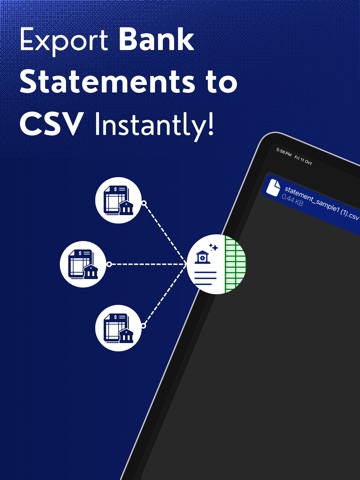
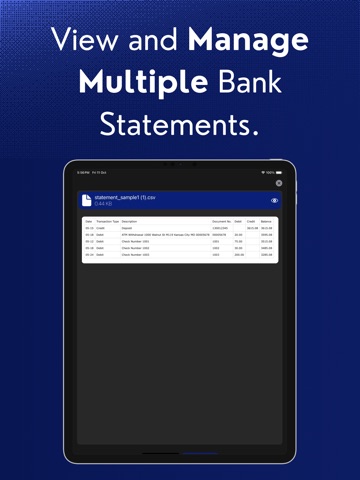
Export Bank Statement to CSV Converter App: Simplify your financial management with our intuitive and powerful AI tool that transforms your bank statements into organised, easy-to-use CSV, Excel & Google Sheets files. Say goodbye to manual data entry and embrace efficiency today! Key Features: + Instant PDF to CSV Conversion: Effortlessly convert bank statement PDFs into structured CSV files with just a few taps. Perfect for both personal and business use! + User-Friendly Interface: Designed for simplicity, our app allows anyone to navigate easily and convert files without any technical expertise. + Multi-Bank Support: Whether you have multiple accounts or different banks, manage and convert statements from all your accounts in one place. + Customizable Output: Tailor your CSV files to include only the information you need. Adjust the layout and fields to match your preferences for ultimate flexibility. + Secure Processing: We prioritize your privacy and security. Your financial data is processed safely, ensuring that your information remains confidential. + Export History Tracking: Keep a record of all your past conversions for quick access and reference whenever you need it. Why Choose Us? + Efficiency at Your Fingertips: Eliminate the hassle of manual data entry. Convert your statements quickly and focus on what truly matters—your financial success! + Ideal for Everyone: Whether you're a busy professional, small business owner, or simply managing your personal finances, our app is perfect for anyone looking to streamline their financial processes. Get Started Today! Download the Export Statement to CSV Converter App now and revolutionize the way you manage your financial data. Experience the freedom of easy conversions and take control of your finances! Subscription Information: + Personal + Startup + Business • Payment will be charged to your iTunes Account at confirmation of purchase. • Subscription automatically renews unless auto-renew is turned off for at least 24-hours before the end of the current period. • Account will be charged for renewal within 24-hours prior to the end of the current period at the cost of the chosen package. • Subscriptions may be managed by the user and auto-renewal may be turned off by going to the user's Account Settings after purchase. • No cancellation of the current subscription is allowed during the active subscription period. Privacy policy: https://printlyapp.com/privacy-policy-export-bank-statement-to-csv-generator/ Terms of use: https://printlyapp.com/terms-and-use-export-bank-statement-to-csv-generator/ Terms of use: (EULA) https://www.apple.com/legal/internet-services/itunes/dev/stdeula/ Do you need support? Please write us to: contact.exportstatementtocsv@gmail.com
Latest release
What’s New
In this update: we're bug fixes and performance improvements.
Audience growth
Ratings growth
Baseline captured. Growth appears after the crawler observes a changed rating count.
Momentum comes from crawler snapshots for the tracked storefront. “Viral growth signal” means unusually fast recent rating gains; it is an indicator, not download data.
Price tracking
Price intelligence
First snapshot captured. The trend line starts after the next crawler price observation.
- First observed Aug 1, 2026 · 1:28 PM Free
Screenshots