About this app
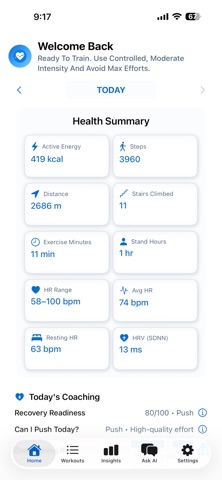
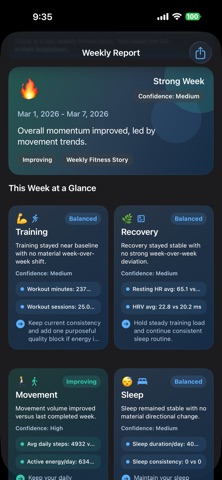
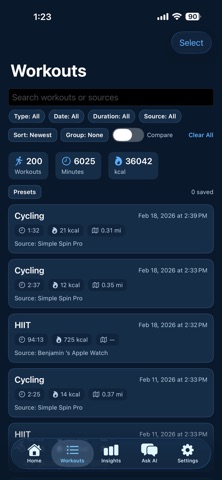
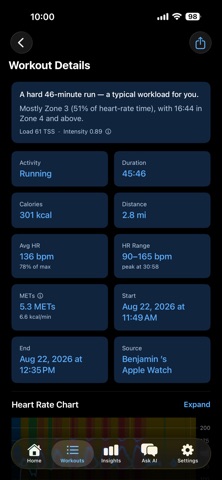
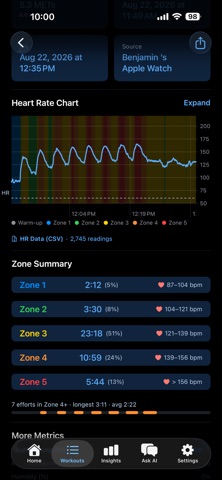
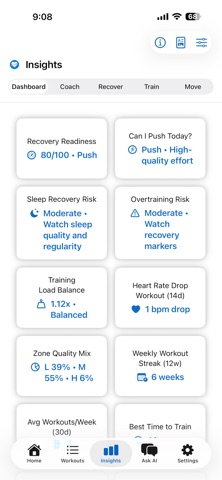
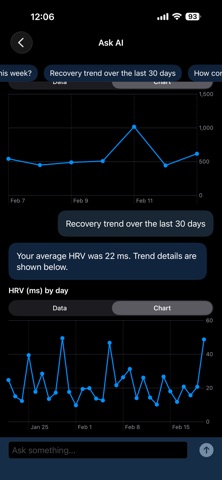
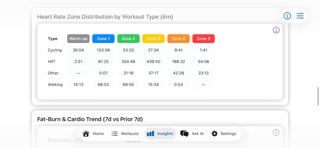
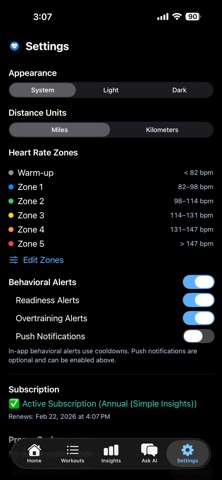
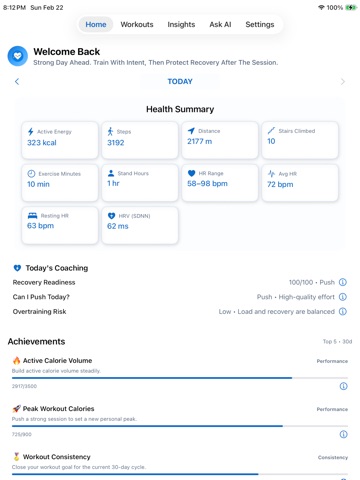
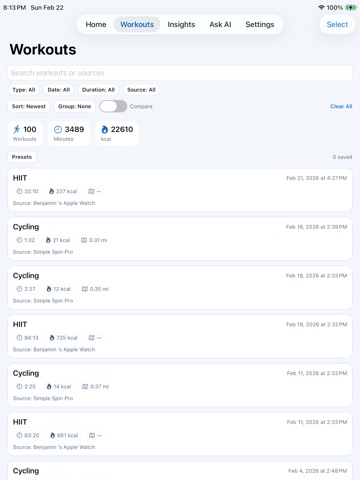
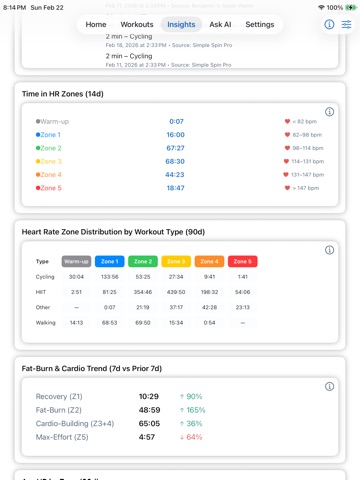
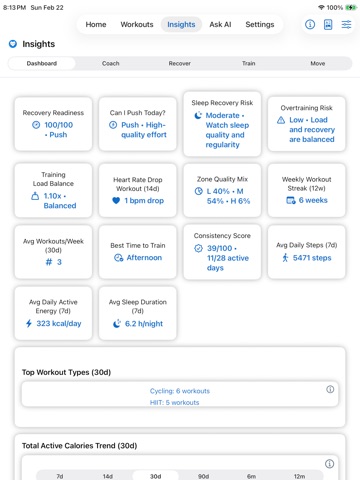
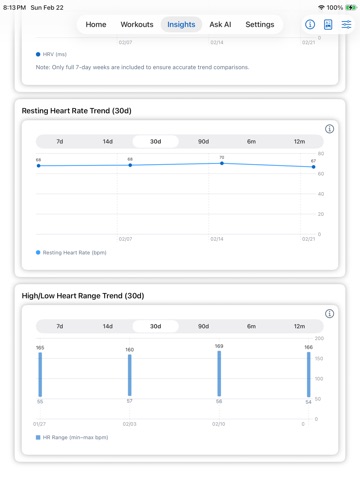
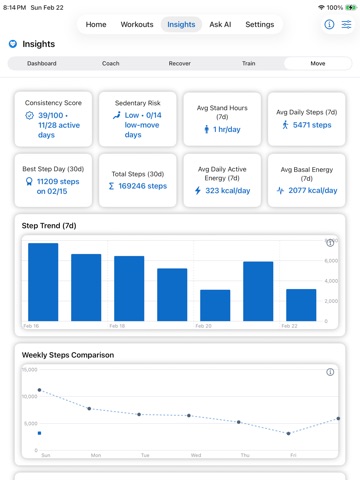
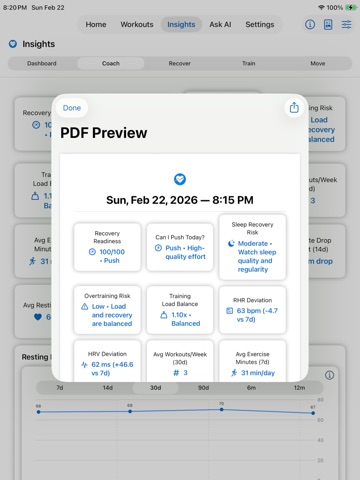
Train with clarity, not guesswork. Simple Insights uses Apple Health and Apple Intelligence to turn your health and workout data into clear coaching answers for recovery, training, movement, and performance — processed on device, no cloud required. Start with a 7-day free trial with full access. No account. No cloud processing. No data selling. Ever. NEW: Coach-Ready Workout Details Open any workout and read a plain sentence about it — “A hard 45-minute ride — one of your bigger workloads in the last 14 days” — before a single number. Then the figures a coach would ask for: • Training Load (TSS) and Intensity Factor, on every activity type • Zone 4+ efforts, longest effort, and dominant zone • Elapsed, active, and paused time • Heart rate drift, time to peak, average as a percentage of max • A comparison against your own recent sessions, not a population average Tap any figure for a plain-language explainer. Share the session as an image, or export the heart rate data as a spreadsheet. The last 7 days are free; subscribers get full history, sharing, and export. Ask AI (Powered by Apple Intelligence) Ask natural-language questions about your health and performance, answered from your own Apple Health trends, on device. • “How much did I train this week vs last week?” • “Show my HRV trend over the last 30 days.” • “Tell me about Morning Briefing.” • “Is my data private in Simple Insights?” Subscribers get unlimited prompts. Free mode includes 2 per day. Ask AI requires an Apple Intelligence compatible iPhone. Heart Rate Data Export Your workout data belongs to you. Export any workout’s heart rate readings to a CSV spreadsheet for Numbers, Excel, or Google Sheets — every reading in order, with elapsed time, zone, and percentage of max. Built on device, nothing uploaded. Morning Briefing Start each day with a proactive recommendation — Push, Steady, or Recover — plus a confidence score and the key drivers behind it. Tap through for how each number was calculated. Trend Anomaly Alerts Simple Insights watches your trends for you. When resting heart rate spikes, HRV drops, sleep declines, or activity falls off, you get a clear alert before you feel the impact. Workout streaks and new personal bests are flagged too. Every alert says what changed, why it matters, and what to do — then clears itself when the trend recovers. Weekly Intelligence Report A weekly report that answers one question: “Am I improving?” • Training, Recovery, Movement, and Sleep sections • Confidence-aware interpretation • Driver lines and practical next actions • Shareable PDF export for coach check-ins Built for Apple Health users Works with what you already track — Apple Watch, compatible heart rate monitors and exercise machines, and other Apple Health sources. No manual syncing. Recovery Intelligence • HRV trends • Resting heart rate patterns • High and low heart rate monitoring • Recovery behavior over time Training Intelligence • Per-session Training Load (TSS) and Intensity Factor • Heart rate zone distribution, Zone 4+ efforts, and drift • Weekly and monthly training comparisons • Workout trend summaries Movement Intelligence • Steps and movement trends • Active calorie patterns • Weekly and monthly consistency signals Intelligent Dashboards • My Dashboard and Coach Dashboard • Modular tile layouts you can reorder and personalize Privacy First by Design • On-device processing • Your data is exportable as a spreadsheet • No logins, no accounts • No ads • No cloud processing • No tracking Exports, dashboards, weekly reports, and detailed alerts are subscriber features. Free mode remains fully usable. Subscription Information Auto-renewing monthly and annual subscriptions. Pricing varies by region. Renews unless canceled in App Store settings. Privacy Policy: https://simplespinapp.com/privacy-policy Terms of Use: https://simplespinapp.com/eula If you train with intention, analyze with intention.
Latest release
What’s New
NEW: Coach-Ready Workout Details Every workout now opens with a sentence instead of a wall of numbers — “A hard 45-minute ride — one of your bigger workloads in the last 14 days” — followed by the figures a coach would ask for. New in this build: • Training Load (TSS) and Intensity Factor on every workout, whatever the activity, with tap-through explainers that answer the two different questions each number is for: how big was it, and how hard was it • Zone 4+ efforts, your longest effort, and the dominant zone, so the shape of the session is visible and not flattened into totals • Elapsed, active, and paused time — worked out even when your watch or machine never recorded a pause event • Heart rate drift, when your peak came, average as a percentage of max, and calories per minute • Your session compared against recent training, widened from two weeks to a month when the recent window is too thin, so one short incidental recording cannot define what “normal” looks like for you • Shared workout images are no longer cut off at one screen height, and now follow dark mode • Fixed average METs showing as 0.0 Also fixed in this build: • Sharing no longer hangs. After sending a workout image, a heart rate spreadsheet, or a weekly report by AirDrop, Messages, or anything else, the share screen stayed open with no way out but to swipe it away. It now closes when the send finishes — or when you cancel. • Workouts your watch only partly recorded are no longer described as easier than they were. A dropped strap made a session score low for want of data, which read as a softer workout. The summary now tells you how many minutes were actually recorded and holds back the Load and Intensity figures rather than quoting numbers built on a fragment of the session. • Gaps in a recording are no longer counted as time in whatever zone was showing when the signal dropped. Zone Summary totals, Training Load, and Intensity are all more accurate on any workout with a gap in it. • The session summary is more careful with the word “mostly” — it is used only when a zone genuinely holds most of your time, rather than for the largest share of a session that was split. Time in Zone 4 and above now carries its percentage alongside it, and matches the Zone Summary rows exactly. • Workouts with no heart rate data no longer show a summary line that only repeated the Activity and Duration already on screen. Recent releases, in case you missed them: • Export any workout’s heart rate data to a CSV spreadsheet — every reading with timestamp, elapsed time, BPM, zone, zone range, and percentage of max — ready for Numbers, Excel, Google Sheets, or your coach • Ask AI, powered by Apple Intelligence, answers questions about your own Apple Health trends and about the app itself, on device with no cloud • Morning Briefing, Trend Anomaly Alerts, and the Weekly Intelligence Report with shareable PDF export • Fixed the subscription screen closing after a cancelled or failed purchase, and the free Ask AI daily counter not resetting at midnight Everything runs on device. No account, no cloud processing, no tracking.
Audience growth
Ratings growth
Baseline captured. Growth appears after the crawler observes a changed rating count.
Momentum comes from crawler snapshots for the tracked storefront. “Viral growth signal” means unusually fast recent rating gains; it is an indicator, not download data.
Price tracking
Price intelligence
First snapshot captured. The trend line starts after the next crawler price observation.
- First observed Sep 1, 2026 · 3:58 PM Free
Screenshots