About this app
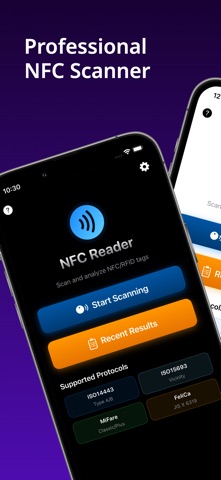
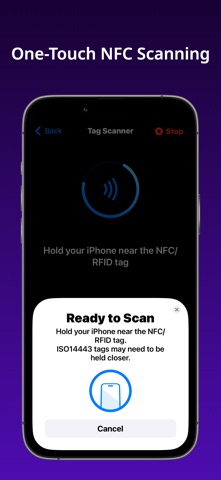
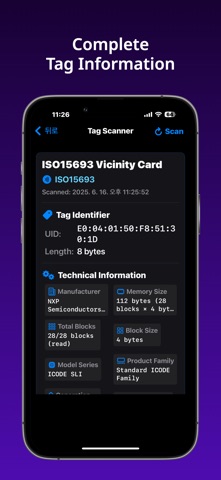
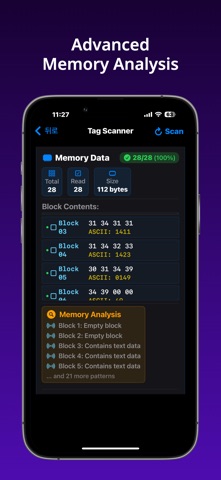
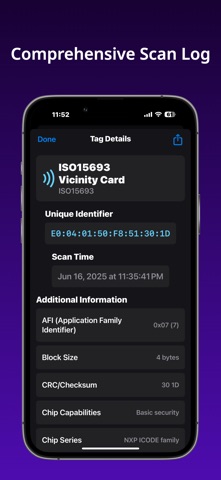
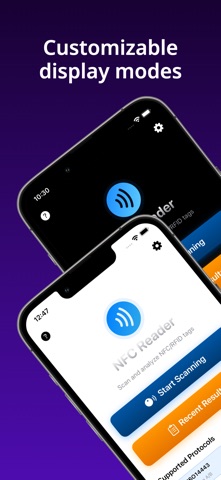
Scan and analyze NFC tags with detailed technical information. A specialized tool for reading NFC tag data within iOS CoreNFC framework limitations. NFC SCANNING CAPABILITIES • Supports ISO15693, ISO14443, ISO7816, and FeliCa tag types • Reads available memory blocks and system information • Displays manufacturer and model identification data • Exports scan results to PDF / CSV format for documentation MEMORY READING FEATURES • Reads accessible memory blocks from compatible NFC tags • Displays memory content in hexadecimal and ASCII formats • Shows technical specifications and metadata • Analyzes memory patterns and data structures SUPPORTED TAG TECHNOLOGIES ISO15693 Tags: • ICODE SLI, SLI-S, SLI-L series • ICODE SLX, SLX2 series • ICODE DNA series ISO14443 Tags: • MiFare Classic, Ultralight, DESFire • Various contactless smart cards Additional Support: • ISO7816 contactless cards • FeliCa technology tags • Standard NFC Forum compliant tags TECHNICAL INFORMATION • Manufacturer identification (NXP, STMicroelectronics, Infineon, others) • Security status indicators (AFI, DSFID, EAS where available) • Memory architecture and capacity information • Protocol specifications and operating parameters INTERFACE AND FEATURES • Clean, accessible interface design • Scan history with search and filtering • Multiple language support • PDF / CSV export functionality • VoiceOver accessibility support PRACTICAL APPLICATIONS • IT and network administration • Inventory and asset management • NFC technology research and education • Personal NFC projects and learning IMPORTANT LIMITATIONS • Memory reading capabilities are subject to iOS CoreNFC framework restrictions • Some tag features may be inaccessible due to security policies • Actual functionality depends on tag type and manufacturer settings • Requires iPhone 7 or later with NFC capability This app works within Apple's CoreNFC framework and respects all iOS security limitations. No personal data is collected or transmitted.
Latest release
What’s New
Added PDF export feature
Audience growth
Ratings growth
Baseline captured. Growth appears after the crawler observes a changed rating count.
Momentum comes from crawler snapshots for the tracked storefront. “Viral growth signal” means unusually fast recent rating gains; it is an indicator, not download data.
Price tracking
Price intelligence
First snapshot captured. The trend line starts after the next crawler price observation.
- First observed Sep 14, 2026 · 5:55 PM Free
Screenshots