About this app
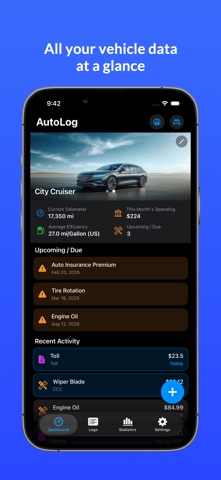
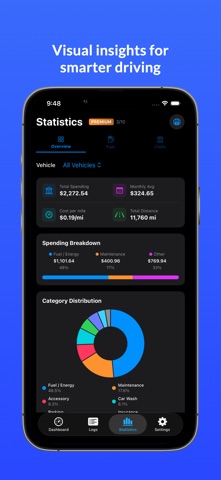
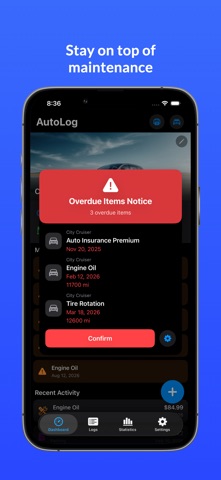
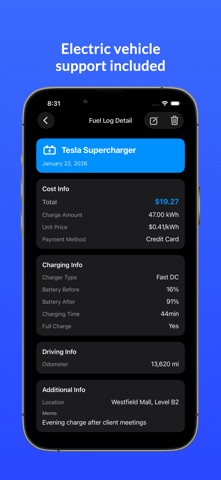
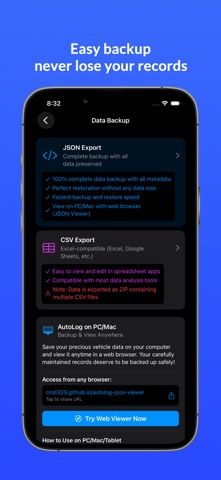
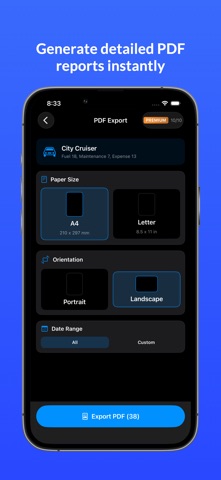
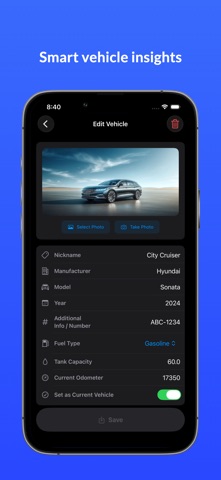
AutoLog: The Ultimate Vehicle Management Expert Manage your vehicle smarter and keep it in top condition with AutoLog. Whether you drive a gasoline car or an electric vehicle (EV), AutoLog provides a comprehensive suite of tools to track fuel efficiency, maintenance, and all associated costs in one place. ■ All-in-One Dashboard Get an instant overview of your vehicle's health. Monitor your current odometer, see this month's spending at a glance, and check your average fuel efficiency. The dashboard also alerts you to upcoming maintenance tasks so you never miss a service. ■ Precise Fuel & Charging Logs • Fuel Efficiency Perfection: Our "Full-to-Full" calculation method ensures your mileage stats are accurate by aggregating partial records until your next full tank. • EV Ready: Dedicated support for Electric Vehicles. Track charging logs, charging station locations, and battery efficiency with ease. • Detailed Records: Log price per unit, total cost, station names, and even attach photos of your receipts for easy record-keeping. ■ Comprehensive Maintenance Tracking Keep your vehicle running smoothly with a detailed service history. • Log every repair, oil change, and part replacement. • Set reminders based on both date and odometer readings. • Attach receipts and documents to stay organized for future resale. ■ Expense and Budget Management Track every penny spent on your car. From insurance and taxes to parking and cleaning fees, the "Other Costs" category helps you understand the true cost of ownership. Supports recurring payments for fixed monthly expenses. ■ Smart Statistics & Insights Visualize your data with intuitive charts. Analyze trends in fuel costs, maintenance spending, and efficiency over time. Support for multiple vehicles allows you to compare performance across your entire garage. ■ Secure Data Management Your data is valuable. AutoLog offers robust tools to keep your records safe: • Export your logs as PDF, CSV, or JSON for tax purposes or personal backups. • Secure backup and restore features to ensure your history moves with you to new devices. ■ Key Features: - Support for multiple vehicles (Nickname, Plate Number, etc.) - Manage purchase and sale details (Price, Date, Odometer) - Maintenance reminders with push notifications - Full photo support for vehicles and receipts - Clean, modern SwiftUI-based interface with Dark Mode support Drive with confidence and keep your vehicle's history crystal clear. Download AutoLog today and start tracking like a pro! ■ Terms of Use (EULA): https://www.apple.com/legal/internet-services/itunes/dev/stdeula/
Latest release
What’s New
Added some localized languages and screenshots.
Audience growth
Ratings growth
Baseline captured. Growth appears after the crawler observes a changed rating count.
Momentum comes from crawler snapshots for the tracked storefront. “Viral growth signal” means unusually fast recent rating gains; it is an indicator, not download data.
Price tracking
Price intelligence
First snapshot captured. The trend line starts after the next crawler price observation.
- First observed Aug 20, 2026 · 6:11 AM Free
Screenshots