About this app
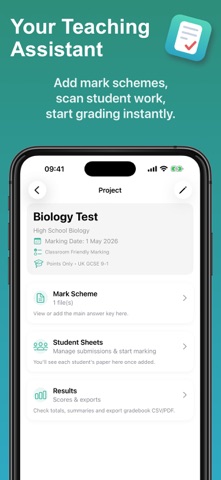
SAVE 5+ HOURS EVERY WEEK Teacher Grading AI scans student work and suggests grades in seconds so you can spend less time grading and more time teaching. Simply photograph homework, tests, or essays. The app reads handwriting or typed answers, compares them to your rubric, and proposes fair, consistent scores. Review and adjust before exporting. • SCAN & GRADE ANY PAPER Upload photos or PDFs. Works with handwriting, typed text, and printed worksheets. • CREATE REUSABLE RUBRICS Build custom answer keys once, reuse across classes and semesters. • AI-POWERED GRADING Get scoring rationales for each question. Always review before finalizing. • EXPORT TO YOUR GRADEBOOK Download as CSV or PDF. Works with Google Classroom, Excel, Schoology, Canvas, and PowerSchool. • SECURE & PRIVATE Choose on-device processing or cloud AI with automatic student data redaction. • MANAGE MULTIPLE CLASSES Organise different subjects and assessment types in one place. --- PERFECT FOR: • Middle & high school teachers grading 100+ papers weekly • Elementary teachers assessing homework and spelling tests • Tutors tracking student progress • Homeschool parents managing multiple kids --- TEACHER PRO INCLUDES: • Unlimited projects and student papers • AI-powered grading suggestions • Cloud OCR for best handwriting accuracy • Full CSV & PDF export • Priority support --- TRUSTED BY US TEACHERS Join hundreds of teachers saving time on grading every week. --- Terms: https://brewisapps.com/apps/terms Privacy: https://brewisapps.com/apps/privacy
Latest release
What’s New
What's new: • Attach your answer key or rubric when creating a project - fewer steps to get started • Continue Grading card on the home screen picks up where you left off • Get notified when your free grading credits reset each week • Improved student name detection from scanned papers • Clearer scan quality warnings so you know before you start grading • Bug fixes and stability improvements Having issues? Tap "Contact Support" in Settings - we respond within 24 hours. Enjoying the app? A quick review helps other teachers find us!
Audience growth
Ratings growth
Baseline captured. Growth appears after the crawler observes a changed rating count.
Momentum comes from crawler snapshots for the tracked storefront. “Viral growth signal” means unusually fast recent rating gains; it is an indicator, not download data.
Price tracking
Price intelligence
First snapshot captured. The trend line starts after the next crawler price observation.
- First observed Aug 23, 2026 · 4:50 PM Free
Screenshots