About this app
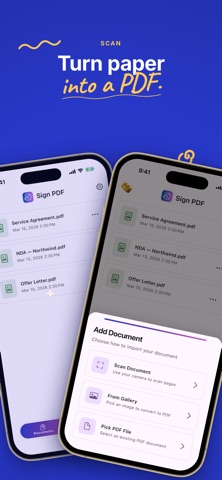
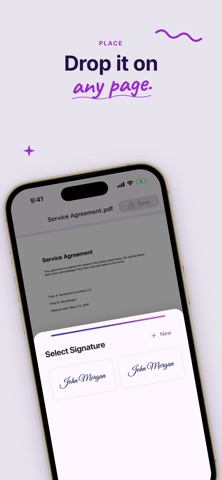
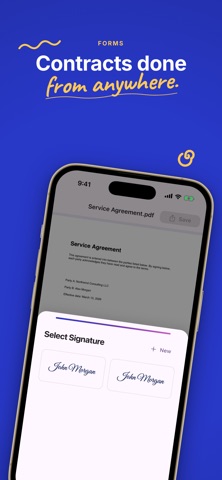
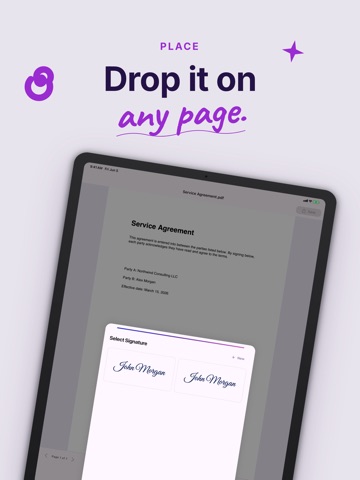
Sign PDF lets you sign documents right on your device—no printing, no scanner, no account. Add your signature, initials, or a stamp to any PDF in seconds and keep everything private with 100% on-device signing. It's the fast, simple e-signature app to fill and sign contracts, forms, agreements, and paperwork. Need to sign a PDF, fill a form, or e-sign a contract on the go? Sign PDF is a privacy-first PDF signer and document scanner: import a PDF, scan paper with your camera, draw an electronic signature, place it anywhere, then export a signed PDF. A complete fill and sign, esign, and signature maker toolkit that works offline. WHY SIGN PDF? • Sign any PDF in seconds — draw your signature, initials, or upload a stamp • Automatic background removal — turn a photo of your signature into a clean, transparent stamp • Document scanner — scan paper with your camera and turn it into a PDF • Image to PDF — import photos and convert them to PDF • Fill and sign forms — add text, today's date, and time anywhere on the page • Watermark — add a custom watermark like DRAFT or CONFIDENTIAL • Reusable signature library — save unlimited signatures, initials, and stamps • 100% on-device — your documents never leave your phone, fully private and offline USE SIGN PDF FOR: • Contracts, agreements, and NDAs • Job offers, HR forms, and onboarding paperwork • Rental and lease agreements • Invoices, quotes, and delivery notes • School and government forms • Consent forms and waivers • Any PDF that needs a quick signature FREE VS PREMIUM Free: import and scan PDFs, create and save unlimited signatures, initials, and stamps, place them on any page, add text and watermarks, and preview your signed document. Free users cannot export or save the finished document. Premium subscription unlocks exporting behind a paywall: • Export and save signed PDFs — the only way to get your finished document out of the app • Share signed PDFs to Files, Mail, and other apps • Unlimited document exports Exporting any document requires an active Premium subscription. Payment is charged to your Apple ID or Google Play account. Subscriptions renew automatically unless canceled at least 24 hours before the end of the current period. Manage or cancel anytime in your device subscription settings. Download Sign PDF today—the fast, private way to sign PDF documents, fill and sign forms, and create electronic signatures, all on your device. Terms of Use: https://www.apple.com/legal/internet-services/itunes/dev/stdeula/
Latest release
What’s New
At underskrive PDF'er er nu hurtigere, mere glidende og mere privat: • Underskriv enhver PDF på sekunder — tegn en signatur, initialer, eller upload et stempel med automatisk baggrundsfjernelse • Scan dokumenter med kameraet og lav papir om til PDF med det samme • Udfyld formularer, tilføj tekst, datoer og vandmærker, og eksporter en underskrevet PDF • 100% signering på enheden — dine filer forlader aldrig telefonen Kan du lide Sign PDF? En hurtig vurdering hjælper meget. Feedback? Tryk på Kontakt os i Indstillinger.
Audience growth
Ratings growth
Baseline captured. Growth appears after the crawler observes a changed rating count.
Momentum comes from crawler snapshots for the tracked storefront. “Viral growth signal” means unusually fast recent rating gains; it is an indicator, not download data.
Price tracking
Price intelligence
First snapshot captured. The trend line starts after the next crawler price observation.
- First observed Aug 16, 2026 · 1:15 AM Free
Screenshots