About this app
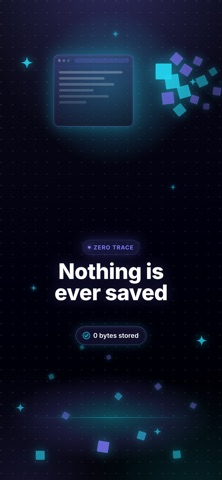
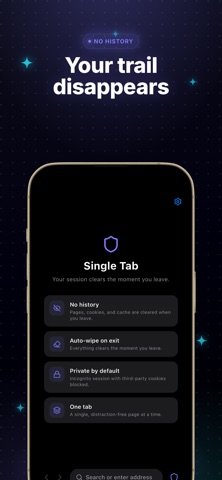
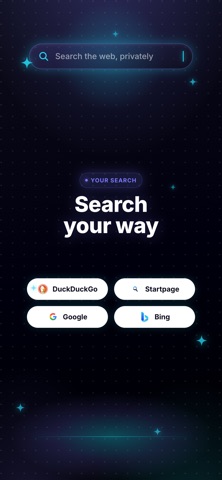
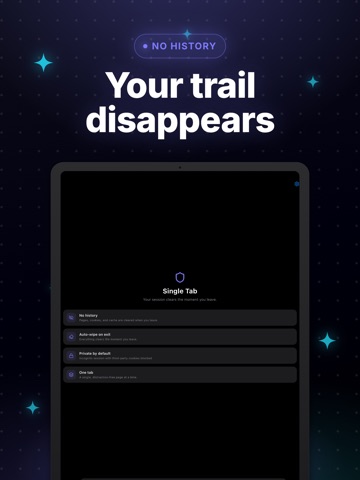
Single Tab Browser is a private, incognito browser that wipes your entire session the moment you leave—no history, no cookies, no cache, no tracking. Open one focused tab, browse anonymously, and everything is auto-deleted when you close or switch away. No signup, no account, and free to browse. Looking for a privacy browser that forgets everything? Single Tab Browser is built for ephemeral, distraction-free browsing: a single tab, private by default, with third-party cookies blocked and your whole session erased on exit. Perfect as an incognito browser, anonymous browser, no-history browser, or temporary throwaway browser when you don't want anything saved on your device. WHY SINGLE TAB BROWSER? • Auto-wipe on exit — history, cookies, and cache cleared the instant you leave • No history — nothing is saved between sessions • No cookies, no cache — every visit starts on a clean slate • Incognito by default — a private browsing session every time • One tab — a single, distraction-free page for total focus • Anti-tracking — third-party cookies blocked automatically • Anonymous browsing — no profile, no account, no sync • Choose your search engine — DuckDuckGo, Startpage, Google, or Bing • Hide your location — pick a city; sites see it, not your real location (Single Tab Pro) • Built-in speed test — check latency, download, and upload speeds • Light, dark, and system themes • Fast, lightweight, and private by design USE SINGLE TAB BROWSER FOR: • Private searches you don't want saved in history • Quick, focused reading without tabs piling up • Checking links safely without leaving a trail • Logging into a site without mixing cookies or sessions • Shared or borrowed devices where nothing should be stored • Sensitive research, shopping, or travel lookups • Checking region-specific pages, prices, or content privately • A clean, anonymous session every single time FREE TO BROWSE — SINGLE TAB PRO Browsing privately is free: private incognito single-tab browsing, auto-wipe on exit, improved tracker and ad blocking, your choice of search engine, light/dark/system themes, and the built-in speed test—no ads, no account needed. Single Tab Pro is an optional auto-renewing subscription (weekly, monthly, or yearly) that unlocks location hiding: pick a city so sites see that location instead of your real one, routed through a private proxy—great for privately checking region-specific pages, prices, and content. An active Single Tab Pro subscription is required to use location hiding (the private proxy); it stops working if your subscription ends. App settings (theme, search engine, and chosen location) are stored on your device; your browsing session is always cleared when you leave. Single Tab Pro is an auto-renewing subscription (weekly, monthly, or yearly). Payment is charged to your store account; it renews automatically unless canceled at least 24 hours before the end of the period. Manage or cancel anytime in your account settings. Prices are shown in the app. Download Single Tab Browser today—the fast, private, no-history way to browse in a single incognito tab that erases itself the moment you leave. Terms of Use: https://www.apple.com/legal/internet-services/itunes/dev/stdeula/
Latest release
What’s New
Now hide your location — and browse cleaner than ever. • NEW: Hide your location — pick a city and sites see it, not your real one (Single Tab Pro) • NEW: Built-in speed test — check latency, download & upload • Stronger third-party tracker blocking • Faster auto-wipe — history, cookies & cache clear the instant you leave • Private search picker (DuckDuckGo, Startpage, Google, Bing), 43 regions, stability fixes Thanks for browsing private.
Audience growth
Ratings growth
Momentum comes from crawler snapshots for the tracked storefront. “Viral growth signal” means unusually fast recent rating gains; it is an indicator, not download data.
Price tracking
Price intelligence
- First observed Aug 16, 2026 · 1:15 AM Free
Screenshots