About this app
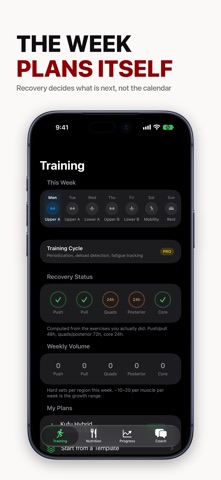
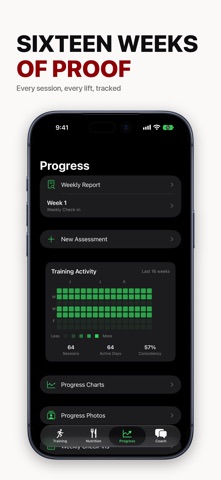
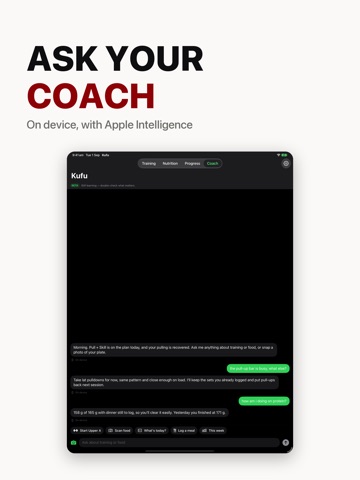
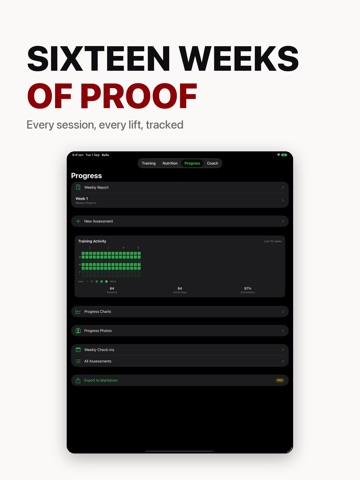
Kufu (工夫) means mastery through devoted effort. It is a training app for hybrid athletes: barbell and dumbbell work on one side, pull-ups, dips and bodyweight strength on the other, in the same session instead of in two different apps. Pull day opens with pull-ups. Chest day carries dips. Bodyweight strength sits beside the barbell as a peer, not as a warm-up. A COACH YOU CAN TALK TO - Ask what to train today and get an answer grounded in what you actually did - Say the bench is taken and get a swap on the spot, mid-workout, without losing the sets you logged - Paste the program you already follow and have it turned into a plan - On iPhones with Apple Intelligence the coach runs on Apple's own models, on device or on Private Cloud Compute, and every reply tells you which one answered TRAINING THAT FOLLOWS YOUR BODY - Sessions are described by what they work, not by a calendar label - What to train next comes from which muscles have recovered - Five-week cycles with progressive overload, RPE tracking and deload detection - Back-safe selection by default: no barbell back squats, no conventional deadlifts PLANS THAT ARE YOURS - Start from Push/Pull/Legs, Upper/Lower, Full Body 3x, or Bar & Floor for travelling without a gym - Or build your own sessions, name them what you call them, and set one active to follow - Exercises play a looping animation with a coaching cue, so you can see the movement before you do it NUTRITION WITHOUT TYPING NUMBERS - Photograph a plate or describe what you ate and get the macros estimated - Protein and calorie targets, barcode scanning, food search, 70+ meal templates - On Apple Intelligence iPhones the estimate runs on device ON YOUR WRIST AND HOME SCREEN - Apple Watch app that stays in step both ways: start on either device, finish on either - Live Activity with rest timers on the Lock Screen - Home Screen widgets, plus Siri and Shortcuts for water, weight and protein TRACK ONLY WHAT YOU WANT Workouts are always on. Nutrition, body weight, water and gut health each switch on or off, in onboarding or later in Settings. What you switch off disappears from the app and from the coach. Terms of Use (EULA): https://www.apple.com/legal/internet-services/itunes/dev/stdeula/
Latest release
What’s New
Setting Kufu up for the first time is a lot smoother. • The number pad no longer stays on screen after you enter your body weight. It used to follow you to the next page and cover most of the plan list, so only the first of five plans was visible. • The body weight field no longer hides behind the Continue button while you are typing. • "What do you want to track?" no longer cuts off its own text. The page scrolls now, so every option and its description is readable. • The number pad has a Done button. It has no return key, so there was no clear way to put it away. • The name field offers your name instead of guessing at words. • Text fields across the app were redrawn to match everything around them.
Audience growth
Ratings growth
Baseline captured. Growth appears after the crawler observes a changed rating count.
Momentum comes from crawler snapshots for the tracked storefront. “Viral growth signal” means unusually fast recent rating gains; it is an indicator, not download data.
Price tracking
Price intelligence
First snapshot captured. The trend line starts after the next crawler price observation.
- First observed Aug 16, 2026 · 7:52 PM Free
Screenshots