About this app
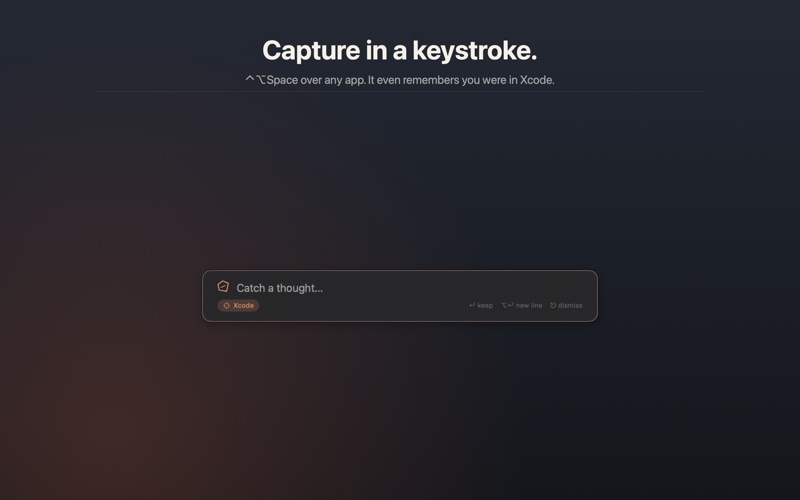
Capture in a keystroke. Keep what matters. Never file anything again. Ostraca began as the developer's pottery shard - four instant scratch slots, one keypress away. Version 2.0 adds what the ancient scribes always had: the archive. Scribble on a shard; if it turns out to matter, press one key and it's kept - a permanent, plain-text note in a library that can find anything. THE EDGE SHELF (new) Rest your mouse on the edge of the screen - a terracotta tab acknowledges you instantly, and the shelf slides out. Three tabs, nothing else: • Notes - your whole library as a folder tree. Catch a thought at the top; drag any note onto a folder to file it. • Clips - clipboard history that lives in memory only, is gone when Ostraca quits, and never records what password managers mark concealed. • Code - your Code shard, the very same document as ⌘1. Move the mouse away and it tucks itself back in. Pin it to keep it out. THE SHARDS (still sacred) • ⌥Space summons four shards - Code, Notes, List, Draft - ready to type in a blink. • Syntax highlighting for 25+ languages, live Markdown, auto-bullets. • Developer tools (⌘⇧P): JSON, Base64, hashes, regex with live preview, and more. THE LIBRARY (new) • Every note is a real .md file in a folder you choose. Open them in any editor, grep them in a terminal, put the folder in iCloud Drive. No lock-in, ever. • Quick Capture (⌃⌥Space): a floating field over whatever you're doing. Type, press Return, it's kept. • Right-click anywhere: select text in any app → "Add to Ostraca". • Context capture: Ostraca quietly notes the app - and even the calendar meeting - you were in when a thought arrived. Weeks later, search during:"BHP" and there it is. Stored only in your own files; one switch turns it off. • Search that ends filing: literal results are instant; on-device semantic search finds "that thing about disk latency" in a note that mentions neither word. • The Librarian (optional, OFF by default): on-device AI that proposes filing and never moves a note without you. Every action is logged and undoable. The app is complete with it off. • Shortcuts & Siri: capture, search, append, and keep shards from automations. BRING YOUR NOTES HOME Import from Simplenote, Byword, Bear, Obsidian, Evernote, Drafts, or any folder of Markdown and text. Non-destructive, with an honest report. BUILT TO BE TRUSTED • No plugin architecture - third-party code can never run inside Ostraca. • No account, no server, no analytics. Privacy label: Data Not Collected. • All AI on-device. Enabling the Librarian sends nothing anywhere. • Bought once. Not rented forever. WHAT OSTRACA IS NOT Not a knowledge graph. Not a whiteboard. Not a task manager. Not a subscription. A fast scratchpad and an honest archive - on purpose. LEGAL & PRIVACY Privacy Policy: https://anthonystark.au/privacy Terms of Use (EULA): https://www.apple.com/legal/internet-services/itunes/dev/stdeula/
Latest release
What’s New
The Edge Shelf: rest your mouse on a screen edge and your notes slide out your library as a folder tree, memory-only clipboard history, and your Code shard. Plus: keep any shard with ⌘K, capture from anywhere with ⌃⌥Space or right-click, search by meaning entirely on-device, optional proposal-based AI filing (off by default, fully undoable), and importers for Simplenote, Bear, Obsidian, Evernote, Drafts, and plain-text folders. Free upgrade for v1 owners.
Audience growth
Ratings growth
Baseline captured. Growth appears after the crawler observes a changed rating count.
Momentum comes from crawler snapshots for the tracked storefront. “Viral growth signal” means unusually fast recent rating gains; it is an indicator, not download data.
Price tracking
Price intelligence
First snapshot captured. The trend line starts after the next crawler price observation.
- First observed Aug 8, 2026 · 3:14 PM $0.99
Screenshots