About this app
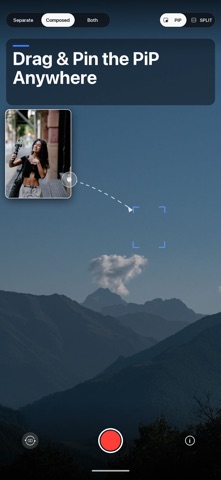
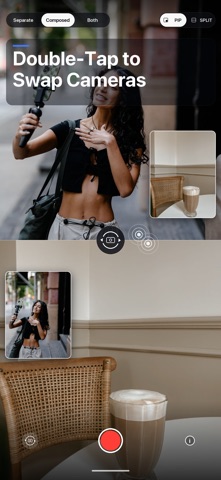
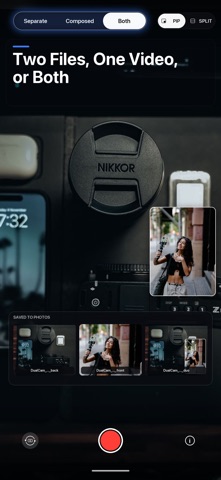
DualCam records your front and back cameras AT THE SAME TIME - one tap starts both. Save two separate files, one composed video (PiP or split screen), or both. The layout you see in the preview is the layout that gets saved. Works on iPhone XS/XR and newer. On devices without multi-cam support, DualCam becomes a fast flip-camera - and tells you clearly. WHAT YOU CAN DO - Picture-in-Picture: drag the small window anywhere - it springs to the nearest corner. Pinch to resize it. Double-tap to swap which camera is big. - Split screen: both cameras share the frame, top and bottom, each at full width. - Three ways to save: SEPARATE (two independent files), COMPOSED (one video, exactly like the preview), or BOTH. - What you see is what you get: the preview and the finished video use the same layout math, so there are no surprises. - Clear file names: every clip is named DualCam_[time]_back / _front / _duo, so front, back and composed takes are easy to find. - Made to keep rolling: if the phone gets hot, DualCam finishes and saves what you've already recorded instead of losing it. GREAT FOR Reaction videos, vlogs, interviews, first-person plus face at once, unboxings, reviews, tutorials, travel - capturing both you and the moment in front of you. PRIVACY Your videos are saved only to your own Photos library. No account. No sign-up. No uploads. No tracking.
Audience growth
Ratings growth
Baseline captured. Growth appears after the crawler observes a changed rating count.
Momentum comes from crawler snapshots for the tracked storefront. “Viral growth signal” means unusually fast recent rating gains; it is an indicator, not download data.
Price tracking
Price intelligence
First snapshot captured. The trend line starts after the next crawler price observation.
- First observed Aug 11, 2026 · 7:44 PM Free
Screenshots