About this app
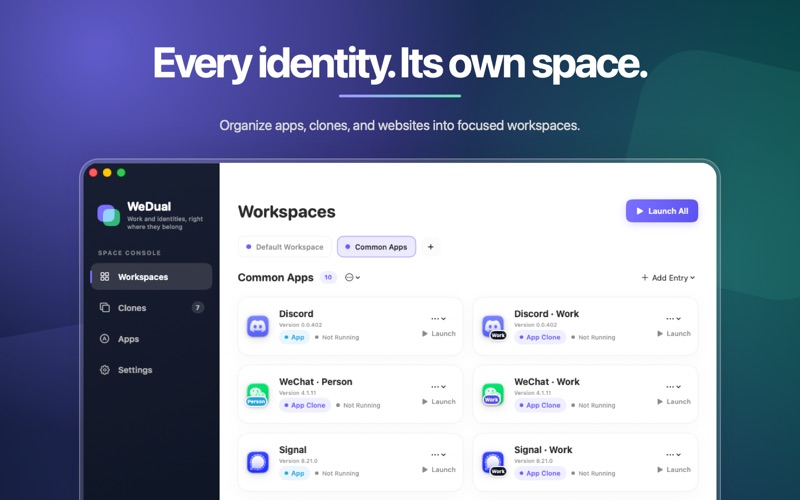
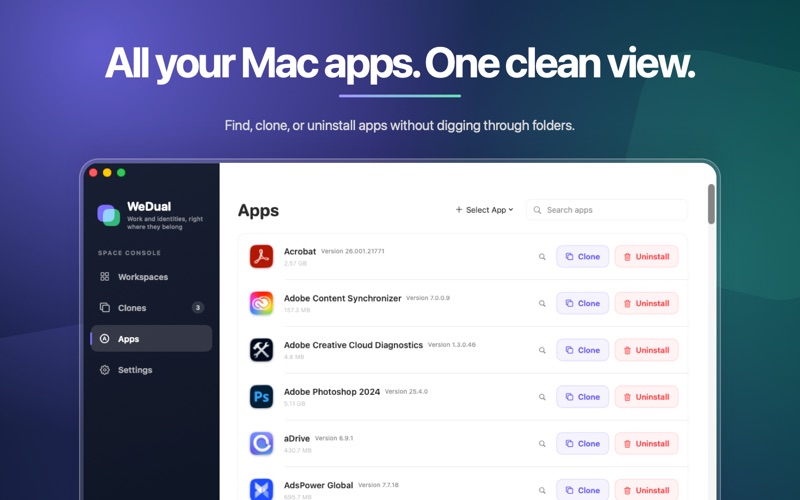
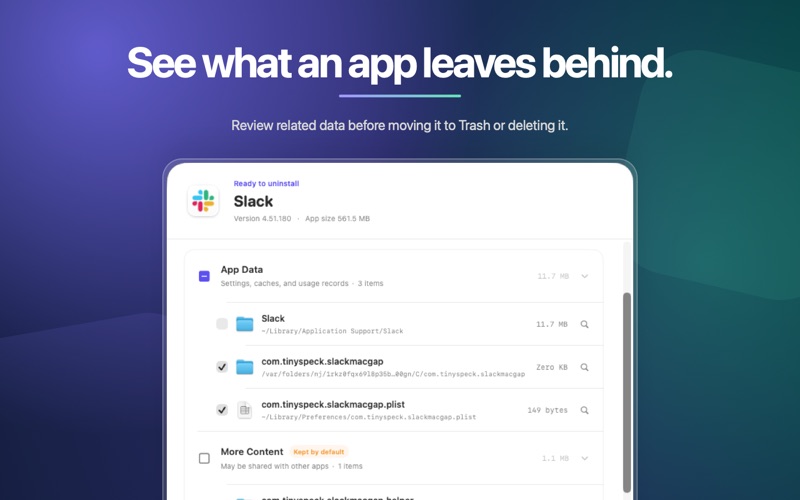
A workspace and app clone manager designed for macOS. Organize apps, app clones, website shortcuts, and website clones into focused workspaces. Create a workspace for work, personal tasks, study, or each project, then open one item or launch the whole workspace at once. === Features === Workspaces Group frequently used apps and websites by context. The same app clone or website clone can belong to multiple workspaces, and each workspace item can have its own note. Launch a Workspace Open multiple apps, app clones, and websites together so you can get into the right context with one action. App Clones Create and manage separate copies of supported apps for different accounts, identities, or workflows. Launch, rename, update, or remove existing clones when needed. Custom Appearance Give each app clone a custom name, badge, or icon so different purposes are easy to recognize. Website Shortcuts and Clones Open regular website shortcuts in your default browser. On macOS 14 or later, create website clones with separate browser data stores for cookies, sign-in sessions, and site data. App List and Uninstall Browse and search user-installed apps, or start creating a clone directly from the list. Before uninstalling an app, review the app and optional related data, choose what to remove, then move the selected items to the Trash or delete them permanently. Menu Bar Access View workspaces, open frequently used items, or launch an entire workspace without opening the main window. === Optional Local Component === Creating app clones and uninstalling apps require an optional WeDual local component that you install explicitly. It only handles confirmed local apps and data when you start a related operation. Without this component, workspaces, original apps, regular website shortcuts, and website clones remain available. App structures and security requirements vary, so not every app is suitable for cloning. === Platform === macOS 13.5 or later. Website clones require macOS 14 Sonoma or later. === Privacy === Your workspaces, clone profiles, and app settings are stored locally on your Mac by default. Browser data for each website clone is kept in a separate local data store. Terms of Use (Apple Standard EULA): https://www.apple.com/legal/internet-services/itunes/dev/stdeula/ Privacy Policy: https://wedual.eedon.cn/privacy Support: https://wedual.eedon.cn/feedback
Latest release
What’s New
Improved the overall experience.
Audience growth
Ratings growth
Baseline captured. Growth appears after the crawler observes a changed rating count.
Momentum comes from crawler snapshots for the tracked storefront. “Viral growth signal” means unusually fast recent rating gains; it is an indicator, not download data.
Price tracking
Price intelligence
First snapshot captured. The trend line starts after the next crawler price observation.
- First observed Oct 5, 2026 · 4:40 AM Free
Screenshots