About this app
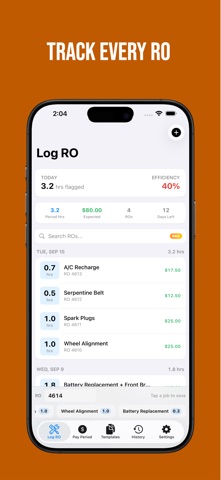
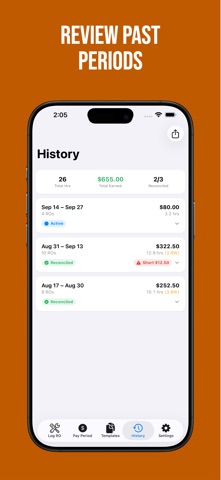
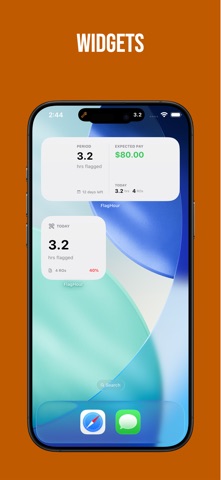
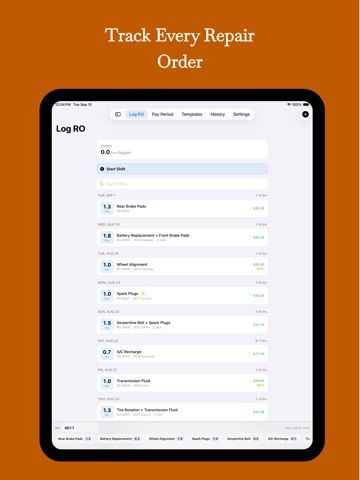
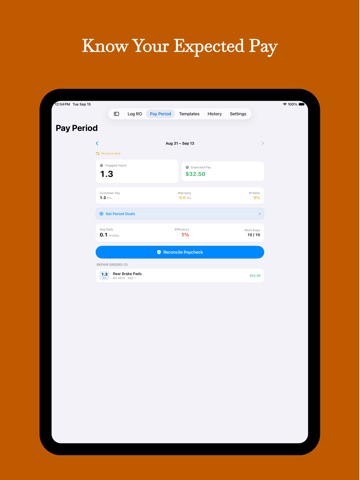
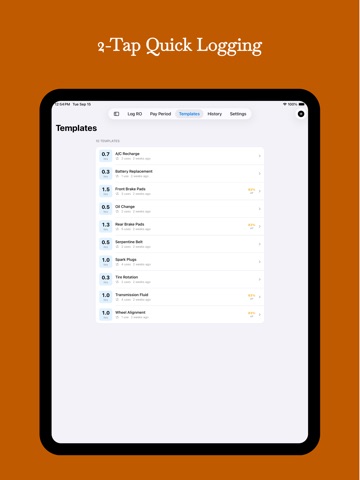
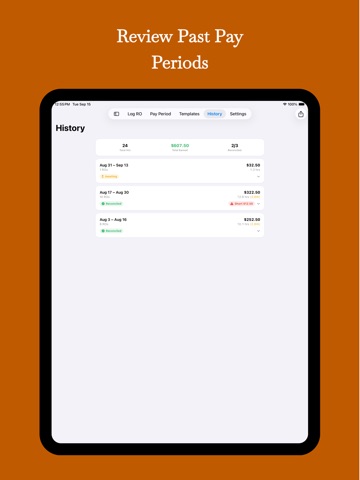
FlagHour is the fastest way for flat-rate automotive technicians to track flagged hours, log repair orders, and see exactly what their paycheck should be. If you work flat rate, you know the drill: you flag hours all day, but you never really know where you stand until the check hits. FlagHour fixes that. Log each RO in seconds, and the app calculates your expected gross pay in real time. HOW IT WORKS 1. Set your flag rate, pay schedule, and work day hours 2. Create job templates for your most common repairs 3. Tap a template, enter the RO number — done in 2 taps 4. Watch your hours, pay, and efficiency update instantly KEY FEATURES • Quick-Add Logging — Log an RO in 2 taps with saved job templates • Expected Pay — See your projected gross pay for the current period, updated with every RO • Efficiency Tracking — Know your daily and period efficiency percentage at a glance • Pay Period Management — Automatic period tracking for weekly, biweekly, semimonthly, or custom schedules • Job Templates — Save your most common jobs (brakes, diag, timing chains, etc.) with typical flag hours for instant entry • Goal Setting — Set hours or pay goals per period and track your progress • Paycheck Reconciliation — Compare your expected pay to your actual paycheck and catch shortages • History — Browse all past pay periods with full RO details • CSV Export — Export your data for personal records, tax prep, or pay disputes • Search & Filter — Find any repair order by number, date, job name, or vehicle • VIN Scanner — Scan a VIN barcode to auto-fill vehicle info • Pay Stub Photos — Attach a photo of your pay stub to any period for reference • Widgets — Home Screen widgets showing today's hours and period progress • Live Activities — Track your active shift right from the Lock Screen and Dynamic Island • iCloud Sync — Keep your data in sync across iPhone and iPad • Daily Reminders — Get a nudge at end-of-shift to log your ROs before you leave the shop • Dark Mode — Full dark mode support, because shop lighting is bad enough BUILT FOR TECHS FlagHour was designed specifically for flat-rate technicians — not generic time trackers forced into the role. Every screen is built around the way techs actually work: RO numbers, flagged hours, job names, warranty vs. customer pay, and efficiency. No accounts. No cloud servers. Your data stays on your device (with optional iCloud sync for Pro users). FLAGHOUR PRO Free users get full RO logging, pay tracking, efficiency stats, up to 3 templates, and Home Screen widgets. Upgrade to Pro to unlock: • Unlimited job templates • Full pay period history • CSV data export • Paycheck reconciliation • Search & filter • iCloud sync • Live Activities • VIN scanner Available as a monthly subscription, annual subscription, or one-time lifetime purchase. Stop guessing what your check will be. Start tracking with FlagHour. EULA: https://www.apple.com/legal/internet-services/itunes/dev/stdeula/ Terms of Use: https://cpickard2790.github.io/terms.html Privacy Policy: https://cpickard2790.github.io/privacy-policy.html#flaghour
Latest release
What’s New
• Fixed a crash that could happen when enabling iCloud sync • Improved iCloud sync reliability • Bug fixes and stability improvements
Audience growth
Ratings growth
Baseline captured. Growth appears after the crawler observes a changed rating count.
Momentum comes from crawler snapshots for the tracked storefront. “Viral growth signal” means unusually fast recent rating gains; it is an indicator, not download data.
Price tracking
Price intelligence
First snapshot captured. The trend line starts after the next crawler price observation.
- First observed Oct 16, 2026 · 12:27 AM Free
Screenshots