About this app
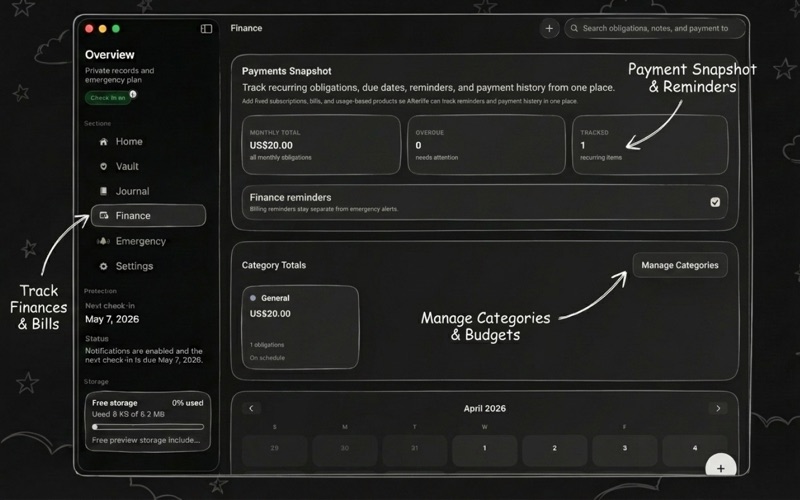
Afterlife is a private life vault for the information people usually keep scattered across password managers, notes apps, journals, bill reminders, and emergency plans. Store passwords, secure notes, links, files, journal entries, recurring bills, and trusted contact instructions in one encrypted app. Afterlife uses AES-256 encryption with strong key protection, supports Face ID and Touch ID, and keeps your private content from being stored as readable plain text. Use Afterlife to: - Save credentials, secure notes, links, and encrypted file records - Write private journal entries with photo, file, audio, and sketch attachments - Track recurring bills, due dates, categories, and reminders - Set check-ins that ask you to confirm you are okay - Choose trusted emergency contacts and decide what they can receive if you stop responding - Import passwords from KeePass or browser CSV exports - Sync your encrypted vault across your Apple devices when signed in to the same account How emergency planning works: Afterlife can send scheduled check-ins and follow-up reminders to ask if you are okay. If you keep missing them and never respond, Afterlife can securely share the information you selected with the trusted contacts you chose. You can stop the process anytime by confirming your check-in before the deadline. Afterlife Pro: Free accounts include a 5 MB encrypted file preview limit. Afterlife Pro expands encrypted file storage to 10 GB for vault files and journal attachments, with Family Sharing supported through Apple. Whether you are organizing passwords, private records, life admin, or emergency instructions, Afterlife gives you one secure place to keep it together. Privacy: https://www.agiapplications.org/apps/afterlife/privacy Terms: https://www.agiapplications.org/apps/afterlife/terms
Audience growth
Ratings growth
Baseline captured. Growth appears after the crawler observes a changed rating count.
Momentum comes from crawler snapshots for the tracked storefront. “Viral growth signal” means unusually fast recent rating gains; it is an indicator, not download data.
Price tracking
Price intelligence
First snapshot captured. The trend line starts after the next crawler price observation.
- First observed Aug 7, 2026 · 12:44 PM Free
Screenshots