About this app
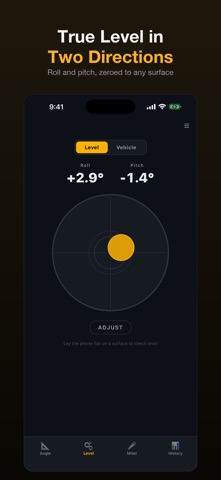
Clinometer+ Slope turns your iPhone into a precise angle and slope meter with four purpose-built modes — and now keeps a full history of every reading. FOUR MODES • Auto — radial gauge with degrees + grade % + ratio. • Roof Pitch — rise:run (6:12 etc.) + degrees + standard pitch matching (1:12 ~ 12:12). • Slope — grade % + walking categories (level / gentle / moderate / steep / severe) + ADA ramp / ladder safe references. • Tilt — bubble level visualization + ±degrees, perfect-level indicator. WHAT'S NEW • Measurement History — every reading is auto-saved with a 7-day trend chart and insights like "+12% vs your 7-day average". • Notes & Favorites — add a note ("kitchen floor", "patio") and star to any saved reading. • Compare Mode — pick two saved measurements and view the difference side by side. • Reference Library — ADA ramp max (1:12), standard roof pitches (3:12 / 6:12 / 8:12), ladder safe angle (75°), ramp categories, climbing slopes. • Share Result — share your current angle as an image. • CSV Export — share all your measurements as CSV for spreadsheets. CORE FEATURES • Real-time angle measurement (degrees / grade % / ratio) • Kalman-smoothed sensor readings • Hold function (freeze current reading) • Calibrate Zero (set any surface as the 0° reference) • Min / Max tracking with elapsed time • Live trend chart FOR ROOFERS · CARPENTERS · DIY · CONSTRUCTION · DRONE PILOTS · SATELLITE DISH INSTALLERS · TRAIL HIKERS · GARAGE MECHANICS Available in 14 languages.
Latest release
What’s New
The angle is now right whichever way you hold the phone. The app only ever measured tilt across the phone's width. That works if you lay it flat with the slope running side to side — but lay it flat pointing UP a slope, the way anyone puts a phone on a roof or a ramp, and a 30° pitch read 0.0°. Stand it on its long edge against a rafter, the way a clinometer is normally held, and a level surface read −90°. It now works out how you're holding it and measures along the axis you're actually using, in all four positions, with uphill and downhill still telling apart. Calibration behaves too. The trim in Settings used to be added to the angle only, so a 2° trim showed 32° next to the grade of 30° — two numbers on one screen that couldn't both be true. Everything now comes off a single corrected reading. And Reset no longer quietly throws away your zero calibration: it clears the session, nothing else. If you calibrated around the old behaviour, re-zero once on a surface you trust.
Audience growth
Ratings growth
Baseline captured. Growth appears after the crawler observes a changed rating count.
Momentum comes from crawler snapshots for the tracked storefront. “Viral growth signal” means unusually fast recent rating gains; it is an indicator, not download data.
Price tracking
Price intelligence
First snapshot captured. The trend line starts after the next crawler price observation.
- First observed Aug 18, 2026 · 2:57 AM Free
Screenshots