About this app
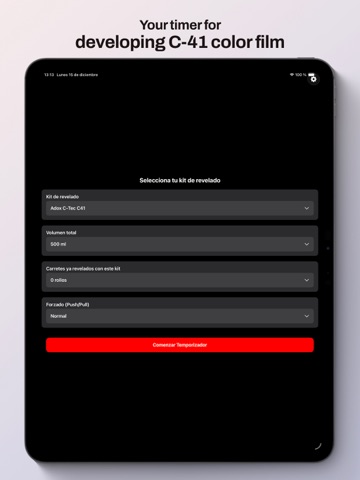
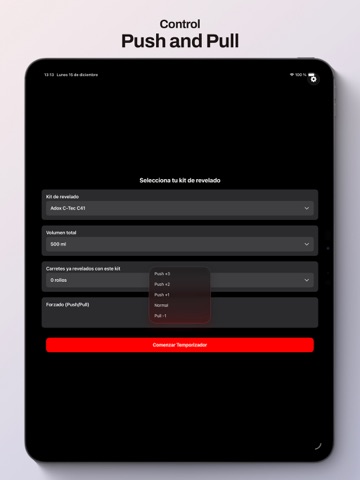
ColorDev Timer is designed for analog photographers developing color film (C-41) who want a clear, reliable, and distraction-free workflow. Choose your development kit, enter the total chemistry volume, how many rolls have already been processed, and whether you’re pushing or pulling film. The app calculates the timings and guides you through each development phase with a clear, lab-friendly timer. All development phases are listed with their individual durations, and the current phase is clearly highlighted. You can start any phase with a single tap and reset the entire process whenever needed. ColorDev Timer also tracks chemical usage, helping you know when your chemistry is approaching its recommended limits. Key features: • Phase-based development timer • Push / pull support • Development kit and volume selection • Roll usage tracking • Clean interface suitable for darkroom use • Designed for real analog workflows • App for Apple Watch No ads. No accounts. No clutter. Just analog photography.
Latest release
What’s New
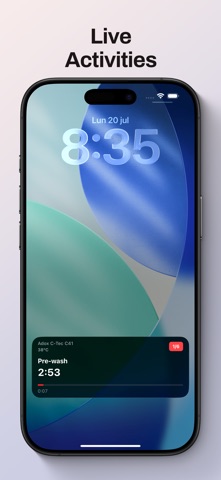
ColorDev Timer is coming to your wrist! Version 1.1 is here — the biggest ColorDev Timer update yet. The timer now goes beyond your iPhone, accompanying you throughout the lab with a new Apple Watch app, Live Activities, and more control over every film processing session. APPLE WATCH (new): • Follow the current step and remaining time directly from your wrist. • Pause or resume the timer from your Apple Watch—by tapping the screen or, on compatible models, using the double tap gesture—without reaching for your iPhone.• Receive haptic alerts with 30 seconds remaining, during the final countdown, and at the end of each step. • Manual inversion alerts now reach your Apple Watch too. LIVE ACTIVITIES (new): • Follow your processing session at a glance from the Lock Screen and Dynamic Island. • Check the current step, progress, and remaining time without opening the app. STATISTICS: • You can now manually add previous processing sessions and complete your history for each kit. DEVELOPING AND TIMER: • New option to choose between 3 or 5 minutes of preheating. • Settings have been reorganized to make processing and timer options clearer and easier to access. IMPROVED: • The active step now turns grey when the timer is paused. • App version and build number are now displayed in Settings. • Visual improvements, performance refinements, and bug fixes. See you in the lab!
Audience growth
Ratings growth
Baseline captured. Growth appears after the crawler observes a changed rating count.
Momentum comes from crawler snapshots for the tracked storefront. “Viral growth signal” means unusually fast recent rating gains; it is an indicator, not download data.
Price tracking
Price intelligence
First snapshot captured. The trend line starts after the next crawler price observation.
- First observed Aug 12, 2026 · 5:54 PM Free
Screenshots