About this app
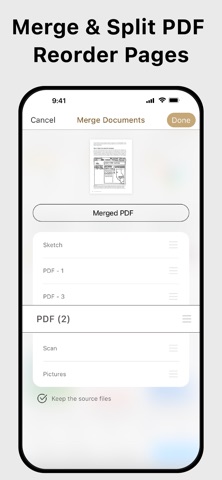
Scan, OCR, Edit & Share PDF Documents with Ease Transform your iPhone or iPad into a powerful pocket scanner, PDF editor, and business card scanner. Quickly scan multi-page documents, recognize text, edit PDFs, fill forms, sign documents, scan business cards, and share files anytime, anywhere. Key Features ● High-Quality Scanning & OCR • Auto-detect document borders and correct perspective distortion • Enhance images by removing shadows and sharpening text • Extract text from scanned images with OCR and export as TXT or DOCX ● Business Card Scanner • Scan business cards and automatically extract contact information with OCR • Save scanned business cards as searchable digital contacts within the app • Export contacts directly to the iOS Contacts app with a single tap ● Edit & Annotate • Fill out forms, highlight important details, or sign documents • Add text, lines, and images to scanned documents • Merge multiple scans into a single PDF ● Organize & Secure Your Documents • Easily search and manage files with folders and custom naming rules • Protect sensitive documents with password encryption ● Seamless Sharing & Cloud Integration • Share scans as PDF, JPEG, TXT, or DOCX via email, fax, SMB, WebDAV, and cloud storage (iCloud Drive, Dropbox, Google Drive, OneDrive, Box, Evernote, and more) • Print with AirPrint or save directly to Photos ● Advanced Features • Photo Collage: Combine multiple pages into a single sheet (for example, both sides of an ID card on one A4 page) • QR Code Scanner: Scan from the camera or photo library to open URLs, call phone numbers, send emails, or add contacts • Fax Anywhere: Send and receive faxes worldwide with real-time delivery status notifications ● Import & Export • Import PDFs and JPEGs from other apps or cloud storage • Export searchable PDFs • Export documents to iTunes, Reminders, and Apple, Google, or Outlook Calendars ● Receive Faxes (Non-Renewing Subscription) • Purchase a dedicated fax number to receive faxes • Disable fax reception whenever you no longer need to receive faxes Subscription Plans Unlock premium features with Bronze, Silver, or Gold plans, including: • Cloud Backup & Restore: Access previous versions of your documents anytime • Flexible monthly and annual subscription options • Subscription renews automatically unless auto-renew is turned off at least 24 hours before the end of the current billing period • Your account will be charged for renewal within 24 hours before the end of the current period. The renewal price depends on the selected plan • You can manage your subscription and turn off auto-renewal in your Account Settings after purchase • Any unused portion of a free trial will be forfeited when you purchase a subscription before the trial ends Terms of Service: https://ifunplay.com/legal.html
Latest release
What’s New
This update includes major stability improvements and bug fixes for the business card recognition feature.
Audience growth
Ratings growth
Momentum comes from crawler snapshots for the tracked storefront. “Viral growth signal” means unusually fast recent rating gains; it is an indicator, not download data.
Price tracking
Price intelligence
- First observed Aug 14, 2026 · 12:32 AM Free
Screenshots