About this app
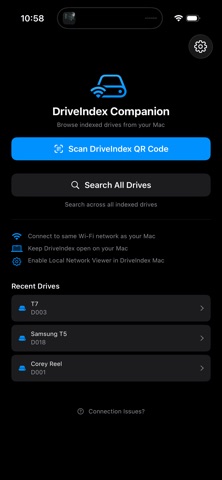
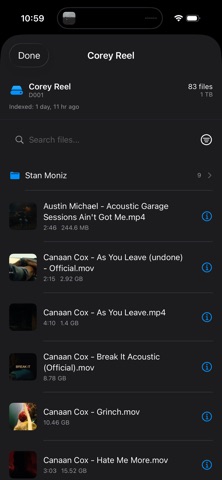
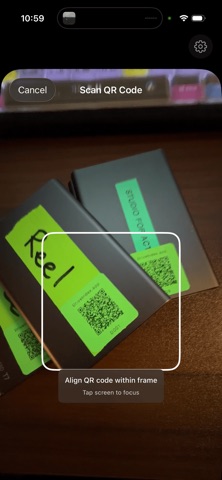
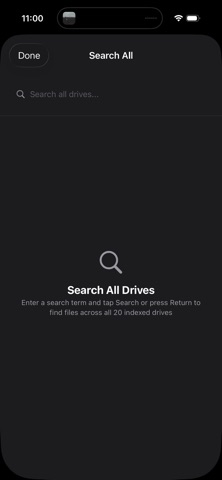
DriveIndex Companion lets you browse the contents of your indexed drives from your iPhone or iPad — without plugging them in. Designed as a lightweight viewer for the DriveIndex macOS app, DriveIndex Companion connects securely over your local network to display a read-only index of your drives, including folder structure, file metadata, thumbnails, and search tools. Simply scan a DriveIndex QR label, make sure your Mac and iOS device are on the same Wi-Fi network, and instantly see what’s on a drive — even if it’s sitting on a shelf. Key Features •Browse drive contents remotely View folder trees, files, and metadata exactly as indexed on your Mac. •Search & filter Quickly find files using search and metadata filters. •Thumbnails & media details Preview files and see useful metadata at a glance. •QR code scanning Scan DriveIndex QR labels to jump directly to a specific drive. •Local network only No accounts, no cloud sync — your data stays on your Mac. •Read-only by design Safe viewer app that never modifies your files. How It Works 1. Install and run DriveIndex on your Mac. 2. Make sure your Mac and iOS device are on the same local network. 3. Scan a DriveIndex QR code from a labeled drive. 4. Browse the indexed contents instantly on your phone or tablet. Who It’s For DriveIndex Companion is ideal for filmmakers, photographers, editors, and media professionals who manage large drive libraries and want instant visibility without connecting hardware.
Latest release
What’s New
Revised search functions for improved results.
Audience growth
Ratings growth
Baseline captured. Growth appears after the crawler observes a changed rating count.
Momentum comes from crawler snapshots for the tracked storefront. “Viral growth signal” means unusually fast recent rating gains; it is an indicator, not download data.
Price tracking
Price intelligence
First snapshot captured. The trend line starts after the next crawler price observation.
- First observed Aug 18, 2026 · 3:55 PM Free
Screenshots