About this app
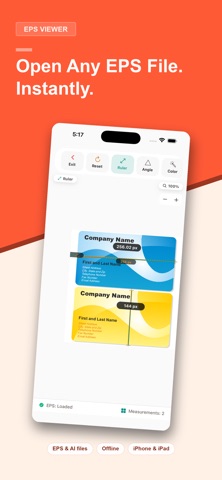
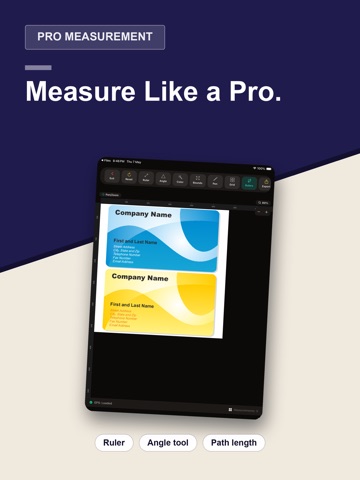
EPS Viewer: Your Essential Tool for PostScript Files Tired of struggling to open EPS files on your iPhone or iPad? EPS Viewer is a seamless and powerful mobile application designed to bring your Encapsulated PostScript files to life. Whether you're a professional designer, engineer, architect, or a user who just needs to view a file, EPS Viewer delivers a smooth, intuitive, and feature-rich experience. Key Features: Effortless Viewing: Open EPS files directly from your device and instantly view them as crisp vector graphics rendered in real time. Precision and Detail: Zoom and pan with fluid gestures to inspect every detail of your vector graphics without losing quality. Our dedicated rendering engine ensures crisp, accurate display of your Illustrator and PostScript-generated files. Measurement Tools: Measure distances and angles directly on your vector artwork with snap-to-entity precision. Get exact dimensions with the ruler tool and calculate angles between lines and curves. Color Inspector: Pick and identify exact colors from any point in your EPS file with the built-in color inspector tool. Layer Control: Get a deeper look into your files with the ability to show or hide individual layers within complex EPS artwork. Full-Screen Immersion: Maximize your viewing experience with a dedicated full-screen mode, perfect for detailed inspections. Pen Overlay: Annotate and mark up your EPS files with a freehand pen tool, available in multiple colors and widths. EPS Viewer is built to be a fast, reliable, and battery-efficient solution. It works perfectly offline, giving you full control of your files wherever you are. No unnecessary data collection—just a simple, powerful tool for your mobile device. Download EPS Viewer today and discover a better way to interact with your PostScript files!
Latest release
What’s New
This update includes performance improvements and bug fixes for a smoother experience.
Audience growth
Ratings growth
Baseline captured. Growth appears after the crawler observes a changed rating count.
Momentum comes from crawler snapshots for the tracked storefront. “Viral growth signal” means unusually fast recent rating gains; it is an indicator, not download data.
Price tracking
Price intelligence
First snapshot captured. The trend line starts after the next crawler price observation.
- First observed Aug 10, 2026 · 8:28 AM Free
Screenshots