About this app
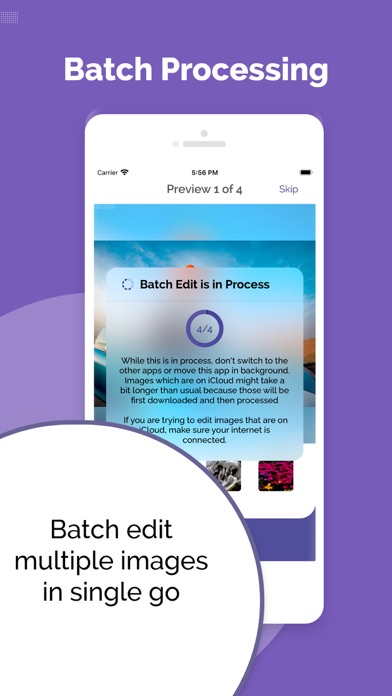
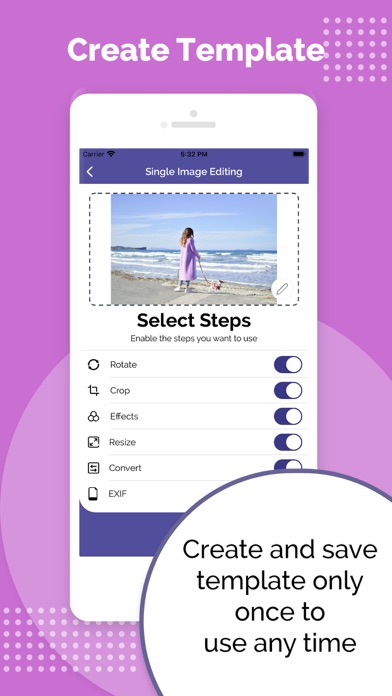
eZy Edit: Batch Photo Editor provides a great way to edit images in batch! All you have to do is to select photos from your gallery and start editing them right away. Here are some of the most prominent features of our app: 1 - Bulk Image Editing: With eZy Edit: Batch Photo Editor you would be able to: Crop Rotate Flip Apply Effects Compress Convert Resize multiple images with one click. 2 - Easy to use UI: eZy Edit: Batch Photo Editor provides an easy to use user interface. You do not have to find an app manual or tutorials to use the app. Simply install it and start using it. 4 - Batch Image Resizer: Do you have multiple pictures that are needed to be resized? Worry not, with eZy Edit you can select multiple pictures, specify the dimensions and the app will resize them all. 5 - Batch Photo Flip: eZy Edit allows you to flip your multiple photos at once and you can also use your own created template for it. 6 - Batch Image Converter: With eZy Edit you can convert images in JPG, PNG, and others. 7 - Batch Image Compressor: You can now easily reduce your image file size with good quality and share it wherever you want. With the batch image compressor feature, you can compress multiple images with a single click. 8 - Portrait/Landscape Mode: Do you take pictures in landscape or portrait mode? Editing these pictures altogether is a headache. With our app, editing landscape or portrait images is a piece of cake. Just select the mode, create a template, and start editing your images. 9 - Multiple Effects Available: eZy Edit comes with different effects. You can apply them to a single image or multiple images at once. 10 - Create/Choose Template -(Batch Image Editor): You can easily create a template, save it to storage, and reuse it later multiple times. You can edit multiple images using an existing template and it is also a time-saving approach. 11 - Dynamic Preview: While you go through a series of editing phases, you can continuously see the effect on your images. This makes it much easier to get your editing just right; it feels like you’re editing images in real-time and seeing the results side by side. 12 - Save Editing: eZy Edit never edits your original files directly. Instead, it creates a copy of your original images and saves the edited ones separately, so your originals remain untouched. 13 - Smart File Naming: Using eZy Edit you can easily create thousands of new images. Rather than bothering you to type each new image’s file name individually. It specifies file names with a general format. For example, new images could be named with the title of eZy Edit app appended with the file format you choose like, PNG/JPG. 14 - Share With The World: You can share or export your images on social media or via mail easily. Any suggestions for the next version of eZy Edit: Batch Photo Editor? Have any problems using eZy Edit: Batch Photo Editor? Feel free to write to us at support+ezyedit@whizpool.com. We are committed to make continuous improvements to the product so your feedback is greatly appreciated. We would like to incorporate as much feedback as possible in the next version of eZy Edit: Batch Photo Editor, making it the most powerful and nice-to-use Batch Image Editor out there. Download today and enjoy editing your precious photos. https://ezywatermark.com/privacy-policy.php?app=eZyEdit https://ezywatermark.com/terms-of-service.php?app=eZyEdit
Latest release
What’s New
General bug fixes and functionality Improvement
Audience growth
Ratings growth
Baseline captured. Growth appears after the crawler observes a changed rating count.
Momentum comes from crawler snapshots for the tracked storefront. “Viral growth signal” means unusually fast recent rating gains; it is an indicator, not download data.
Price tracking
Price intelligence
First snapshot captured. The trend line starts after the next crawler price observation.
- First observed Aug 15, 2026 · 5:09 PM Free
Screenshots