About this app
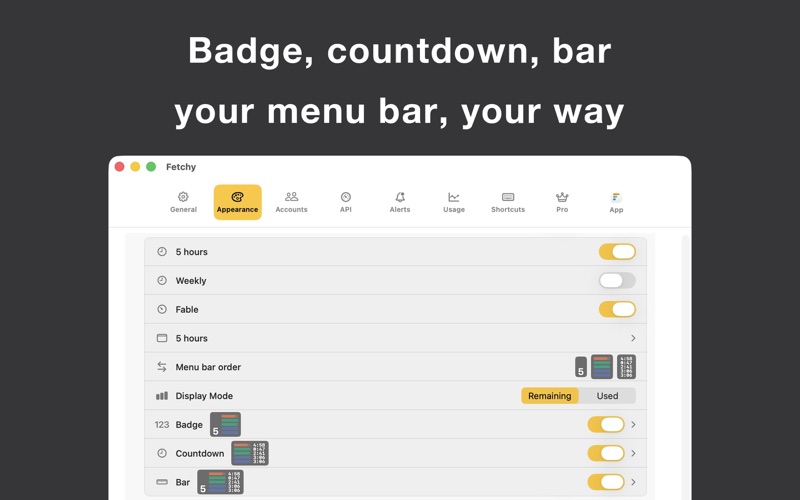
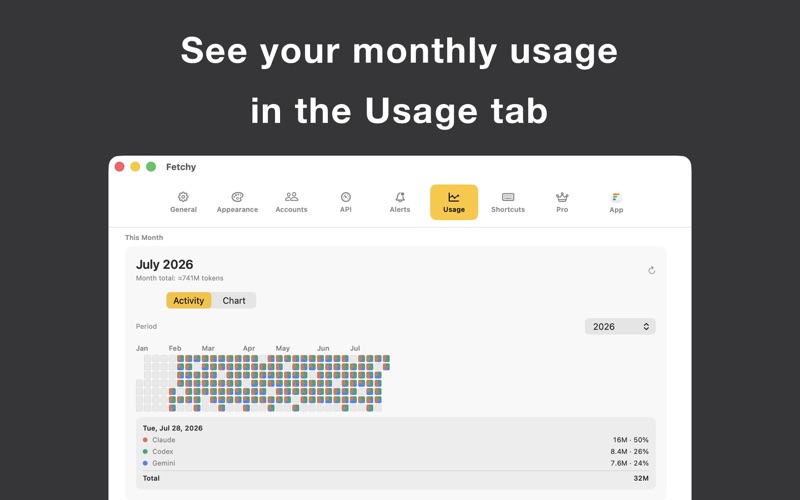
Ever get into a good flow and then hit your usage limit out of nowhere? Fetchy puts your AI coding usage in the macOS menu bar, so you can see it coming. It reads the AI coding tools you already work in. Connect only the ones you actually use. One is enough to get going. A small bar sits in your menu bar, one color per tool. Glance at it to see roughly how much you have used. Click it and you get the current windows, how much is left, and the next reset time. No dashboard, no browser tab, no command to run. The tools split into two kinds, and both live in the same bar: Subscription tools with quota windows show how far into the window you are and when it rolls over. Pay-as-you-go API keys show the balance left on the key. You can set a daily, weekly or monthly token budget so a metered key has a line you can actually see. Because it covers so much of what you might reach for, picking up a new tool is cheap. Connect it and it shows up in the same bar next to everything else, measured the same way. No second app to install, nothing to reconfigure. Connecting is per tool and takes a moment. Some log in from inside the app. Some ask you to point Fetchy at their local folder once. Others take an API key you paste in. Whichever it is, you do it once. Your login stays on your Mac, and usage comes from each tool's own account or its local session logs. Fetchy never reads your code or what you are working on. What is free: every tool, every account, quota windows and reset times, API balance and spend, your own API budgets, and one menu bar item on screen. What Fetchy Pro adds: usage alerts when you cross a threshold or before a window resets, splitting tools and accounts across several menu bar items, desktop widgets, monthly usage insights with per-model breakdowns, and control over colors, order and badges. One payment, no subscription. Runs on macOS 13 and up. It stays out of the way until you need it. Fetchy is an independent app and is not affiliated with, endorsed, or sponsored by Claude, Codex, Gemini, Cursor, Copilot, Moonshot, DeepSeek, OpenRouter, Kimi, z.ai, Warp, Synthetic, DeepInfra, Kilo, Groq, Amp, MiniMax, Factory, Windsurf, JetBrains, Grok, or any other tool it reads. All trademarks belong to their owners.
Latest release
What’s New
• Fixed an issue where alerts could fire multiple times • Minor fixes and improvements
Audience growth
Ratings growth
Baseline captured. Growth appears after the crawler observes a changed rating count.
Momentum comes from crawler snapshots for the tracked storefront. “Viral growth signal” means unusually fast recent rating gains; it is an indicator, not download data.
Price tracking
Price intelligence
First snapshot captured. The trend line starts after the next crawler price observation.
- First observed Aug 8, 2026 · 3:18 PM Free
Screenshots